Pressing Delete Account on Reddit does less than most people expect. The profile goes, and so does your login. But every post and comment you wrote stays exactly where it is, now signed [deleted], and strangers can still read all of it.
Quick answer: here’s how to delete Reddit account and comment history in 2026. On the web, open Settings, scroll to Advanced, and click Delete Account. In the iPhone and Android apps, the option now sits in Settings too. Confirm with your password, and clear your posts and comments yourself first, because the profile goes and the content stays. For the full picture, read Delete Instagram Account.
Account or content? Pick the job you actually want
Almost every guide on page one treats these as one task. They are two, and doing them in the wrong order locks you out of the fix.
| What you want | What to do | What survives |
| How to delete Reddit account if you only want to stop using Reddit | Delete the account only | Every post and comment, credited to [deleted] |
| Get your words off the site | Delete posts and comments first, then the account | Copies in archives, mirrors, and screenshots |
| Break the link to your name | Edit identifying details out, delete the content, then the account | Older versions in third-party archives |
| Keep a record for yourself | Request your data export, wait, then delete | Nothing on Reddit, everything in your download |
Key takeaways
- Deletion is one click and no undo. Reddit’s help center says the account “can’t be reactivated”.
- Removing your content is a separate, manual job that must happen first.
- Both apps can delete an account now. That was not true for years.
- There is no deactivate option. Only the permanent version exists.
- Karma vanishes, the username is gone for good, and your mod’s seats empty out.
How to delete Reddit account, step by step on desktop

- Deleting a Reddit account is easiest on the web, which remains the most reliable route and the method Reddit documents most fully. Follow these six steps from start to finish:
- Sign in at reddit.com on a computer.
- Click your avatar at the top right and choose Settings.
- Scroll to the Advanced section at the bottom of the Account tab.
- Click Delete Account.
- Enter your username and password, then check the box to confirm that deleted accounts aren’t recoverable.
- Click Delete. If you sign up through Google or Apple, disconnect that login under Account authorization first.
On old.reddit.com, the same control lives in the preferences delete tab and only asks for your username and password. Either way, the confirmation is instant and final.
What you’ll need
- Your password, which the last screen always asks for. Admins cannot do this on your behalf.
- Access to the email address or phone number on the account.
- About ten minutes for the account, longer if you’re clearing years of comments.
- A canceled Reddit Premium subscription, if you pay for one. Deleting the profile does not stop the billing, and the plan starts around $5.99 a month in the US.
Clear your posts and comments first.
This is the step the rest of page one skips. Reddit states it flatly: “Deleting your account doesn’t delete any posts or comments you’ve made.” The thread stays readable; the username at the top just changes to [deleted].
There is no bulk delete button anywhere in the settings. You do it by hand:
- Open your profile and switch to the Posts tab, then the Comments tab.
- Use the three-dot menu under each item and choose Delete.
- For anything with your real name, job, or city in it, edit that detail out and save before you delete. The visible version is what search engines pick up next.
- Check your saved and hidden lists too, since old submissions hide there.
Browser scripts such as Power Delete Suite automate the grind, and they are popular for good reason. Read the warning label first. They run inside your logged-in session with full account rights. Several similar tools broke after Reddit’s 2023 API pricing change, so a stale copy can fail halfway through without saying so.
If you install one, do it on a machine already running free antivirus software you trust. Then check the result yourself rather than assuming the script finished.
Deleting from the iPhone and Android apps
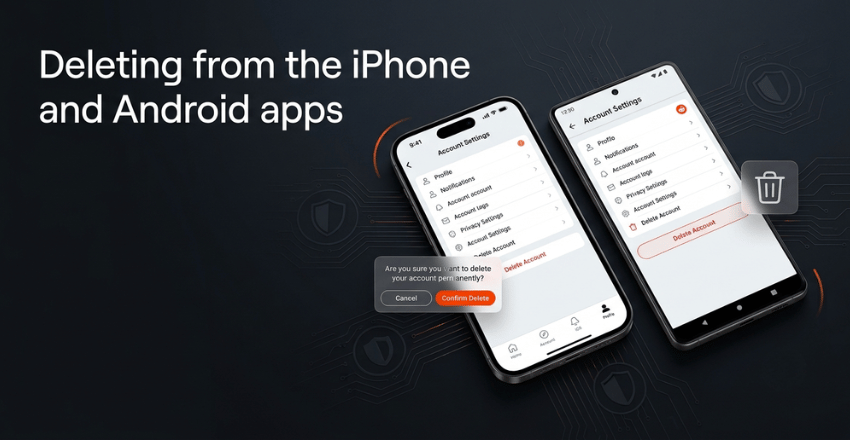
For years the apps had no delete option at all, and every guide told you to go find a computer. That changed. Both apps handle it now, but they hide the button in different places, which is why generic instructions send people in circles.
iPhone
- Tap your avatar, then the menu icon with three lines.
- Go to Settings, then Support.
- Tap Delete account and confirm.
Android
- Tap your avatar at the top right, then the three-line menu.
- Go to Settings, then Account settings.
- Scroll to the very bottom and tap Delete account.
Sign up with a phone number and no email? A six-digit code arrives by text to confirm it’s you. While you’re in the Android settings, check what else the app can still reach through the Google Play Store permission controls. Uninstalling an app does not revoke everything it was granted.
Deactivate or delete: Reddit only offers one.
People search for a pause button. Reddit doesn’t have one. No deactivate state hides your profile and lets you return later, and the wording on the old preferences page has said “delete” for years. If you want a break rather than an exit, log out, remove the app from your phone, and leave the account sitting there. It costs nothing and keeps the door open.
Karma, gold and moderator seats
| What you built | What happens when the account goes |
| Post and comment karma | Gone with the profile. It cannot be moved to a new username. |
| Reddit gold you bought | Use it before you go. Don’t count on a refund. |
| Awards on your old posts | Stay on the posts, which stay up under [deleted]. |
| Moderator positions | Vacated. Nobody inherits them automatically. |
| Reddit Premium | Keeps billing unless you cancel it separately. |
That fourth row causes the most damage. If you moderate anything active, add a replacement mod with full permissions and tell the team before you press delete. Otherwise, the community wakes up short-handed, with a queue nobody can clear.
The username, and whether you can undo it
You cannot undo it. Reddit’s help center is blunt about the window. Once you confirm, we initiate a deletion process which commences within 90 days to safely remove or anonymize your account from our servers. Those 90 days are Reddit’s internal cleanup schedule, not a grace period for you. There is no reactivation link and no support ticket that brings the profile back.
Your username is equally final. It becomes unavailable rather than returning to the pool, so nobody can register it and impersonate you, and you can’t reclaim it either. Anyone promising to restore a deleted Reddit profile for a fee is running a scam. The better expert-tested antivirus suites flag those sites through their web protection before you hand over a card number.
Download your data before you go.

Do this a month ahead, not on the day. Reddit’s exports are thorough and slow.
- Go to reddit.com/settings/data-request on a computer while signed in.
- Pick the date range and submit the request.
- Wait. The help center says, “it may take up to 30 days to prepare your data”.
- Download the file from the link sent to your Reddit inbox or verified email address.
Inside the archive you get posts, comments, votes, recent IP addresses, account preferences, and every app you have ever authorized. Lost access already? Email [email protected] from the verified address on the account.
Why “deleted” never means erased everywhere.
Here’s the honest part, and it’s the reason to treat your comment history as public forever rather than retrievable. Deleting content removes Reddit’s front end. Copies made before that moment sit outside Reddit’s reach.
Google retired its cached page links in 2024 and now points searchers at the Internet Archive instead, so old thread snapshots have simply moved rather than disappeared. Community-run mirrors filled the gap left when Pushshift access was restricted in 2023. And a screenshot posted to another site is beyond any platform control.
The law reflects this limit. California residents can ask a business to delete personal information collected from them, under the state’s Consumer Privacy Act. Read the section itself, though, and the right has edges.
Where to get advice once you’re off Reddit
Most people who leave miss one thing: the product threads. That’s where they checked whether a router was any good before buying it. Independent review outlets cover that ground with actual testing behind the verdict, and our roundup of trusted tech review sites is a decent replacement shortlist.
Ready to go? Export your data today, spend an evening clearing your comment history, hand off any mod seats, then delete the account. In that order, and you won’t be chasing an old post you can no longer edit.
FAQs
You can’t. Reddit asks for the password on the final screen every time, on the web and in both apps. Reset it through the login page first, then start the deletion.
No. The author line changes to [deleted] on every post and comment. Your words are untouched, so anything identifying you inside the comment is still visible.
No, and these catch people out. Cancel the subscription first, or the charges keep landing after the profile is gone.
Your access ends immediately. Reddit’s own timeline for removing or anonymizing the account data on its servers starts within 90 days, and content you left up stays up regardless.
Yes. Sign up again with a different username whenever you like. Karma, gold, and mod positions don’t carry across, so treat it as a genuine restart.