For most people, the best electronic notebook is the 11-inch Amazon Kindle Scribe, which sells for $549.99 in its 64 GB version. It reads books, writes with a pen that never needs charging, and charges no monthly fee. Writers who want color and a larger page should pay $629 for the reMarkable Paper Pro instead. For a closer look at this, see Best Digital Calendar.
The picks at a glance
Every price below was checked at the manufacturer or at Best Buy on July 29, 2026.
| Pick | Device | Screen | Price today | Pen | Subscription |
| Best overall | Amazon Kindle Scribe, 64 GB | 11 in mono | $549.99 | Premium Pen in the box, no battery | None for notebooks |
| Best for writers | Remarkable Paper Pro | 11.8 in. in color | $629 | Marker in the box | Connect, $3.99 a month, optional |
| Best without any fees | Supernote Manta | 10.7 in mono | $505 | Sold separately from $65 | None |
| Best big canvas | Book Note Max | 13.3 in mono | $599.99 | Pen Plus in the box | None |
| Best pocket size | Supernote Nomad | 7.8 in mono | $329 | Sold separately | None |
| Cheapest that works | Rocketbook Core | Letter paper | $34.99 | FriXion pens, $9 for three | None |
| Best all rounder | iPad (A16) plus Apple Pencil (USB-C) | 11 in color | $449 plus $79 | Pencil charges over USB-C | None |
Key takeaways
- Only reMarkable charges a subscription, and at $3.99 a month, it buys handwriting search and unlimited sync, not the basics.
- Pen tips are a running cost. ReMarkable sells nine spare tips for $19 and rates each one at three to seven weeks of daily writing.
- Amazon, Supernote, and Boox all include a battery-free pen. Apple does not, and the $79 Apple Pencil (USB-C) has to be charged.
- A $34.99 Rocketbook solves the same problem as a $629 slate for anyone who mainly wants notes filed in the cloud.
Three kinds of the best electronic notebooks, and which one suits you
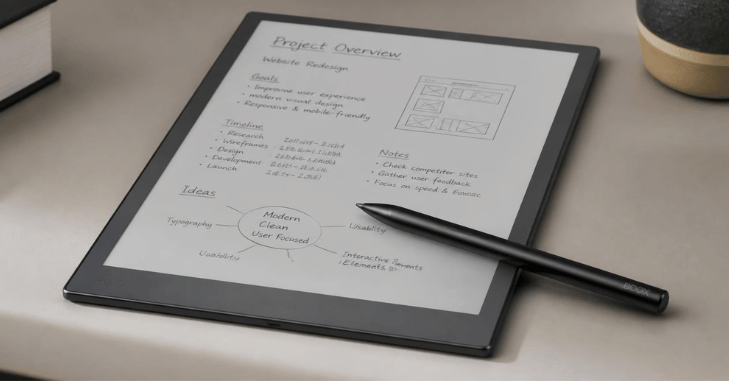
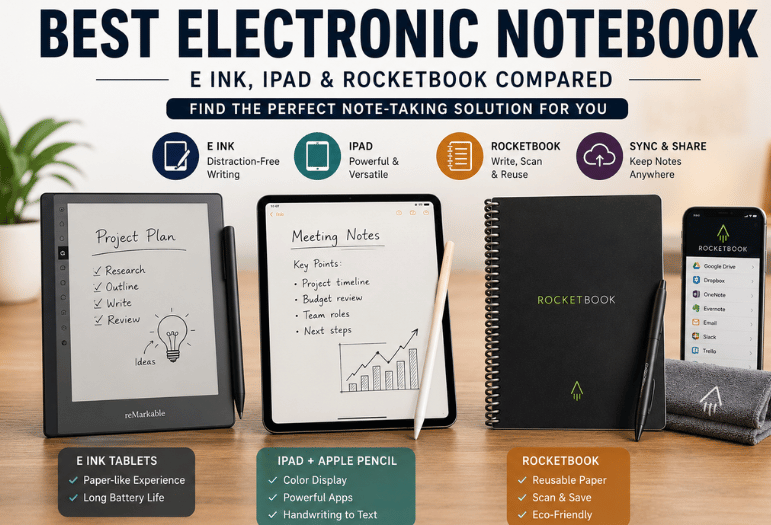
An E-ink slate is a dedicated writing device. Its screen is matte, it holds a charge for weeks, and nothing on it pings you. That focus is the whole product, and it is why people pay $400 to $700 for something that cannot play video.
Reusable paper works in the opposite direction. You write on a coated page with an erasable pen, photograph it with a free phone app, and wipe the page clean with a damp cloth. Nothing charges, nothing syncs on its own, and nothing breaks when you drop it.
A tablet with a stylus does notes plus everything else. That flexibility is also the catch, because the same screen holds your email. If your notes end up on paper anyway, our best laser printer buying guide covers the cheaper machines for that job.
E-ink slates are worth buying.
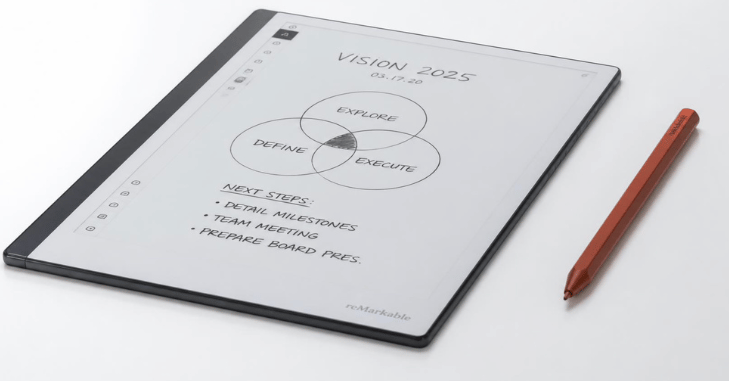
Remarkable Paper Pro, $629
Its 11.8-inch color panel is the largest reMarkable has made, and the writing feel remains the benchmark. Folders and PDF markup are strong, and the template choice is wide. A Type Folio keyboard costs another $229, which pushes a full setup past $850.
Pros: best-in-class pen feel, color, and excellent PDF annotation. Cons: handwriting search sits behind Connect, and accessories are expensive.
Amazon Kindle Scribe, $549.99
Amazon put a proper notebook inside a Kindle. You can write in the margin of a book, summarize a notebook with on-device tools, convert handwriting to text, and push the result to Microsoft OneNote. Battery life runs to about three weeks of writing. It weighs 14.1 oz.
Pros: huge bookstore, no fee for the notebook, free battery-free pen. Cons: Amazon file formats, no folders inside folders.
Supernote Nomad, $329, and Manta, $505
Supernote sells the repairable option. Its Manta has a user-replaceable battery and an upgradable motherboard, plus a microSD slot that takes cards up to 2 TB. Handwriting recognition runs on the device, and there is no subscription at any tier. Pens cost extra, from $65.
Pros: repairable, no fees, ceramic nib that Supernote says never wears out. Cons: pen not included, software feels utilitarian.
Book Note Air5 C, $529.99, and Note Max, $599.99.
Boox runs Android, so you can install Google Keep, Notion, or Kindle and sync however you already work. The 13.3-inch Note Max is the biggest sensible canvas for sheet music and engineering drawings, at 21.7 oz.
Pros: open app store, 4,096 pressure levels, sizes from 7.8 to 13.3 inches. Cons: Android on E-ink can stutter, and the update policy is inconsistent.
Rocketbook: paper that costs $34.99
A Rocketbook Core is a bound pad of coated pages. You write with a Pilot FriXion pen and mark an icon at the foot of the page. The free app then scans it to Google Drive, Dropbox, OneDrive, OneNote, Evernote, Box, Slack, Trello, or email. Wipe the page with a damp cloth, and it is blank again.
It has no battery, no firmware, and no account. For students who mostly need lecture notes filed somewhere searchable, it does the same job as a slate for under a twentieth of the money. What it cannot do is hold a library, reflow a PDF, or let you erase one word cleanly.
The iPad route, and where the Apple Pencil falls short
An iPad (A16) starts at $449, and the Apple Pencil (USB-C) costs $79. Together, they beat every slate here on speed, color, and sheer app choice. Notability, GoodNotes, and Apple’s own Notes all convert handwriting to text well.
Two caveats matter. The Apple Pencil (USB-C) offers tilt but no pressure sensitivity, so sketching loses line weight. Apple’s $129 Pencil Pro adds that, but it does not fit the base iPad at all. Glare and battery life are the second problem. A backlit screen is tiring at a sunny table, and it runs for a day rather than a month. If you type your notes up afterwards, picking the right mouse for work will change your day more than the stylus does.
Running costs nobody puts in the headline
| Cost | reMarkable | Kindle Scribe | Supernote | Rocketbook |
| Subscription | $3.99 a month, optional | None | None | None |
| Pen included. | Yes. | Yes. | No, from $65 | Pens for $9 for three |
| Spare tips | $19 for nine | Spares in the box | Ceramic nib, no wear claimed | Not applicable |
| Keyboard case | $229 | Not offered | Not offered | Not applicable |
Remarkable rates for a Marker tip at three to seven weeks for someone writing daily, so a heavy user replaces roughly ten a year. That is about $21 in tips, on top of $48 a year if you keep Connect. Free Connect still gives you handwriting conversion and cloud viewing; the paid tier adds handwriting search across every page and unlimited sync.
Firmware is the other hidden cost. E Ink devices do freeze, and the fix is usually a forced restart or a factory reset, which our guide to recovery mode explains in plain terms. Back up before you try it.
Does writing by hand still beat typing?
Handwriting recognition quality is easy to advertise and hard to check, so weigh published research above vendor claims.
Yes, and evidence rather than folklore backs it. A 2024 high-density EEG study in Frontiers in Psychology tracked 36 university students as they wrote and typed. Van der Weel and Van der Meer found that writing with a digital pen produced widespread theta and alpha band connectivity across parietal and central brain regions. Typing the same words on a keyboard did not.
That is the case for buying any pen-first device. It is not a case for buying the most expensive one.
Screen size versus what fits in your bag
Screen size is the choice people regret most. A 7.8-inch Supernote Nomad slides into a jacket pocket and goes everywhere, which means you will use it. A 13.3-inch Book Note Max shows a full sheet of music or a letter-size PDF at a readable size. Then it lives on your desk, because it is the size of a laptop.
Around 10 to 11 inches is the compromise most buyers are happy with. It holds a legal pad’s worth of writing without turning into luggage.
Export, sync, and lock-in
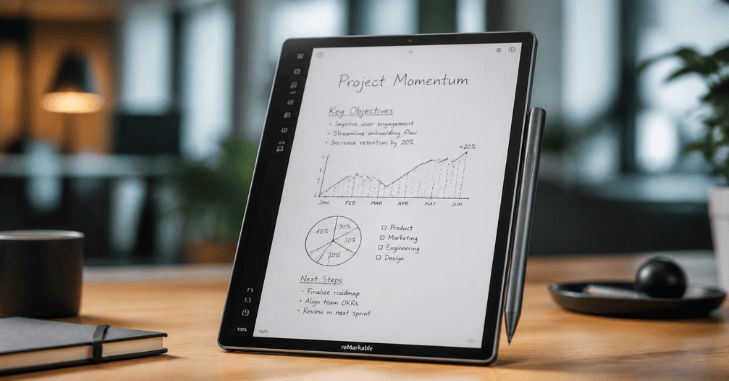
Ask one question before you pay: how do my notes leave? Every device here exports PDF, but the routes differ. Remarkable syncs through its own cloud and connects to Google Drive, Dropbox, or OneDrive. Kindle Scribe imports from Google Drive and OneDrive and exports to OneNote or PDF by email.
Supernote uses its own cloud, plus WebDAV and Dropbox. Boox, being Android, syncs with whatever service you install. Rocketbook has no lock-in at all, since the page is a photo the moment you scan it. If you plan to switch devices in two years, pick the one whose export you would be happy using every week.
Our verdict and picks by use case
The best electronic notebook is the Kindle Scribe for most buyers. It costs less than the reMarkable, includes the pen, charges nothing monthly, and doubles as a first-rate e-reader. Choose differently in these cases:
- Serious writers and PDF markup: reMarkable Paper Pro, $629.
- Students on a budget: Rocketbook Core, $34.99.
- Repairability and no accounts: Supernote Manta, $505.
- Sheet music, drawings, and large PDFs: Boox Note Max, $599.99.
- One device for everything: iPad (A16) with Apple Pencil (USB-C), $528 together.
Set a budget, then pick the screen size you will carry daily, and then check the pen and tip costs before you order. Last year’s models turn up cheaply secondhand, and our roundup of eBay alternative sites’ marketplaces lists the sites worth watching for one.
Frequently asked questions
A Rocketbook Core at $34.99 for anyone who mainly needs lecture notes filed in Drive or OneNote. Students who also read textbooks get more from a Kindle Scribe, since it handles PDFs and library books on the same screen.
Between $34.99 for reusable paper and $819.99 for a 13.3-inch color Boox Tab X C. Most good E Ink slates land between $329 and $629.
Only reMarkable charges one. Connect costs $3.99 a month after a 50-day trial. It adds handwriting search, unlimited cloud sync, and a set of AI tools. Nothing is owed on Kindle Scribe, Supernote, Boox, or Rocketbook.
Good on neat cursive or print, and poor on scrawl, shorthand, or mixed diagrams. Every device here converts on request rather than live, so treat the text output as a draft you tidy, not a transcript.
The reMarkable Marker, Kindle Premium Pen, Supernote pens, and Boox Pen Plus all work without a battery. The Apple Pencil (USB-C) charges. Nine Remarkable tips cost $19, and each lasts three to seven weeks of daily use.
Yes, on all of them. Remarkable, Supernote, and Boox export PDF directly to cloud storage. Kindle Scribe emails a PDF or pushes notes to OneNote, and Rocketbook uploads a scanned PDF or JPG.