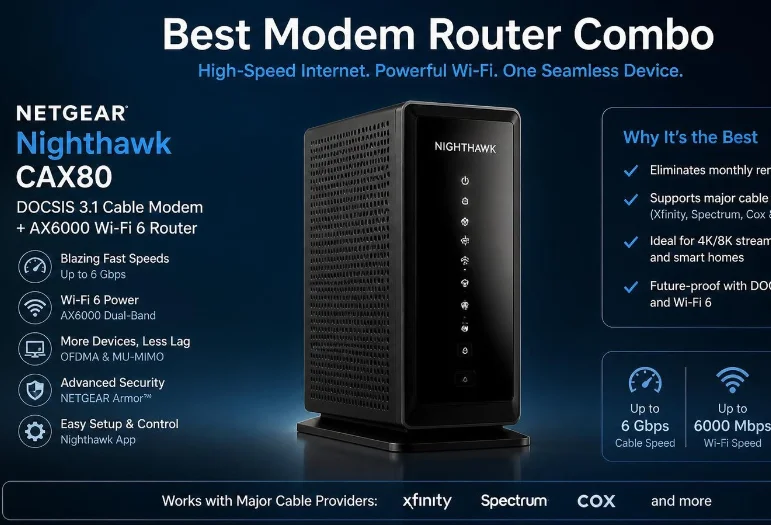
Finding the best modem router combo starts with your cable provider, internet speed, and home size. The ARRIS SURFboard G54 is our strongest premium pick for fast cable plans and newer devices. Most households can spend less and still get excellent performance from a Wi-Fi 6 gateway.
Quick answer: For high-speed cable internet, the ARRIS SURFboard G54 offers the strongest feature set with DOCSIS 3.1 and Wi-Fi 7. The G36 provides better value for most multi-gig households. Gigabit users can save money with the G20, while budget buyers should consider the G18.
Quick Comparison of Our Top Picks
| Model | Best for | DOCSIS | Wi-Fi | Wired highlight | Main limitation |
|---|---|---|---|---|---|
| ARRIS SURFboard G54 | Best overall | 3.1 | Wi-Fi 7 | 10 Gbps + four 1 Gbps ports | Premium hardware may be excessive |
| ARRIS SURFboard G36 | Best multi-gig value | 3.1 | Wi-Fi 6 | 2.5 Gbps + four 1 Gbps ports | No Wi-Fi 7 |
| ARRIS SURFboard G20 | Best for gigabit plans | 3.1 | Wi-Fi 6 | Two 1 Gbps ports | Limited wired connectivity |
| ARRIS SURFboard G18 | Best budget choice | 3.1 | Wi-Fi 6 | Two 1 Gbps ports | Lower wireless capacity |
| ARRIS SURFboard G34 | Best for extra gigabit ports | 3.1 | Wi-Fi 6 | Four 1 Gbps ports | No multi-gig Ethernet |
| NETGEAR Nighthawk CAX30S | Best alternative | 3.1 | Wi-Fi 6 | Four 1 Gbps ports | No cable voice support |
ARRIS currently lists all five SURFboard models above as DOCSIS 3.1 cable gateways. Its specifications also show substantial differences in wireless technology, Ethernet ports, and intended plan speeds. Cox currently lists several of these models on its certified equipment pages.
How We Chose the Best Modem Router Combo Options

Best Modem Router Combo compared recent independent recommendations with current manufacturer specifications and U.S. provider compatibility information. RTINGS updated its cable gateway recommendations in October 2026 and currently places the G54 first. We then checked specifications against ARRIS, NETGEAR, Cox, and Xfinity information.
We prioritized DOCSIS 3.1 because it fits current high-speed cable service better than aging DOCSIS 3.0 hardware. Wi-Fi generation, Ethernet capacity, coverage needs, and upgrade flexibility also influenced the rankings. We did not assume the most expensive gateway is automatically right for every household.
Compatibility remains more important than the specifications printed on the retail box. Cable providers can approve different devices for different service tiers or locations. Always verify the exact model with your provider before purchasing it.
1. ARRIS SURFboard G54: Best Overall
The ARRIS SURFboard G54 is the strongest choice for households wanting modern cable and wireless hardware together. It combines a DOCSIS 3.1 modem with a quad-band Wi-Fi 7 router. ARRIS also equips it with one 10 Gbps Ethernet port and four 1 Gbps ports.
That hardware suits multi-gig service, large downloads, fast local transfers, and homes with many newer wireless devices. RTINGS currently ranks the G54 as its top cable gateway after comparative testing. Cox and Xfinity also list the model among compatible customer-owned equipment.
The main drawback is value for ordinary internet plans. A household using 500 Mbps service gains little from paying for 10 Gbps connectivity. Many devices also cannot use Wi-Fi 7 features yet.
Pros
- DOCSIS 3.1 modem.
- Quad-band Wi-Fi 7.
- 10 Gbps Ethernet connectivity.
- Strong option for multi-gig cable plans.
- Modern wireless capacity.
Cons
- Higher cost than Wi-Fi 6 models.
- Excessive for slower plans.
- No built-in cable voice capability.
Verdict: Choose the G54 when you have fast cable service and expect to keep your gateway for several years.
2. ARRIS SURFboard G36: Best Multi-Gig Value
The G36 makes more sense when you want multi-gig wired performance without paying for Wi-Fi 7. It combines DOCSIS 3.1 with dual-band AX3000 Wi-Fi 6. ARRIS rates it for cable plans reaching 2.5 Gbps.
Its Ethernet selection is unusually useful for an all-in-one gateway. You get one 2.5 Gbps port plus four standard gigabit ports. That arrangement fits desktops, consoles, network switches, and other wired equipment.
Independent testing suggests its wireless range trails some newer alternatives. Still, its port selection makes it attractive for homes using several Ethernet connections. Buyers who value wired capacity may prefer it over simpler gigabit models.
Pros
- Multi-gig Ethernet support.
- Five Ethernet ports.
- Wi-Fi 6.
- DOCSIS 3.1.
- Good match for faster cable tiers.
Cons
- No 6 GHz wireless band.
- Weaker long-range value than some alternatives.
- No cable phone support.
Verdict: Pick the G36 for a fast cable plan when wired flexibility matters more than Wi-Fi 7.
3. ARRIS SURFboard G20: Best for Gigabit Cable Plans
The G20 targets households that need strong everyday Wi-Fi without expensive multi-gig hardware. It combines DOCSIS 3.1 with AX3000 Wi-Fi 6. ARRIS positions the device for cable plans reaching 1 Gbps.
RTINGS currently favors the G20 in its midrange category because of its wireless performance and range. That makes it useful for households relying mostly on Wi-Fi. It can handle streaming, remote work, gaming, and routine large downloads comfortably.
The compromise appears on the back of the unit. Only two gigabit Ethernet ports are provided. Homes with several wired devices may need a separate network switch.
Pros
- Wi-Fi 6 with AX3000 rating.
- DOCSIS 3.1.
- Suitable for gigabit service.
- Stronger value than premium models.
- Good fit for wireless households.
Cons
- Only two Ethernet ports.
- No multi-gig Ethernet.
- No cable voice support.
Verdict: The G20 is our practical choice for gigabit households that connect most devices through Wi-Fi.
4. ARRIS SURFboard G18: Best Budget Choice
The G18 is designed for shoppers who want current modem technology while keeping costs under control. It still includes DOCSIS 3.1 and Wi-Fi 6. Its AX1800 wireless specification is less ambitious than the G20’s AX3000 rating.
ARRIS lists the model for plans reaching 1 Gbps and includes two gigabit Ethernet ports. Cox also lists the G18 among compatible DOCSIS 3.1 gateways for appropriate service tiers. That gives budget buyers a newer alternative to aging DOCSIS 3.0 equipment.
Performance expectations should remain realistic in larger homes. More demanding households may benefit from the G20 or a separate router setup. Check Techixia’s guide on how to improve WiFi signal before blaming every weak room on hardware age.
Pros
- Lower-cost entry into DOCSIS 3.1.
- Wi-Fi 6 support.
- Suitable for common cable plans.
- Simple all-in-one setup.
Cons
- Lower wireless class than G20.
- Two Ethernet ports.
- Less suited to demanding large homes.
Verdict: Choose the G18 when cost matters and you still want DOCSIS 3.1 with Wi-Fi 6.
5. ARRIS SURFboard G34: Best for Extra Gigabit Ports
The G34 combines DOCSIS 3.1 with AX3000 Wi-Fi 6 and four gigabit Ethernet ports. That makes it useful when several stationary devices need wired connections. It avoids requiring an extra switch in many home setups.
Its weakness becomes obvious on internet plans above one gigabit. Every Ethernet port tops out at standard gigabit speeds. The G36 is therefore the stronger choice when multi-gig wired networking matters.
The G34 can still represent sensible value when pricing falls below the G36. Compare current prices before deciding between those models. Hardware capability matters more than a small difference in model numbering.
Pros
- Four gigabit Ethernet ports.
- AX3000 Wi-Fi 6.
- DOCSIS 3.1.
- Useful for wired gigabit households.
Cons
- No 2.5 Gbps Ethernet.
- Older positioning than newer models.
- No digital voice service.
Verdict: Consider the G34 when you need several gigabit ports and find it at a meaningful discount.
6. NETGEAR Nighthawk CAX30S: Best Non-ARRIS Alternative
The NETGEAR CAX30S is worth considering if you prefer NETGEAR’s management tools. It combines DOCSIS 3.1 with dual-band AX2700 Wi-Fi 6. Four gigabit Ethernet ports provide more wired connections than the G18 or G20.
NETGEAR states that the model works with major U.S. cable providers, including Xfinity, Spectrum, and Cox. Provider speed support can still differ by service tier. The company specifically says the device does not support bundled cable voice service.
Its current manufacturer price can also make newer alternatives more attractive. Compare its selling price against the G20 and G36 before buying. Paying more makes little sense unless you prefer its features or management interface.
Pros
- DOCSIS 3.1.
- Wi-Fi 6.
- Four gigabit Ethernet ports.
- NETGEAR app management.
- Broad cable-provider support.
Cons
- No multi-gig Ethernet port.
- No bundled voice support.
- Price can reduce its value.
Verdict: Consider the CAX30S when you prefer NETGEAR and find it competitively priced.
Which Gateway Fits Your Home?
Your internet plan should eliminate unsuitable models before you compare smaller features. A 300 Mbps household does not need hardware designed around 10 Gbps connectivity. Buying sensible headroom is smarter than paying for capacity you cannot use.
Home layout matters almost as much as broadband speed. Thick walls and multiple floors can defeat one powerful access point. Techixia’s home WiFi router comparison explains when a standalone router or mesh system fits better.
| Your situation | Better starting point |
|---|---|
| Sub-gigabit plan, modest home | G18 |
| Gigabit plan, mostly wireless | G20 |
| Fast plan, several wired devices | G36 |
| Multi-gig plan with new devices | G54 |
| Four wired gigabit devices | G34 |
| Prefer NETGEAR software | CAX30S |
| Large home with persistent dead zones | Separate modem and mesh system |
DOCSIS 3.1 Matters More Than Huge Wi-Fi Numbers
DOCSIS describes the connection between your cable gateway and your provider’s network. It is separate from Wi-Fi, which handles connections inside your home. Current DOCSIS 3.1 hardware is the safer buying target for modern U.S. cable plans.
Wi-Fi labels such as AX3000 or BE18000 are theoretical aggregate wireless classes. They do not guarantee one device will receive that speed. Your broadband plan, device hardware, interference, distance, and Ethernet limits still matter.
This distinction prevents expensive buying mistakes. Faster Wi-Fi cannot increase the speed entering your home from your provider. It can only distribute that available connection more effectively.
Check ISP Compatibility Before You Buy
Do not rely entirely on a manufacturer’s broad compatibility statement. Xfinity, Cox, and Spectrum can maintain model-specific approval requirements. Support may also differ across speed tiers.
Xfinity recommends checking its compatible-equipment system against your exact service details. Cox publishes certified modem lists divided by plan capability. These checks should happen before purchasing any gateway.
Voice subscribers need additional care because many retail models lack telephone capability. ARRIS marks the G54, G36, G20, G18, and G34 as lacking digital voice support. NETGEAR gives the same warning for the CAX30S.
Combo Unit or Separate Modem and Router?
A gateway reduces clutter because one device handles cable access and local Wi-Fi. Setup can also be simpler, and owning equipment may avoid provider rental charges. Those benefits make all-in-one hardware attractive in apartments and ordinary single-router homes.
Separate equipment offers much greater upgrade flexibility. You can replace the router without replacing a working modem. It also makes high-performance mesh systems easier to adopt later.
Large properties should think carefully before committing to one box. Coverage problems often depend on placement and building materials rather than broadband speed. A separate modem plus mesh system may produce better results across difficult layouts.
Don’t Overspend on Ethernet Cables
A premium gateway does not mean every wired connection needs the most expensive cable available. Gigabit and multi-gig home networking often works well with appropriate Cat6 or Cat6A cabling. The equipment at both ends determines the negotiated link speed.
Category 8 supports much faster specialized Ethernet applications, but most homes cannot use that capacity. Techixia’s Cat 8 Ethernet cable guide explains where the standard makes practical sense. Spend first on the gateway, router placement, and equipment causing the actual bottleneck.
Our Final Recommendation
The G54 is our top choice for buyers seeking the most capable current cable gateway. Its Wi-Fi 7 hardware and 10 Gbps port provide considerable upgrade room. Households using ordinary gigabit service can usually save money with the G20.
The G36 earns our recommendation for faster wired households that do not need Wi-Fi 7. Budget buyers should start with the G18, while the CAX30S gives NETGEAR users another option. Provider approval should make the final decision before any purchase.
Choose based on your actual plan, wired devices, and coverage requirements. Then confirm the exact model with your cable provider. That process avoids paying for unsupported or unnecessary features.
Frequently Asked Questions
What is the best modem router combo for most people?
For many U.S. cable households, the ARRIS G20 offers a useful balance of DOCSIS 3.1 and Wi-Fi 6. Faster multi-gig homes should consider the G36 or G54. Your cable provider must support the model and speed tier.
Does a modem and router combination work with fiber internet?
Cable gateways generally do not replace the optical equipment used by fiber providers. Fiber connections commonly use an optical network terminal rather than a DOCSIS modem. You can often use your own router after the provider’s required fiber equipment.
Is DOCSIS 3.1 worth buying in 2026?
Yes, DOCSIS 3.1 is the sensible target for a new cable gateway in 2026. It supports newer cable network capabilities and faster service tiers. Older DOCSIS 3.0 devices can also face shrinking provider support.
Is Wi-Fi 7 necessary for cable internet?
Wi-Fi 7 is not required for ordinary browsing, streaming, or gigabit cable service. It becomes more useful with newer compatible devices and faster local networking. Wi-Fi 6 remains a strong value choice for many households.
Can owning a cable gateway eliminate equipment rental fees?
Owning compatible hardware can remove certain modem or gateway rental charges from many cable plans. Provider policies and bundled services can change the calculation. Check your bill and provider terms before estimating savings.
Should I buy a gateway or separate modem and router?
Choose a gateway for simplicity, fewer cables, and one management device. Choose separate hardware when you want easier upgrades, mesh expansion, or more advanced routing features. Large or difficult homes often benefit from the second approach.