A Cat 8 Ethernet cable sounds like the obvious upgrade when you want the fastest possible wired connection. Category 8 can support 25 Gbps and 40 Gbps Ethernet, operates at frequencies up to 2,000 MHz, and uses heavy shielding to control interference at those speeds. The catch is that its maximum high-speed channel is only about 98 feet, and most US homes don’t have networking hardware that can use even close to its full capacity.
For a data center, server rack, or specialized high-speed network, those specifications can be extremely useful. For a gaming PC connected to a typical home router, however, Cat 8 often provides no practical speed advantage over a properly installed Cat6 or Cat6A cable. Understanding that difference can save you money while still giving your network all the performance it can actually use.
Quick answer: Cat 8 is a shielded copper Ethernet standard designed for network links up to 40 Gbps and 2,000 MHz. It is best suited to short, high-speed connections in data centers and advanced networks; most US homes, gamers, and offices get the same real-world performance from Cat6 or Cat6A.
Cat 8 Ethernet Cable at a Glance
| Specification | Cat 8 capability |
|---|---|
| Maximum rated Ethernet speed | 40 Gbps |
| Supported high-speed applications | 25GBASE-T and 40GBASE-T |
| Maximum frequency | 2,000 MHz / 2 GHz |
| Maximum high-speed channel | 30 m / about 98 ft |
| Maximum permanent link | 24 m / about 78 ft |
| Common US connector | RJ45-compatible 8-position modular connector |
| Construction | Shielded twisted-pair cabling |
| Backward compatibility | Works with lower-speed RJ45 Ethernet equipment |
| Best fit | Data centers, server rooms, short high-speed infrastructure links |
| Typical home-network value | Usually limited unless the rest of the network is multi-gigabit or faster |
The distance, frequency, connector, and 25/40 Gbps figures above reflect IEEE guidance and cabling-industry standards resources.
What Is a Cat 8 Ethernet Cable?
Category 8 is a high-performance twisted-pair copper cabling standard designed for much faster Ethernet links than typical residential wiring. IEEE standardized 25GBASE-T and 40GBASE-T operation over balanced twisted-pair cabling at distances up to 30 meters, while TIA Category 8 cabling is characterized through 2,000 MHz. That combination makes it especially suitable for short connections between high-speed network equipment.
Cat 8 also uses extensive shielding because transmitting at such high frequencies makes controlling crosstalk and electromagnetic interference increasingly important. Depending on its construction, each twisted pair may be shielded, with additional overall shielding around the cable assembly. The extra material helps signal integrity, but it also makes many Cat 8 cables thicker, stiffer, and less convenient to route than ordinary home-network patch cables.
In the ANSI/TIA implementation commonly relevant to US buyers, Category 8 retains the familiar modular connector generally called RJ45. That means a compliant cable can physically connect to many existing routers, switches, computers, and network devices. Backward compatibility does not mean an older port becomes faster, though, because the connection still negotiates at a speed supported by both devices.
How Fast Is Cat 8 Ethernet?
The headline number is 40 Gbps, or 40 gigabits per second. Category 8 was developed to support both 25GBASE-T and 40GBASE-T Ethernet over short copper links, making it a major step above the 10 Gbps ceiling commonly associated with Cat6A installations. IEEE specifies those 25 Gbps and 40 Gbps LAN interconnects for balanced twisted-pair structured cabling up to 30 meters.
Its other major number is 2,000 MHz, but MHz and Gbps describe different things. The 2,000 MHz rating refers to the frequency range over which the cabling is characterized, while 40 Gbps describes the data rate of an Ethernet application the cabling can support. A cable advertised as “2,000 MHz” therefore does not independently guarantee that your computer will transfer files at 40 Gbps.
Your real connection is limited by the slowest relevant component in the path. A 40 Gbps-rated cable connected between two 1 Gbps Ethernet ports normally produces a 1 Gbps link, because replacing the cable does not upgrade either network interface. The same principle applies to your internet plan, router ports, switches, adapters, storage devices, and any other equipment carrying the traffic.
Cat 8 vs. Cat6A vs. Cat6: Which One Makes Sense?
The higher category has a larger theoretical performance envelope, but maximum specification isn’t the same as the best choice. Cat6A remains particularly important because it supports 10 Gbps Ethernet across a full 100-meter, or 328-foot, channel, while Category 8 achieves its headline 25/40 Gbps capability over a much shorter 30-meter channel. That difference explains why Cat6A remains practical for conventional building cabling even though Cat 8 has a much higher top speed.
| Cable category | Typical maximum data rate | Rated bandwidth | Maximum distance at headline rate | Practical fit |
|---|---|---|---|---|
| Cat5e | 1 Gbps | 100 MHz | 328 ft | Existing basic home networks |
| Cat6 | 1 Gbps at full channel; 10 Gbps on shorter runs | 250 MHz | 328 ft at 1 Gbps | Homes and offices |
| Cat6A | 10 Gbps | 500 MHz | 328 ft | New multi-gig home and business wiring |
| Cat 8 | 25/40 Gbps | 2,000 MHz | About 98 ft | Short high-speed professional links |
The comparison also helps explain why US shoppers shouldn’t assume they need to move through every category number. Category 7 exists in international cabling systems, but it was not adopted as a TIA category like Cat6A and Cat 8, making Cat6A a more useful reference point for many North American installations. Eaton likewise notes that Cat 8’s real design target is high-speed switch-to-switch communication rather than replacing ordinary home cabling.
Is Cat 8 Better for Gaming?
A Cat 8 cable can carry gaming traffic perfectly well, but that doesn’t mean it lowers ping just because the category number is higher. Once your existing Ethernet connection has enough capacity and is operating correctly, latency is affected far more by your router, ISP, game server, network congestion, and physical distance to that server. Moving from a good Cat6 or Cat6A link to Cat 8 does not remove those bottlenecks.
Wired Ethernet can still be an excellent choice for a gaming PC or console because it avoids many of the interference and signal-strength variables associated with Wi-Fi. The important upgrade is often moving from an unreliable wireless connection to a stable wired one, rather than moving from one adequate Ethernet category to a much faster category. If the larger problem is your router or the way traffic moves around your home, Techixia’s home WiFi router guide explains which modern models provide useful multi-gigabit Ethernet ports and other networking features.
Gamers should therefore check their hardware before paying extra for a premium cable. Look at the Ethernet-port speed on the router, switch, PC motherboard, adapter, or dock involved in the connection, then choose cabling that comfortably supports that rate. A 1 Gbps or 2.5 Gbps port can’t become a 40 Gbps port just because you connected a Cat 8 patch cord.
Is Cat 8 Worth It for a Home Network?
For most US households, Cat 8 is technically compatible but functionally unnecessary. Everyday web use, 4K streaming, video calls, smart-home traffic, and normal gaming do not require anything close to a 40 Gbps local link, while many current consumer devices still use 1 Gbps or 2.5 Gbps Ethernet. A quality Cat6A installation also provides substantial headroom by supporting 10 Gbps over distances up to 328 feet.
That does not mean buying one short Cat 8 patch cable is harmful. If the price difference is small and you need a durable cable between nearby equipment, it can work perfectly well at slower negotiated speeds. The mistake is expecting the cable alone to make a 500 Mbps internet plan, 1 Gbps router port, or 2.5 Gbps desktop adapter suddenly operate faster.
Homes with connection problems should identify the actual bottleneck before changing cables. Slow wireless speeds in another room, for example, usually point to coverage or interference rather than a patch cord that needs upgrading. Techixia’s guide on how to improve WiFi signal covers those more likely causes and the fixes worth trying first.
When Cat 8 Does Make Sense
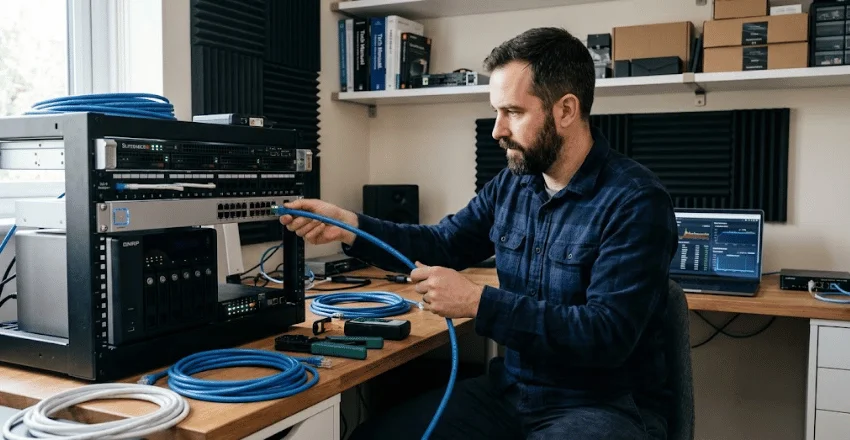
Category 8 becomes much easier to justify when both ends of the link can actually use high-speed Ethernet. Its original design target includes short data-center and server-room connections where switches, servers, storage systems, or other infrastructure may communicate at 25 Gbps or 40 Gbps. A 30-meter channel is far less restrictive when the equipment is located within the same rack or across nearby racks.
An advanced home lab may also have a legitimate use for it, although the surrounding hardware matters more than the cable label. Someone moving very large files among high-speed servers, storage arrays, and compatible switches can benefit from faster local networking even when their internet connection is much slower. In that situation, the goal is high-speed LAN traffic between local devices, not making websites load forty times faster.
For a normal work-from-home desk, Cat6 or Cat6A is usually the more balanced option. Reliable wired networking can still matter for large uploads, video meetings, and stationary workstations, but 25/40 Gbps infrastructure is rarely needed for those tasks. Techixia’s home-office setup guide also recommends solving power, connectivity, ergonomics, and everyday workflow needs before spending on upgrades that don’t address a real problem.
What to Look for When Buying Cat 8 Cable in the US
Online marketplaces contain cables with impressive-looking performance claims, so the category printed in a product title should not be your only test. Legitimate Category 8 performance depends on the conductors, connectors, shielding, termination, and complete channel meeting the required electrical characteristics. UL even provides third-party Category 8 verification services because validating performance requires more than putting “40 Gbps” on packaging.
Before buying or installing cable, check these points:
- Look for 100% copper conductors. Standards-compliant category communications cabling uses copper conductors, while copper-clad aluminum, or CCA, has higher resistance and can create performance and Power over Ethernet problems.
- Check meaningful certification or verification claims. A recognizable third-party performance verification and legitimate safety markings are more useful than vague statements such as “military grade” or “ultra gaming.”
- Match the cable to the installation. A short, factory-terminated patch cord has different installation requirements than permanent cable pulled through walls, ceilings, or commercial spaces.
- Use shield-compatible components when building structured cabling. Category 8 depends on shielded construction, so connectors, termination practices, bonding, and grounding can affect the overall installation.
- Keep the 98-foot high-speed limit in mind. Cat 8’s headline 25/40 Gbps capability is intended for a maximum 30-meter channel, not a 328-foot building run.
- Ignore speeds your equipment cannot negotiate. A cable’s maximum rating describes what it can support under the right conditions, not what every device connected to it will deliver.
The copper-conductor point matters most when Power over Ethernet is involved. Fluke Networks notes that CCA cables are not compliant with the industry cabling standards it cites and have greater electrical resistance than comparable copper conductors, which can increase heating and voltage loss. For permanent US installations, appropriate code and jacket requirements also matter, so select structured cabling for the environment rather than by category number alone.
Does Cat 8 Work With Existing Routers and Computers?
In most cases, a Cat 8 patch cable using the standard RJ45-style interface can connect to familiar Ethernet ports. Category 8 was deliberately designed with backward compatibility in mind, allowing it to operate with lower-category RJ45 connections rather than requiring every attached device to support 40 Gbps. The negotiated connection runs at the highest rate both endpoints support.
That makes compatibility less complicated than performance. If one device has a 10 Gbps port and the other has a 2.5 Gbps port, the cable may support far more, but the link cannot operate beyond what the equipment negotiates. Checking port specifications is therefore more informative than choosing a cable based solely on the largest number printed on the package.
The same reasoning applies to internet speed. Your local Ethernet link and your connection from the ISP are separate parts of the network, so installing higher-rated LAN cabling doesn’t increase the speed tier you purchased from your provider. Cat 8’s real advantage shows up when high-speed devices need to exchange large amounts of data locally, and every component in that path can keep up.
How Far Can Cat 8 Run?
For 25GBASE-T and 40GBASE-T applications, the maximum Category 8 channel is 30 meters, or roughly 98 feet. Fluke Networks describes that channel as a 24-meter (approximately 78-foot) permanent link plus patching, bringing the total channel to 30 meters. That is dramatically shorter than the familiar 100-meter channel used by categories such as Cat6A.
The limit is not evidence that Cat 8 is inferior cabling. Instead, it reflects the engineering tradeoff required to carry dramatically higher data rates through twisted copper pairs at frequencies extending to 2 GHz. In its intended rack and equipment-room applications, a 98-foot channel can be entirely adequate.
Fluke also notes that Category 8 cabling can support 10 Gbps and lower data rates over longer channel configurations up to 100 meters. That doesn’t turn a 300-foot run into a 40 Gbps link, so buyers should separate the cable’s lower-speed backward compatibility from its 25/40 Gbps design limit. If you need 10 Gbps across a typical 328-foot structured-cabling channel, Cat6A is usually the straightforward choice.
So, Should You Buy Cat 8?
| Your situation | Best practical choice | Why |
|---|---|---|
| Typical home internet under 1 Gbps | Cat5e, Cat6, or Cat6A | Cat 8 provides no extra internet speed |
| 1–2.5 Gbps gaming PC | Cat6 or Cat6A | Plenty of capacity without unnecessary cost |
| New 10 Gbps home wiring | Cat6A | Supports 10 Gbps over a full 328-foot channel |
| Work-from-home PC | Cat6 or Cat6A | Reliability matters more than a 40 Gbps rating |
| High-speed NAS/home lab | Cat6A or Cat 8 depending on hardware | Choose based on actual NIC and switch speeds |
| 25/40GBASE-T server link | Cat 8 | This is the performance range it was designed to support |
| Data-center equipment within roughly 98 ft | Cat 8 | Short, extremely high-bandwidth copper links are its core use case |
For the average consumer, Cat6A is the better “future-ready” choice because it supports 10 Gbps over a much longer channel and is easier to justify with current networking hardware. Cat 8 is the better answer only when you have a short link and equipment that can benefit from 25 Gbps or 40 Gbps Ethernet. Buying to match the network you actually have is more useful than buying the biggest category number available.
Frequently Asked Questions
Is Cat 8 the fastest Ethernet cable?
Cat 8 has the highest performance rating among the standardized twisted-pair copper categories commonly discussed for Ethernet, supporting applications up to 40 Gbps and frequencies up to 2,000 MHz. That does not make it the fastest networking medium overall, because fiber technologies can operate at much higher rates. For copper RJ45-style Ethernet, however, Category 8 represents the high end of standardized performance discussed here.
Will a Cat 8 Ethernet cable make my internet faster?
Not unless your current cable is actually the bottleneck. Your internet speed is constrained by factors including your ISP plan and the port speeds of your modem, router, switch, and device. Replacing an adequate 1 Gbps or 10 Gbps cable path with a 40 Gbps-rated cable won’t let slower equipment transmit beyond its limits.
Is Cat 8 worth it for gaming?
Usually not as a performance upgrade from a good Cat6 or Cat6A connection. Gaming generally benefits from the consistency of wired Ethernet, but jumping to Category 8 does not automatically reduce internet latency when the existing cable already supports the negotiated link speed. Spend first on solving actual bottlenecks such as poor Wi-Fi, overloaded networking equipment, or an insufficient internet connection.
Can Cat 8 be used with a normal router?
Yes, a standards-compliant TIA Category 8 cable using the familiar RJ45-style connector can operate with compatible lower-speed Ethernet ports. It will not force the router to run at 25 or 40 Gbps, because link speed is negotiated according to the capabilities of the connected equipment. That backward compatibility is convenient, but it should not be confused with an automatic speed upgrade.
Is Cat8 better than Cat6A?
Cat 8 has a much higher maximum data rate and four times Cat6A’s 500 MHz frequency rating, but Cat6A supports 10 Gbps over a much longer 328-foot channel. That makes Category 8 stronger for short 25/40 Gbps links and Cat6A more practical for many homes, offices, and conventional structured-cabling projects. The better cable is the one that matches the required speed, distance, equipment, and installation, not simply the one with the higher category number.
The Bottom Line
A Cat 8 Ethernet cable is genuinely capable technology, not merely a marketing label when the cable and installation meet the relevant standards. Its 40 Gbps ceiling, 2,000 MHz rating, strong shielding, and approximately 98-foot high-speed channel make it well suited to specialized server and data-center connections, but those same specifications are excessive for most residential networks. For the typical US home, gamer, or office, a quality Cat6 or Cat6A cable usually delivers all the usable performance the surrounding hardware can provide.