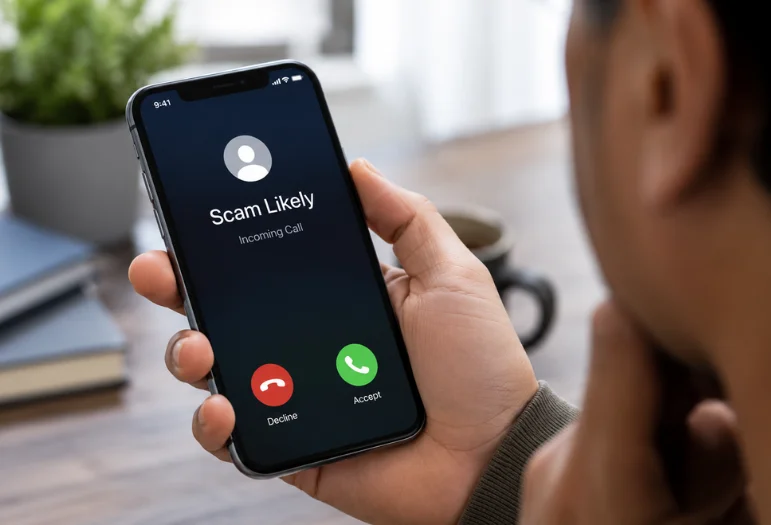
Seeing “Scam Likely” on your phone means your carrier has flagged the incoming number as suspicious based on network signals or reports. The label is a warning, not proof of fraud. Let the call go to voicemail, then verify any important message through the company’s official app, website, statement, or saved number.
T-Mobile uses this exact wording as part of its network-level call protection. Other carriers use labels such as “Spam Risk,” “Potential Spam,” or “Potential Fraud” for similar warnings.
| Key question about Scam Likely: | What to know |
| What does the warning mean? | Your carrier thinks the incoming number may be suspicious or fraudulent. |
| Is the label always correct? | No. Legitimate callers can be flagged, and unwanted calls can escape detection. |
| Safest first move | Let the call reach voicemail and independently verify the caller. |
| T-Mobile blocking option | Turn on Scam Block in T-Life or dial #662#. |
| iPhone protection | Screen or silence unknown callers and use Call Filtering. |
| Android protection | Enable caller ID and spam protection, with filtering if available. |
TL;DR: Treat the warning as a reason to slow down rather than proof about the caller. Avoid giving information or sending money during an unexpected call. If the message may be legitimate, find the organization’s real contact details yourself and call that number instead.
What Does Scam Likely Mean on Your Phone?
T-Mobile says its network filters display the warning when they detect a potentially fraudulent call. Its Scam ID technology is built into the network and enabled by default for T-Mobile customers. You do not need to install an app to receive the warning.
The wording also depends on your wireless provider:
| Carrier | Common warning | Call-protection tool |
| T-Mobile | Scam Likely | Scam Shield |
| AT&T | Spam Risk | ActiveArmor |
| Verizon | Potential Spam or Potential Fraud | Call Filter |
AT&T says its filtering can misidentify wanted calls, while Verizon describes Call Filter as a tool that detects spam, robocalls, and suspected fraud. T-Mobile also distinguishes suspected fraudulent calls from its softer “Potential Spam” category.
If your phone displays a different warning, Techixia’s guide to the broader Potential Spam label explains how the major carrier terms compare.
How Carriers Decide a Call Looks Suspicious
Phone networks do not need a person to review every incoming call. Detection systems can examine number reputation, complaint history, calling patterns, and caller-ID authentication signals. A number making unusually large batches of short calls may look riskier than a normal personal number.
Reports from other users can also affect its reputation. Caller-ID authentication can help identify spoofing, but it cannot prove that the person behind a verified number is trustworthy. This makes the warning a probability signal. A legitimate organization can be misclassified, while a fraudulent caller may still reach you without any warning.
Should You Answer a Flagged Call?
You usually lose nothing by letting an unknown call reach voicemail. If the caller has a genuine reason to reach you, the message gives you time to check the claim without pressure. Do not trust a familiar area code, business name, or government agency name by itself.
The FTC warns that callers can spoof the name or number shown on caller ID. A local-looking number can come from somewhere else entirely. Suppose a voicemail says your bank detected an unauthorized payment. Do not call the number in that message. Open your banking app or use the number printed on your card, then ask whether the alert is real.
The same rule works for delivery companies, insurers, utility providers, government offices, and subscription services. Find the trusted contact route yourself.
How to Block or Silence Flagged Calls
Your carrier can filter calls before they reach you, while your phone can add another layer of control. The exact menu names depend on your device and software version.
- On T-Mobile: Open T-Life and switch on Scam Block, or dial #662# from your T-Mobile phone. T-Mobile warns that wanted calls can sometimes be blocked, so check recent activity when you expect an unfamiliar caller.
- On an iPhone: Go to Settings > Apps > Phone. Under Screen Unknown Callers, Apple currently offers Never, Ask Reason for Calling, or Silence. Call Filtering can also separate unknown callers, while supported carrier filtering can send identified junk calls away from the main call list.
- On Android with Phone by Google: Open Phone > More options > Settings > Caller ID and spam. Turn on “See caller ID & spam.” You can also enable “Filter spam calls” on supported devices, which keeps filtered calls in call history for later review.
Filtering is more useful than repeatedly blocking individual spoofed numbers. Fraudsters can make different numbers appear on caller ID, so the next call may not use the number you blocked.
Can a Legitimate Caller Be Flagged?
Yes. Call filtering is not perfect. T-Mobile warns that enabling its blocking feature might stop calls you want. AT&T also states that its service may misidentify numbers or block legitimate informational and service calls. If you recognize a legitimate number, report the mistake through your carrier or phone.
Phone by Google lets users select a mislabeled call and choose Not spam. T-Mobile also accepts reports from callers who believe they were incorrectly classified. Businesses facing repeated T-Mobile mislabeling can register their business number and name through the carrier’s current caller-transparency process.
Why You May Be Getting More Suspicious Calls
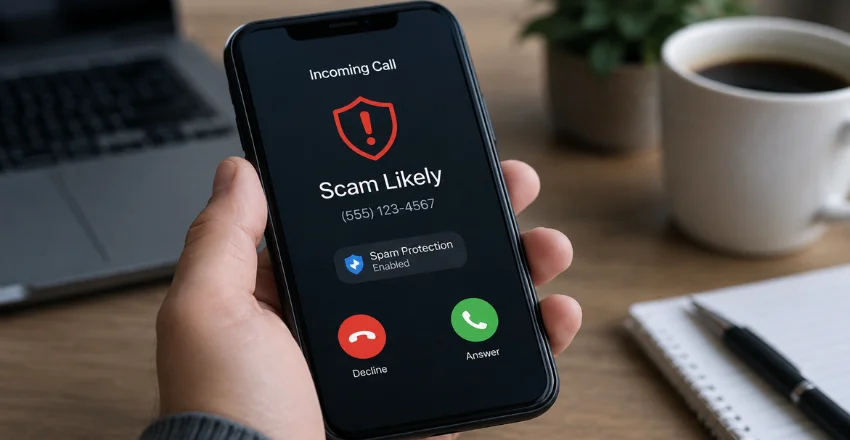
Automated dialing lets unwanted callers contact large numbers of people quickly. Caller-ID spoofing also allows one operation to appear under many different phone numbers. That is why blocking one number does not always stop the pattern.
Your phone number may also be available through old accounts, public profiles, marketing databases, or a previous data exposure. Reducing unnecessary public visibility cannot prevent every unwanted call, but it removes one easy way to link your number to personal information.
For example, Facebook lets you restrict who can find your account using the phone number you provided. Techixia’s Facebook privacy settings guide shows where to change that lookup setting.
What to Do If You Already Shared Information or Paid
Act quickly if a suspicious caller convinced you to transfer money or provide payment details. Contact the bank, card issuer, payment app, gift-card company, or transfer provider involved. Tell them the transaction was fraudulent and ask whether it can be stopped or reversed.
The FTC recommends contacting the payment company as soon as possible. It also advises reporting phone fraud so investigators and consumer-protection systems can use the information. Change any password you disclosed and replace reused passwords on other accounts. Turn on multi-factor authentication where available.
If the caller persuaded you to install software or download a suspicious file, remove it and check the device for unwanted software. For computers that need a security scan, Techixia’s current free antivirus comparison covers tools for malware detection and for scanning suspicious files.
Use the Warning as a Reason to Verify
A suspicious caller-ID warning gives you time to make a safer decision. You do not need to decide whether the person is genuine while the phone is ringing. Let unfamiliar calls reach voicemail, verify important claims independently, and turn on the filtering tools already available through your carrier and phone.
If money or personal data is involved, hang up first and verify through a trusted channel.
Frequently Asked Questions
No. The warning means that a carrier’s detection system considers the number to be risky. It is not a legal finding or a guarantee about the caller. T-Mobile itself warns that blocking can sometimes catch wanted calls.
Answering a call does not automatically give someone access to your phone, passwords, or files. The danger rises if you follow instructions, reveal security codes, make a payment, press requested buttons, or install software. If you realize the call is suspicious, hang up. The FTC advises people not to press numbers during unwanted robocalls, even when the message claims a button will remove them from a call list.
Do not rely on the callback number provided in an unexpected message. Find the organization’s official number in its app, on its official website, on your bill or statement, or on the back of your payment card.
This lets you investigate the claim without depending on caller ID or information supplied by the unknown caller.
Each carrier has its own call-filtering system and terminology. T-Mobile uses a single set of labels; AT&T uses “Spam Risk” and fraud categories; and Verizon uses several spam and fraud classifications.
The wording may differ, but the practical response is similar: treat the warning with caution and verify important callers using an independent contact method.