8K resolution gives you 7680 × 4320 pixels, totaling 33,177,600 pixels on a standard 16:9 display. That is four times the pixel count of 4K UHD and sixteen times Full HD. The extra detail matters most on large screens, close viewing distances, and professional video workflows.
For most US households, however, 4K remains the more practical choice in 2026. Native 8K material is limited, while the visible improvement depends heavily on screen size and viewing distance. Resolution also cannot compensate for weak contrast, poor HDR, compression, or inaccurate colors.
| Key fact | 8K specification |
|---|---|
| Consumer resolution | 7680 × 4320 |
| Total pixels | 33,177,600 |
| Common name | 8K UHD or 4320p |
| Standard aspect ratio | 16:9 |
| Pixels compared with 4K | 4× as many |
| Pixels compared with 1080p | 16× as many |
| Common uses | Large TVs, video production, editing, specialized displays |
| Main limitation | Limited native content and demanding hardware |
Quick answer: 8K uses 7680 × 4320 pixels, creating an image with about 33.2 million pixels. It provides four times the pixels of 4K without making the picture four times wider. Its biggest advantages show up on large screens and during professional editing, while most home viewers are well served by 4K.
What Is 8K Resolution?
8K resolution usually describes the 7680 × 4320 UHD format used for consumer displays and video. The name comes from the image being almost 8,000 pixels wide. You may also see the same format called 8K UHD or 4320p.
Multiplying 7,680 horizontal pixels by 4,320 vertical pixels produces 33,177,600 individual pixels. Those pixels allow a compatible screen to reproduce extremely fine spatial detail. Higher pixel counts can also reduce visible pixel structure on large displays.
Another format is DCI 8K, which measures 8192 × 4320 pixels. It’s used mainly in professional cinema and production workflows rather than consumer televisions. For TVs, online video, and typical home use, 7680 × 4320 is the relevant specification.
8K vs 4K vs 1080p
The numbers make the difference between these formats easier to understand. Full HD contains roughly 2.1 million pixels, while 4K UHD contains about 8.3 million. Moving to 8K increases that figure to approximately 33.2 million pixels.
| Resolution | Pixel dimensions | Approximate pixels | Relative to 1080p |
|---|---|---|---|
| Full HD | 1920 × 1080 | 2.1 million | 1× |
| 1440p/QHD | 2560 × 1440 | 3.7 million | 1.8× |
| 4K UHD | 3840 × 2160 | 8.3 million | 4× |
| 8K UHD | 7680 × 4320 | 33.2 million | 16× |
The jump from 4K to 8K doubles both horizontal and vertical dimensions. That produces four times as many total pixels, not twice as many. The same mathematical relationship exists between Full HD and 4K. For desktop buyers, resolution choices work differently because viewing distances are much shorter.
Techixia’s 1440p monitor guide explains why QHD remains useful for many gaming and work setups. A higher specification only helps when your hardware and viewing conditions can use it.
Does 8K Actually Look Better Than 4K?
On paper, the answer is straightforward because 8K can display four times more picture information. In practice, your eyes do not experience specifications in isolation. Screen size, viewing distance, source quality, compression, contrast, and brightness all influence perceived detail.
The improvement becomes easier to notice on a large display viewed from relatively close range. Move farther away, and individual fine details become increasingly difficult to distinguish. This explains why an upgrade can appear dramatic in a demonstration but modest from a normal couch.
Independent testing also illustrates why pixel count alone should not drive a television purchase. RTINGS concludes that 8K televisions are rarely worth their added cost for typical buyers in 2026. Its analysis points to limited benefits under ordinary viewing conditions and limited market adoption.
Picture quality also depends on factors resolution does not capture. Black levels, HDR performance, color accuracy, brightness, motion handling, and source compression can change the experience significantly. A strong 4K television can therefore look better than a weaker display with more pixels.
Why Screen Size and Viewing Distance Matter
Pixels become physically smaller as resolution rises while screen size stays unchanged. On a smaller screen, those extra pixels can be hard to distinguish from a normal viewing distance. A larger panel gives that added detail more room to show up.
This relationship helps explain why resolution comparisons should start with your room, not a specification sheet. Someone sitting near an enormous screen has different requirements from someone watching a 55-inch television across a living room. The second viewer may gain more from better HDR or contrast than from higher resolution.
If you are choosing a mainstream television size, read Techixia’s 55-inch smart TV buying guide before paying for specifications you may not see. It covers panel technology, refresh rates, HDMI capabilities, and room lighting. Those factors can matter more during everyday viewing.
What Can You Watch in 8K?
Native content remains one of the format’s biggest limitations. YouTube supports 4320p video at 7680 × 4320, so compatible uploads and devices can deliver genuine 8K playback. Yet widespread television and streaming availability still trails 4K.
This means an 8K television often displays lower-resolution material. Modern televisions can upscale that material to fill the panel’s native pixel grid. Upscaling estimates additional picture information, but it cannot recreate every detail absent from the original source.
A high-quality 4K source can still look impressive when processed well. Poorly compressed video remains limited by the information available in the source. More display pixels cannot automatically repair compression artifacts, noise, weak focus, or low-quality mastering.
What Hardware Does 8K Need?
Moving 33 million pixels repeatedly places substantial demands on graphics hardware, storage, and data connections. Those requirements increase as frame rates rise. Gaming and professional editing can therefore require considerably stronger hardware than ordinary video playback.
Connectivity matters as well, especially when high resolution meets high refresh rates. Verify the capabilities of the display, source device, graphics hardware, and cable. A connector’s physical shape alone does not guarantee a specific video capability.
That principle also applies to USB-C connections. Techixia’s USB cable guide explains why identical-looking cables can support different data, charging, and video features. Checking the full signal path prevents expensive hardware from being limited by a single connection.
Is 8K Good for Gaming?
Gaming at native 7680 × 4320 requires far more rendering work than 4K. A graphics processor must produce four times as many pixels for each native frame. Maintaining high frame rates while doing that can be demanding even for powerful systems.
Resolution is only one part of gaming quality. Refresh rate, frame consistency, input latency, HDR performance, and variable refresh support also affect the experience. Many players will prefer smoother performance at a lower resolution over maximum pixel count.
PC users should also consider how many displays their system needs to drive. Techixia’s two-monitor setup guide covers ports, display modes, resolution settings, and common connection problems. These checks matter more as display bandwidth rises.
Where 8K Makes the Most Sense
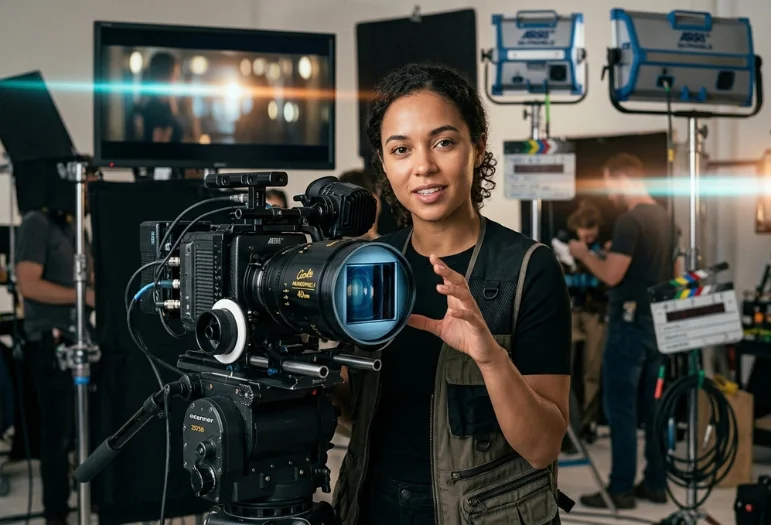
Professional video production is one area where the extra pixels can provide practical flexibility. Editors working with high-resolution footage have more image data available for reframing and cropping. They can also produce lower-resolution final outputs while retaining the editing room.
Large commercial displays can benefit for similar reasons. Fine detail becomes more valuable as screens grow because each pixel would otherwise occupy more physical space. Museums, showrooms, production environments, and specialized installations can therefore present stronger use cases.
High-resolution capture can also matter even when viewers never receive an 8K final file. A creator may crop into a wide shot while still producing a detailed 4K frame. That workflow benefit is different from claiming every consumer needs an 8K television.
8K Is More Than a Bigger Number
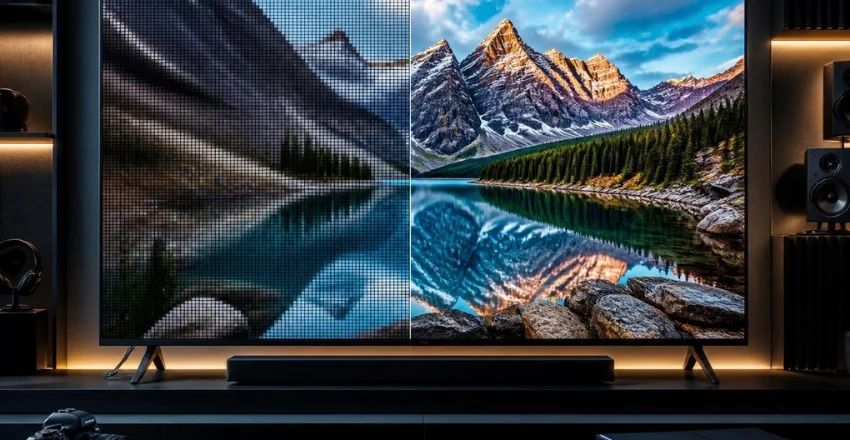
Resolution describes the number of pixels available to form an image. It doesn’t tell you how bright those pixels are or how accurately they reproduce color. It also says nothing about black levels, viewing angles, reflections, or motion.
This distinction is useful when comparing expensive televisions. Four times the pixels does not mean four times the perceived picture quality. Your source material and display technology still determine much of what reaches your eyes.
Think of resolution as one component of the complete display system. Compare panel technology, HDR, refresh rate, connections, screen size, and room conditions before paying extra. That approach produces a more useful comparison than choosing the largest resolution number.
Should You Buy an 8K TV in 2026?
For most US households, a good 4K television remains the practical purchase in 2026. Native 4K content is widely available, while current 8K choices provide fewer everyday advantages. RTINGS reports that most major TV manufacturers have largely moved away from 8K models.
An 8K model can still make sense for some buyers. You may value an unusually large premium screen, close viewing, specialized playback, or professional high-resolution work. In those cases, judge the complete television rather than purchasing on resolution alone.
Before buying, compare what you watch with the features you will use each day. Spending more on better contrast, HDR, brightness, or motion may create a larger visible improvement. The right choice depends on the complete viewing setup, not one specification.
The Bottom Line
8K offers 7680 × 4320 pixels and about 33.2 million pixels per frame. That specification provides substantial image information, particularly for huge displays and professional production. It is a genuine technical step above 4K, but its real-world value varies.
For most US buyers in 2026, a high-quality 4K display remains the sensible place to start. Consider 8K when your screen size, viewing distance, workflow, and source material can exploit those additional pixels. Compare the whole display before spending extra for resolution alone.
Frequently Asked Questions About 8K Resolution
How many pixels are in 8K?
8K resolution contains 7680 × 4320 pixels in its common consumer UHD format. That multiplication equals 33,177,600 pixels, or roughly 33.2 million. It contains four times as many pixels as 3840 × 2160 4K UHD.
Is 8K four times better than 4K?
It has four times as many pixels, but that does not mean the picture always looks four times better. Perceived improvement depends on screen size, distance, source material, and display quality. At typical viewing distances, the difference can be hard to notice on smaller screens.
Is 8K the same as 4320p?
The consumer 7680 × 4320 format is commonly called 4320p because it has 4,320 vertical pixels. YouTube also labels 7680 × 4320 as 4320p in its recommended video-resolution documentation. DCI 8K uses a wider 8192 × 4320 frame for cinema applications.
Can YouTube play 8K video?
Yes, YouTube lists 7680 × 4320 as its recommended 4320p format for 16:9 video. Actual playback availability still depends on the uploaded video, device, browser, connection, and supported decoding hardware. A compatible screen is only one part of the playback chain.
Do I need 8K for gaming?
Most gamers don’t need native 8K for an excellent experience. Higher frame rates, low latency, and strong HDR can provide more noticeable improvements during play. Native 8K rendering also demands substantially more graphics processing than 4K.
Is 8K worth upgrading from 4K?
It depends on your screen size, seating distance, source material, and budget. Most viewers with a good 4K television have little reason to upgrade solely for additional pixels. Large-screen enthusiasts and professional creators have stronger reasons to consider it.