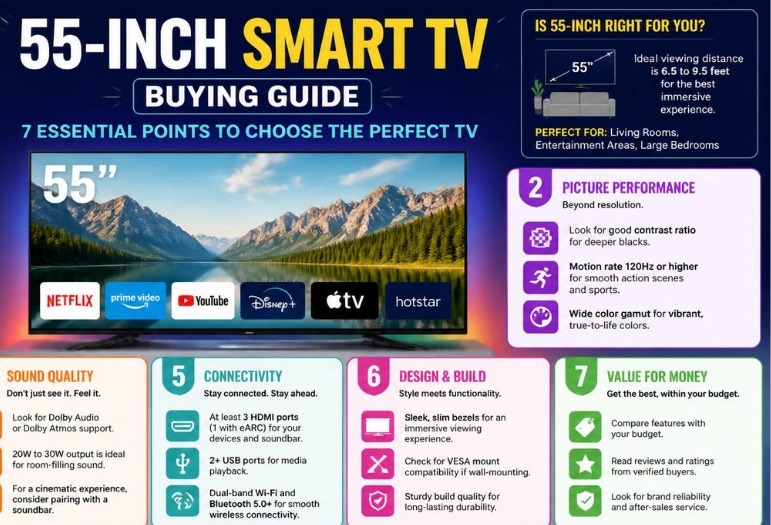
A 55-inch smart TV is the most competitive screen size in the US market, and that is exactly what makes it hard to shop. In September 2026 you can buy a 55-inch 4K set for $210 or $2,500, and the spec sheets on both will say “4K,” “HDR,” “smart TV,” and — increasingly — “HDMI 2.1.” Almost none of the words that appear in a retail listing tell you how the picture will actually look in your room.
Short answer: at 55 inches, the three things that decide picture quality are the backlight (or lack of one), the peak brightness, and how the screen handles reflections. Everything else — resolution, “motion rate,” AI upscaling, the assistant built into the remote — is either standard across the category or marketing. If you watch in a bright living room, buy a Mini LED with a high dimming-zone count. If you watch at night with the lights low, buy an OLED. If you mostly stream in a small room and want to spend under $400, a 2026 Samsung M70H or a discounted TCL Mini LED will do the job without you feeling shortchanged.
Key Takeaways
- “QLED” is not a panel technology. It is a quantum-dot film sitting in front of a normal LCD backlight. It tells you nothing about contrast. Ask for the local dimming zone count instead.
- Dimming-zone numbers are quoted for the biggest screen in the series. A “2,100-zone” line means 2,100 zones on the 98-inch model. The 55-inch version has a fraction of that.
- “HDMI 2.1” can mean four fast ports, two fast ports, or two fast ports and two slow ones on the same TV. This is the single most common 2026 buying mistake.
- Entry-level OLED has collapsed in price. A 55-inch LG B6E sits around $1,299 — close enough to a good Mini LED that the old “OLED is out of reach” rule no longer holds.
- TV prices are rising in 2026, and it is not about picture quality. Memory costs — DRAM and NAND, driven by AI data-center demand — are pushing manufacturers toward repricing. Deep discounts on current stock are worth taking.
- Samsung has no 2026 QN90 successor. If a guide or a salesperson steers you to a “QN90,” you are being sold remaining stock of a discontinued line.
Quick Picks: 55-Inch Models Worth Your Money Right Now
Street prices were checked in early September 2026 and move constantly — treat them as the shape of the market, not a quote.
| Use case | Model (55-inch) | Panel | Why it wins | Approx. street price |
|---|---|---|---|---|
| Best overall | Samsung S95H | QD-OLED | Roughly 2,700 nits at a 10% window plus a matte finish — the rare OLED that survives a sunlit room | ~$1,800 |
| Best OLED value | LG C6 | WOLED | Four full-bandwidth HDMI 2.1 ports at 4K/165Hz and Dolby Vision game mode | ~$1,300 |
| Cheapest good OLED | LG B6E | WOLED (OLED SE) | New brighter entry panel; same webOS 26 and four HDMI 2.1 ports as the C6 | ~$1,300 |
| Best bright room | Hisense U7SG | Mini LED | Very high peak brightness, anti-glare layer, ATSC 3.0 tuner, Dolby Vision and HDR10+ | ~$1,300 |
| Best mid-range value | Hisense U8QG (2025) | Mini LED | Last year’s flagship-adjacent set at close to half price | ~$900 |
| Best under $600 | TCL QM6K | QD-Mini LED | Real local dimming and a 144Hz native panel at a budget price | ~$500–$550 |
| Best under $400 | Samsung M70H | Mini LED | Mini LED backlighting at an entry price, on Tizen with long software support | ~$350 |
| Best dark-room movies | Sony Bravia 8 II (2025) | QD-OLED | Sony’s tone mapping and motion handling; still current in 2026 | ~$2,000–$2,500 |
Start With Your Room, Not the Spec Sheet
The most expensive mistake at this size is buying a panel technology that fights your lighting. Two people can buy the same highly-rated 55-inch TV and have opposite experiences, and the variable is almost always the window behind the couch.
Bright room, daytime viewing, a window in the reflection path. You need brightness and glare control, not black-level perfection. A Mini LED with a high zone count and an anti-reflective coating will look dramatically better than an OLED in the same room. The Hisense U7SG and the discounted U8QG are built for exactly this. If you want OLED anyway, Samsung’s matte S95H is the only 55-inch OLED that genuinely holds up in daylight — LG’s C6 and B6 use a glossy finish that mirrors the room back at you.
Dark or dim room, mostly evening viewing. OLED wins outright and it is not close. Per-pixel light control means black is genuinely black, not dark grey with a halo around subtitles. The LG C6, LG B6E, Samsung S90H and Sony Bravia 8 II are all correct answers; pick on price and port count.
Mixed lighting. This is most people, and it is where matte versus glossy becomes a real trade rather than an upgrade. Matte coatings scatter incoming light so you never see a sharply focused reflection — but they also lift black levels and flatten shadow detail when there is ambient light in the room. Glossy keeps the deep, punchy, high-contrast look but shows you a mirror image of the lamp behind you. The rule that holds up: if the screen sits directly beside a window or opposite a strong light source, go matte. Otherwise glossy will look better more of the time.
Panel Technology, Decoded Honestly
QLED is a filter, not a display type
The “Q” stands for quantum dot — a layer of nanocrystals that convert backlight into purer, more saturated red and green. It widens the colour gamut. It does not create contrast, it does not control light zone by zone, and it does not stop blooming around bright objects on a dark background. A cheap 55-inch “QLED” with no local dimming at all is entirely possible and entirely common. When a listing says QLED and nothing else, assume there is no meaningful dimming behind it.
Mini LED is the part that actually matters
Mini LED replaces a few dozen large backlight LEDs with thousands of tiny ones, grouped into independently controlled dimming zones. More zones means the TV can keep a bright object bright while the area around it stays dark. This is where real contrast comes from on an LCD, and it is the single spec that separates a $350 set from a $1,300 one.
The trap: manufacturers quote the zone count for the largest screen in the series. TCL’s QM7L is advertised with “2,100+ dimming zones,” but that figure belongs to the 98-inch model. The 55-inch panel in the same line has far fewer. The same applies to peak brightness claims, which are usually measured on the biggest, most thermally capable panel. Always look for a review of the specific size you are buying.
OLED: WOLED vs QD-OLED
Both are self-emissive — every pixel makes its own light, so there is no backlight to bloom. The difference:
- WOLED (LG’s B6, C6, G6) uses a white OLED layer with colour filters. Generally cheaper, and LG’s 2026 line pushes it further — the C6 measures around 1,438 nits at a 10% window and the entry B6 now reaches roughly 700–900 nits depending on the picture mode, thanks to a new “OLED SE” panel.
- QD-OLED (Samsung S95H/S90H, Sony Bravia 8 II) puts quantum dots on a blue OLED emitter. It hits higher peak brightness and richer colour volume. Samsung’s 2026 S95H is the standout, measuring around 2,700 nits at a 10% window — roughly 30% brighter than last year’s S95F.
One 2026 caveat worth knowing before you pay a premium: LG’s headline tandem-OLED panel upgrades on the C6 and G6 lines land on the larger sizes. The 55-inch C6 does not get the top-tier panel that the 77-inch and 83-inch models do. At 55 inches, the gap between the C6 and the much cheaper B6E is smaller than the marketing suggests.
The Spec Traps That Cost People Money in 2026
“HDMI 2.1” is a label, not a guarantee
The HDMI specification says bandwidth is increased up to 48Gbps. Up to. Individual features — eARC, VRR, ALLM, 4K/120 — are all optional and each must be checked separately. Real examples from current 55-inch sets:
- TCL QM7L: all four ports are labelled HDMI 2.1, but only ports 1 and 2 run at 144Hz. Ports 3 and 4 top out at 1080p/60. Plug a PS5 into the wrong socket and you have quietly bought a 60Hz TV.
- Sony Bravia 7 II and Bravia 9 II: only two full-bandwidth HDMI 2.1 ports, and on the Bravia 8 II one of those doubles as the eARC output for a soundbar. Two consoles plus a soundbar does not fit.
- Samsung QN70H: three HDMI ports at 4K/60 on a 60Hz panel, in a line whose marketing mentions triple-digit refresh figures.
- LG C6, LG B6, Samsung S95H/S90H, Hisense U7SG: four full-bandwidth ports. If you own more than one modern console, this is the shortlist.
Native refresh rate vs “motion rate”
A TV panel’s native refresh rate in 2026 is 60Hz, 120Hz, 144Hz or 165Hz. Anything higher on the box — “Motion Rate 240,” “Motionflow XR 960,” “up to 288Hz” — is interpolation and black-frame insertion, not panel speed. Samsung has advertised “MR 240” on native 120Hz panels; Sony has advertised “XR 960” on the same. If the listing does not say the word native, assume the marketing number is roughly double the real one, and look up the panel.
The HDR format split is now a real buying decision
There is no set that supports everything:
- Samsung supports no Dolby Vision at all, in any model, at any price. It uses HDR10+ instead.
- LG and Sony support Dolby Vision but not HDR10+.
- Hisense and TCL support both, which is a genuine and underrated argument for the mid-range brands.
Dolby Vision 2 arrives during 2026 on Hisense, TCL and Philips sets by software update, and requires newer silicon that cannot be retrofitted. LG opted out for 2026 and Samsung does not participate. It is not a reason to buy or wait: there is no native Dolby Vision 2 content yet, only converted existing titles, and only a couple of services have committed.
Antenna users: check the tuner, because nobody is required to include one
ATSC 3.0 / NextGen TV support is scattered. LG dropped ATSC 3.0 tuners in 2024 over a patent dispute — the 2026 B6 ships with ATSC 1.0. Samsung includes it on select QLED models but not its OLEDs. Hisense and TCL include it on some models and not others; the 2026 U7SG has it. The FCC’s current proposal does not mandate 3.0 tuners in new sets and sets no firm shutdown date for ATSC 1.0, so there is no floor here — you have to check the exact SKU. If you never use an antenna, ignore this entirely.
How Much Should You Actually Spend on 55 Inches?
| Band | Price | What you get | What you give up |
|---|---|---|---|
| Entry | $210–$400 | 4K, HDR decoding, a competent streaming platform, sometimes basic Mini LED | Low brightness, little or no local dimming, 60Hz, HDMI 2.0 ports |
| Mid | $500–$900 | Real Mini LED dimming, 120–144Hz native, at least two proper HDMI 2.1 ports, both HDR formats | Peak brightness below flagship, fewer zones, weaker processing |
| Upper mid | $900–$1,400 | High-zone Mini LED or an entry OLED, four HDMI 2.1 ports, 165Hz, good anti-glare | Not much, honestly — this is the value sweet spot at 55 inches |
| Premium | $1,400–$2,500 | Flagship QD-OLED brightness, best-in-class processing, matte coatings, top gaming feature sets | Diminishing returns unless you have a dedicated viewing room |
The honest recommendation for most US buyers in 2026 is the $900–$1,400 band. Below $500 you are buying a screen; above $1,500 at this size you are buying refinement most rooms will not reveal. The average 55-inch 4K set sells for roughly $400–$600, which tells you how much of the market is buying on price alone — and why so many people end up disappointed by a TV that technically ticked every box in the listing.
One timing note specific to this year: TV-grade DRAM is up around 50% and flash memory has roughly doubled over the past year, driven by AI data-centre demand. Manufacturers have said publicly they are considering repricing. The deep discounts visible right now — flagship OLEDs and Mini LEDs running $600–$700 below list — are more likely to disappear than to deepen. If you were planning to buy within a few months, buying on a current promotion is the defensible move.
Gaming on a 55-Inch TV: What Is Worth Paying For
55 inches is arguably the ideal console size — big enough to be immersive at typical living-room distance, small enough that you are not scanning your eyes across the screen to track a HUD. The features that genuinely matter, in order:
- 4K/120 on the port you will actually use. Confirm which physical HDMI sockets carry it before you mount the TV to the wall.
- ALLM (auto low latency mode). Switches the TV to game mode automatically. Universal on decent sets now.
- VRR, with a caveat below.
- Input lag under ~15ms in game mode. Reviews measure this; spec sheets do not mention it.
- 165Hz only if you are connecting a gaming PC. No console outputs above 120Hz.
The VRR flicker caveat nobody mentions in store. On OLED panels, variable refresh rate can cause visible brightness flicker in dark scenes. It is a gamma behaviour, not a backlight problem, and it differs by panel type: on WOLED the image brightens as frame rate drops, so wildly fluctuating frame rates cause the worst flicker, and anti-flicker modes that narrow the VRR window help. On QD-OLED you get short brightness spikes whose frequency rises as frame rate falls, so keeping frame rates high and steady helps more than narrowing the range. IPS-based LCDs show little to no measurable VRR flicker — so if you play a lot of dark games and this would bother you, a Mini LED sidesteps the issue entirely. If you play on a controller across the room, pair the set with a decent game controller and this will likely never register.
Burn-In on OLED: The 2026 Status
Long-running accelerated testing across roughly a hundred TVs found that modern OLED panels develop image retention at a rate similar to 2017-era models — despite being about 28% brighter in sustained output and about 27% more efficient. That sounds alarming until you look at the test conditions: 10,000 hours of static news-channel content, which is roughly five hours a day for ten years of the worst possible material.
For mixed viewing — films, streaming, sport, gaming — burn-in remains unlikely. The actual risk is static elements: a permanent channel logo, a stock ticker, a game HUD that never moves, a computer taskbar. The practical mitigation is headroom. Modern OLEDs are bright enough that running them a few notches below maximum still looks excellent while significantly reducing stress on the panel. If your TV will display a news channel or a PC desktop for hours every day, buy a Mini LED and stop thinking about it.
Smart Platforms, Assistants, and the Ads Problem
Every 55-inch smart TV runs one of five platforms, and you will interact with it every single day:
- webOS (LG) — fast, clean, Gemini integration in webOS 26, and LG now commits to years of OS updates.
- Tizen (Samsung) — redesigned around One UI in 2026, with seven years of OS updates promised on the OLED line. The longest software commitment in the category.
- Google TV (Sony, TCL, most Hisense) — the best content discovery and now ships with Gemini built in. Slower on cheap hardware.
- Roku — the simplest interface anywhere, and the reason many people buy a budget set. Roku has confirmed video ads are coming to the home screen.
- Fire TV (Amazon, some 2026 Hisense U6 models) — deeply tied to Prime Video, heavy on promoted content.
Worth being clear-eyed about: home-screen advertising is expanding across budget platforms, not retreating. If that bothers you, the cheapest fix is to buy the TV for its panel, then ignore the built-in interface and run everything through a streaming stick or a console. A TV’s picture will still be good in six years; its software rarely is.
How Far Should You Sit From a 55-Inch TV?
A 55-inch 16:9 screen is about 48 inches wide. THX’s guidance is that a screen should fill roughly 25–40% of your field of view, which for this width works out at approximately:
- About 5.5 feet — the cinematic end of the range, screen filling a wide part of your vision
- About 7.5 feet — the relaxed, mixed-use end, comfortable for casual and background viewing
- 9 feet or more — where most people actually sit, and where a 55-inch set starts to feel small. If this is your room, look at 65 inches instead
This is also the reason 8K does not exist at 55 inches and would be pointless if it did: at five to nine feet, no one can resolve the extra pixels. Manufacturers start 8K lines at 65 inches for exactly this reason. If you are weighing this size against a smaller room, our 40 Inch TV guide covers the trade-offs at the other end of the range, and if you plan to wall-mount, read how to mount a TV on the wall before you buy the bracket — viewing height changes the panel you should choose, because off-angle performance varies enormously between OLED and VA-panel LCDs.
What to Avoid in 2026
- Anything sold to you as a “QN90.” Samsung discontinued the line for 2026 — its 2026 Neo QLED range is QN80H and QN70H. Remaining QN90F stock is being cleared, which can be a genuine bargain, but you should know you are buying end-of-line.
- A “TCL QM8L” at 55 inches. That line starts at 65 inches. If a listing offers one at 55, it is mislabelled.
- A “Sony Bravia 9 II” at 55 inches. Also does not exist — that line starts at 65. The 55-inch Sony to look at is the Bravia 7 II.
- A 60Hz panel if you own a current console. Several sub-$500 sets with excellent picture quality are 60Hz with HDMI 2.0 only. That is fine for streaming and wrong for gaming.
- Paying extra for 2026 features with no content behind them. Dolby Vision 2 and RGB LED backlighting are both real advances — and both largely irrelevant at 55 inches this year.
Check These Before You Order
- Measure the wall or stand, then add the bezel — 55-inch sets typically run 48–49 inches wide.
- Count the HDMI ports you need including the one your soundbar will claim for eARC.
- Confirm which specific ports carry 4K/120 or 4K/144, not just that the TV “has HDMI 2.1.”
- Check the VESA mounting pattern against your bracket if you are wall-mounting.
- Check whether the stand is a centre pedestal or wide feet — wide feet need a console at least as wide as the TV.
- Read the return window. Panel lottery is real; you want the option to send back a set with uneven backlighting.
- Budget for sound. Every flat panel at this price has thin, boxy audio — even a modest soundbar transforms it, and a proper multi-channel home theater setup is a bigger upgrade to how a film feels than moving up a TV tier.
The Verdict
If you want one answer: buy a 55-inch Mini LED in the $900–$1,300 band with four genuine HDMI 2.1 ports, an anti-glare coating, and support for both Dolby Vision and HDR10+. The Hisense U7SG at around $1,300 or the 2025 U8QG at around $900 both fit, and either will outperform a more famous badge at the same money in a normal living room.
If your room is dark and you care about film, spend the same money on an LG B6E or C6 instead and accept the glossy screen. If your room is bright and you want OLED, the Samsung S95H is the only 55-inch set that does both well, and at around $1,800 it is the one genuinely premium purchase on this list that justifies itself.
And if the budget is $350, buy the Samsung M70H or a discounted TCL Mini LED, run your streaming through a stick you actually like, and put the savings toward a soundbar. That combination will make more people happy than a $2,500 TV with a $0 audio setup.
Frequently Asked Questions
It depends on how far away you sit. A 55-inch screen is well matched to a seating distance of roughly 5.5 to 7.5 feet. If your couch is 9 feet or more from the wall, a 65-inch set will feel noticeably more immersive for a small price difference, and most people who regret a TV purchase regret buying too small rather than too large.
OLED is better in dark rooms because each pixel makes its own light, producing true black with no blooming. Mini LED is better in bright rooms because it gets far brighter and usually pairs with an anti-glare coating. At 55 inches in 2026 the two are close in price — an entry OLED and a high-end Mini LED both sit around $1,300 — so the decision should come down to your room lighting, not your budget.
The value sweet spot is $900 to $1,400, which buys real Mini LED local dimming or an entry OLED, four full-bandwidth HDMI 2.1 ports and a 120Hz-or-faster panel. Under $400 you get a competent 4K streaming screen with limited brightness and 60Hz. Above $1,500 the gains are real but subtle at this screen size.
No. QLED describes a quantum-dot layer that improves colour, not a display technology and not a contrast feature. A QLED TV may have thousands of local dimming zones or none at all. The specs that predict picture quality on an LCD are the local dimming zone count, the peak brightness, and the screen coating.
No, and this is the most common 2026 buying mistake. The HDMI 2.1 label allows bandwidth up to 48Gbps rather than requiring it, and features like VRR and eARC are optional. Some TVs run only two of their four ports at full speed, and some run the rest at 1080p/60. Always confirm which specific numbered ports carry 4K/120 before you connect a console.
For mixed viewing — films, streaming, sport, gaming — burn-in is unlikely. Long-term testing shows modern panels retain images at rates similar to 2017 models despite being much brighter, but that testing uses thousands of hours of static news content. The real risk is permanent static elements such as channel logos, a stock ticker or a PC taskbar. Running the TV below maximum brightness meaningfully reduces the risk.
There is upward pressure. TV-grade DRAM is up around 50% and flash memory has roughly doubled over the past year because of AI data-centre demand, and manufacturers have publicly discussed repricing. The heavy discounts currently available on 2026 flagship models are more likely to narrow than to deepen, so buying on a current promotion is reasonable if you were shopping anyway.
Only if you watch over-the-air broadcast television with an antenna. Support is inconsistent: LG dropped ATSC 3.0 in 2024, Samsung includes it on select QLED models but not its OLEDs, and Hisense and TCL include it on some models only. There is currently no regulatory requirement for new sets to include one and no confirmed shutdown date for the older ATSC 1.0 standard, so check the exact model number.