Every computer draws its picture somehow. The real question is whether a separate card would change anything you do on yours. A dedicated GPU transforms some workloads and does almost nothing for others, and in 2026 the gap between those two answers is worth several hundred dollars. Our related guide, Apple Vision Pro Demo (2026), goes further into this.
Short answer: buy one if you play current games above 1080p, edit video, render 3D scenes, or run AI models on your own machine. Skip it if your day is browsing, documents, video calls, streaming, and light photo work. Integrated graphics cover that list well now, and the money buys more elsewhere. More from us: Short Throw Projector.
The Short Version, In Numbers
| Question | Answer |
| What it is | A separate graphics processor on its own board, with its own memory |
| Where it lives | A PCIe slot in a desktop, or soldered to the mainboard in a laptop |
| US street price, July 2026 | About $310 at the entry end, $450 to $950 in the middle, $1,250 and up at the top |
| Extra power draw | Roughly 100 to 350 watts under load, on top of the rest of the PC |
| Clearly worth it for | Gaming above 1080p, video editing, 3D, local AI work |
| Rarely worth it for | Office work, browsing, streaming, video calls, casual photo edits |
| Upgrade later? | Straightforward on a desktop, impossible on nearly every laptop |
Key Takeaways
- Integrated graphics in 2026 handle 1080p esports, 4K playback and everyday work without help.
- A card pays for itself in games above 1080p, 4K video timelines, 3D rendering and local AI.
- Street prices sit above launch prices right now because AI data centers are absorbing memory supply.
- Budget for the electricity too: an extra 200 watts, three hours a day, runs near $38 a year.
- Check your power supply, your case clearance, and your laptop’s wattage limit before you spend anything.
What A Graphics Card Is For?
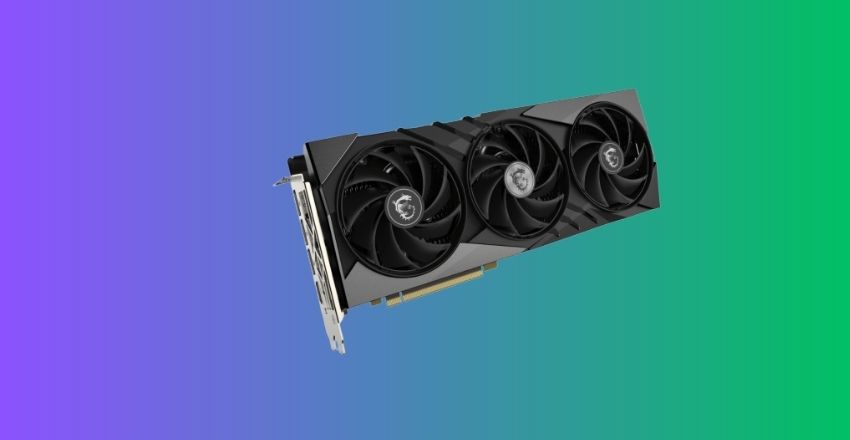
Any processor handles a screen full of text easily. Games, 3D scenes, video timelines and AI models ask for something else: thousands of small calculations running at the same moment. A graphics chip is built for exactly that shape of work.
Integrated graphics sit inside the CPU and borrow system memory. A separate card arrives with its own processor, its own cooling and its own pool of fast video memory, known as VRAM. Nothing gets shared, so nothing waits.
In demanding games, the difference is measured in multiples, not percentages.
Dedicated GPU vs integrated graphics
| Attribute | Integrated graphics | Separate card |
| Memory | Borrows system RAM | Its own VRAM, 8 GB to 32 GB |
| Peak power | About 15 to 45 watts | 100 to 350 watts and beyond |
| Gaming | 1080p esports and older titles | 1440p and 4K in current titles |
| Video export | Fine at 1080p, slow on 4K effects | Much faster on 4K timelines and grading |
| Upgrade path | None, tied to the CPU | Swap it out in a desktop |
| Extra cost | Nothing, it is already in the chip | $310 and up |
In dedicated GP, onboardd graphics have moved a long way. AMD’s RDNA 3.5 integrated graphics and Intel’s Arc 140V play current esports titles at 1080p and decode 4K video in hardware. That sentence would have been wrong ten years ago.
What they cannot do is hold a large game world, a 4K timeline, or a language model in fast memory. Borrowed system RAM is slower and smaller than the VRAM soldered next to a real graphics chip, and that ceiling shows up the moment a project gets big.
Who Should Buy One?
Four groups earn the price back quickly.
- Gaming above 1080p. Anyone playing current titles at 1440p or 4K, or chasing high refresh rates, sees the benefit on the first launch.
- Video editing. Scrubbing a 4K timeline, applying color grades and exporting all lean on the card. That is why the hardware notes in our free video editing software roundup keep circling back to graphics.
- 3D and computer-aided design. Rendering a scene is different work from viewing one, and viewports turn sluggish fast without help.
- Local AI. Image generators and language models load into VRAM. The amount you have sets a hard ceiling on what will even start.
Here is the decision rule in one line: if the software you depend on names a graphics card in its recommended requirements, buy one. If it does not, you are paying for frames nobody will see.
Who Should Keep The Money?
Spreadsheets, email, forty browser tabs, video calls, streaming and casual photo edits all run comfortably on integrated graphics in 2026. Adding a card brings heat and noise, plus an expense that buys nothing you would notice.
Put the money where it shows up daily instead. More RAM, a faster SSD, a second monitor, or a comfortable work mouse will change your afternoon far more than a graphics upgrade would.
One old piece of advice deserves retiring. People still buy cards to watch 4K video, but every current integrated chip decodes 4K in hardware, so playback alone is not a reason to spend.
What You Will Pay In 2026?
Prices have not settled for dedicated GPU. Memory makers have shifted supply toward AI data centers, so the VRAM on a graphics card now costs more than it did at launch. Street prices sit above the original list prices instead of drifting below them, which is the reverse of a normal product cycle.
| Tier | Example card Typical USS | Typical US street price |
| Entry | Intel Arc B580, GeForce RTX 5060 | $310 to $375 |
| Mid | Radeon RX 9060 XT 16GB, RTX 5070 | $450 to $630 |
| Upper mid | Radeon RX 9070 XT, RTX 5070 Ti | $700 to $950 |
| High end | GeForce RTX 5080 | Around $1,250 |
| Halo | GeForce RTX 5090 | $3,900 and up |
Those figures are current retail lows from late July 2026, not launch prices, and they move week to week. Set your budget, then check the tracker the day you buy rather than the day you plan.
How Much VRAM You Need?
- 8 GB: 1080p gaming and light editing. Workable today, tight within three years.
- 12 to 16 GB: 1440p gaming, 4K video work, most local image model—the sensible middle.
- 24 GB and above: large language models, heavy 3D and professional rendering.
The Cost Nobody Adds Up
Picture an extra 200 watts under load as a small appliance sitting next to your desk. Three hours a day, every day of the year, works out to roughly 219 kilowatt-hours.
According to the US Energy Information Administration, the average residential electricity price in 2025 was 17.30 cents per kilowatt-hour. At that rate, the same card adds about $38 a year to your bill, before you count the extra work your air conditioning does in July.
That will not stop a gamer. It should stop anyone buying a card on the theory that it might come in handy one day.
Three Things That Block A Desktop Upgrade
- The power supply. Cards rated at 250 watts want headroom, not a bare match. Read the wattage on the unit’s label, count its 8-pin PCIe connectors, and use only the adapter the card ships with.
- Case clearance. Current cards reach 12 to 13 inches long and three slots thick. Measure from the front of the case to your drive cage before ordering.
- The slot. Any modern mainboard has a PCIe x16 slot, though an older one may run at PCIe 3.0 speeds, which costs a few percent on the fastest cards.
Get the power wrong, and a machine may light up once, then refuse. Our checklist for a computer that will not turn on runs the safe checks in order if that happens after an install.
Laptops Play By Different Rules
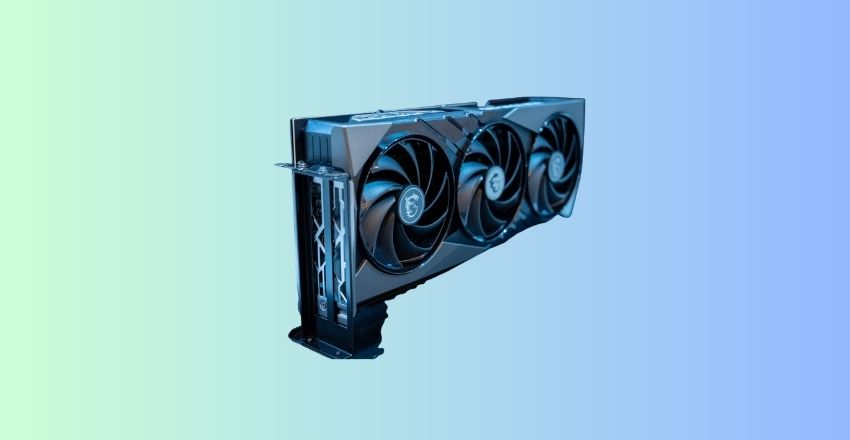
The card in a laptop is soldered down for a dedicated GPU. No upgrade exists, so the machine you buy is the machine you keep for its whole life.
The model name also tells you less than you would expect. Each maker sets a power limit for each chassis so that an identical chip might run at 60 watts in a slim body and 140 watts in a thicker one. Two laptops can share a spec sheet line and still perform worlds apart—Hunt for the wattage figure in the detailed specifications, or in a review that measured it.
Battery life pays a price as well. Most laptops fall back to integrated graphics when nothing demanding is running, which is why unplugged gaming empties a battery in about an hour.
When Renting Beats Buying?
Not every heavy job needs hardware on your desk. For dedicated GPU rendering, one project a month, or fine-tune a model twice a year. An hourly cloud instance then costs far less than a card that idles the rest of the time.
The same logic runs through our VPS hosting comparison: rent the machine while you use it, then stop paying. Render farms and cloud notebooks bill the same way, often by the minute, and they let you reach hardware you could never justify owning.
Your Next Step
Open Task Manager and write down what you already have. Then list the three programs you use most and read their recommended specifications. If a graphics card appears on that list, shop the tiers above with your power supply wattage in hand. If it does not appear, spend the money on memory, storage, or a better screen and enjoy the quiet.
Frequently Asked Questions
No. Browsing, office documents, email, video calls, and streaming all run on integrated graphics without complaint. Buy one only when a program you rely on names a graphics card in its recommended requirements.
On Windows, hold Ctrl+Shift+Escape to open Task Manager, then look under Performance. Two graphics entries mean you have both types. On a Mac, open the Apple menu and choose About This Mac.
For 1080p gaming and light editing, yes. For 4K timelines, large texture packs, or local AI models, 16 GB is the safer floor, and it will age better.
No. It speeds up graphics and parallel compute work, nothing else. Slow boots, sluggish file copies, and browser lag come from the drive, the memory, or the processor.
Rarely. A handful of laptops support an external enclosure over Thunderbolt or USB4, which works but loses some performance. For everyone else, the answer is to buy the right machine first.