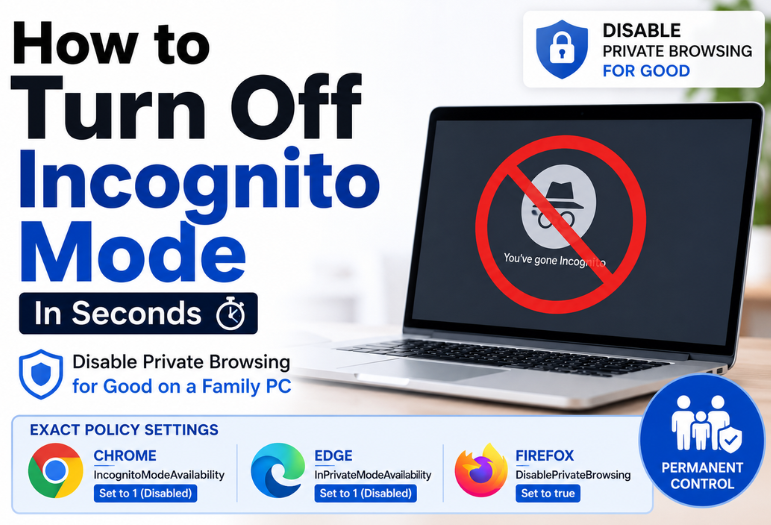
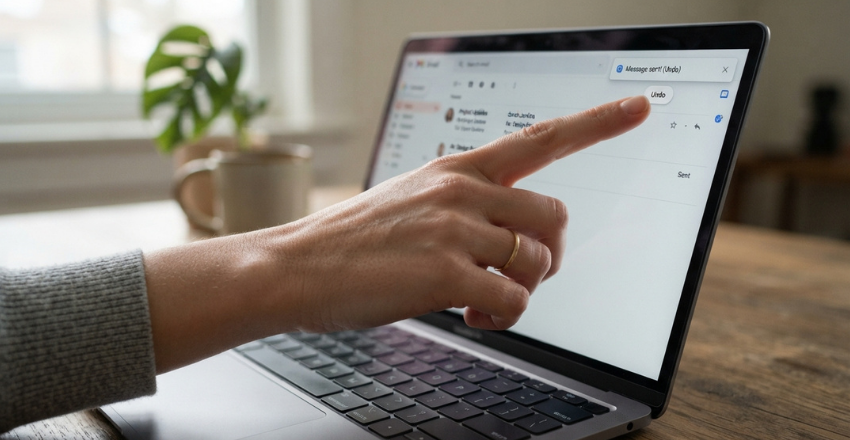
You hit the send button, and your stomach drops. In Gmail, look at the bottom left of your screen and click Undo in the “Message sent” bar. Do it now. That bar only lasts as long as your Undo Send window, which is somewhere between 5 and 30 seconds.
Here is the part most guides bury. Learning how to unsend an email is really learning to catch a message during a short delay your provider adds before it leaves. Miss that delay and the message is delivered.
Act in the first few seconds. Gmail, Outlook.com, and Apple Mail each show a brief undo prompt after you send, and clicking it drops the message back into your drafts. Gmail and Apple Mail stretch to 30 seconds, Outlook.com to 10. Once the timer expires, only a Microsoft 365 work account can even attempt a recall.
Where does the undo button hide in each app?
| Service | Where the prompt appears | Default window | Longest window |
| Gmail on the web | Bottom left, “Message sent” with Undo | 5 seconds | 30 seconds |
| Gmail on Android and iPhone | Bottom of the screen, “Sent” with Undo | Follows your account setting | 30 seconds |
| Outlook.com and new Outlook | Bottom of the message list | Off until you turn it on | 10 seconds |
| Apple Mail on iPhone, iPad and Mac | Bottom of the mailbox, “Undo Send” | 10 seconds | 30 seconds |
| Yahoo Mail | No prompt at all | None | None |
Key takeaways
- Undo Send is a delayed send, not a retrieval. Nothing travels backward.
- Gmail and Apple Mail give you the longest cushion at 30 seconds, and both are set lower out of the box.
- Outlook recall is a separate feature, and it fails the moment the address sits outside your own company.
- Yahoo Mail offers nothing. Neither does any paid tool, once the message has been delivered.
Gmail: click Undo, then buy yourself more time
Gmail’s prompt is easy to miss because it sits away from where you are looking, in the bottom left corner.
- Send the message and keep your eyes on the bottom left of the window.
- Click Undo in the gray “Message sent” bar.
- Gmail reopens the message as a draft, with every recipient and attachment intact.
- Fix it or select the trash icon to delete the draft outright.
Stretch the window to the maximum 30 seconds
Five seconds is not enough time to read a mistake, let alone react to one. Google offers 5, 10, 20, or 30 seconds, and there is no downside to taking all 30.
- Open Gmail on a computer and click the gear icon, then click See all settings.
- On the General tab, find Undo Send.
- Set the send cancellation period to 30 seconds.
- Scroll to the bottom and click Save Changes.
The same trick on Android and iPhone
The Gmail app shows “Sent” with an Undo option along the bottom of the screen right after you send. Tap it fast, because the app follows whatever window your account is set to. You cannot change that number from the phone, so set it on a computer once, and the app inherits it. Notification behavior on Android is worth a look too, and our roundup of hidden Google Play Store settings covers where app permissions and update controls live.
Outlook has two tools, and only one is a real recall
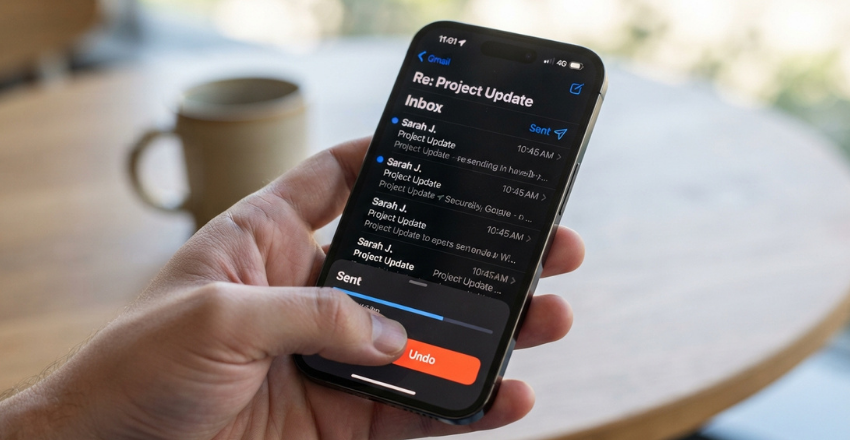
This is where most advice goes wrong. Outlook’s two features solve different problems, and the powerful-sounding one is the one that usually fails.
Message recall, for work and school accounts only
Recall physically pulls the message out of the recipient’s mailbox. Microsoft states the conditions plainly: it works only if both you and the recipient have a Microsoft 365 work or school account in the same organization. Personal accounts cannot be used at all.
- Open Sent Items in the left folder pane.
- Double-click the message so it opens in its own window.
- Choose Recall Message on the ribbon, then confirm with OK.
- Watch the Message Recall Report, which lands in your inbox within a few minutes.
Microsoft’s engineering documentation for cloud-based message recall in Exchange Online is blunt about the boundary. The feature “only works within the confines of an organization”, and you “can’t recall messages over the internet, or across organizations”. Hybrid setups cannot reach an on-premises mailbox either. The system keeps retrying for up to 24 hours before it gives up.
Undo Send in Outlook.com and new Outlook
For a personal Outlook.com mailbox, recall does not exist. Microsoft points you at a timer instead. Go to Settings, then Mail, then Compose and reply, and set Undo to send 5 or 10 seconds. Ten is the ceiling, which makes Outlook.com the least forgiving of the big four. If you are moving between Outlook apps on a phone, our Outlook Lite retirement and migration guide explains which Android client Microsoft now expects you to use.
Apple Mail: ten seconds by default, thirty if you ask

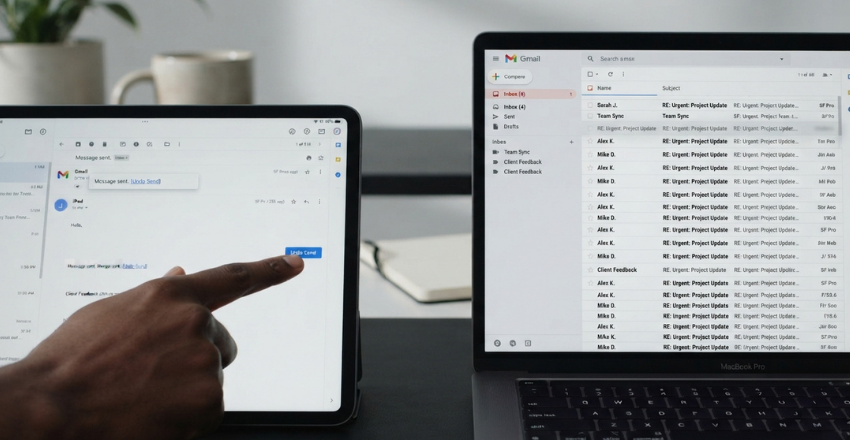
Apple turned this on for everyone in iOS 16 and macOS Ventura, and most people never touch the setting. Right after you send, “Undo Send” appears at the bottom of the mailbox list. Tap or click it and the message returns to your drafts.
On iPhone and iPad, open Settings, find Mail, then Undo Send Delay, and choose 30 seconds instead of the default 10. On a Mac, the same control lives under Mail, then Settings, then Composing.
Yahoo Mail: there is no undo
Yahoo’s own help page says it outright: it is not possible to recall an email that has been sent to Yahoo Mail. No setting, no delay, no extension. If Yahoo is your main mailbox, the realistic fix is composing a desktop client that adds its own send delay. Otherwise, move the account somewhere that has one.
How do the services compare on what matters?
| Service | Longest window | Works to outside addresses | Can the recipient tell |
| Gmail (Undo Send) | 30 seconds | Yes, the message never left | No |
| Apple Mail (Undo Send) | 30 seconds | Yes, the message never left | No |
| Outlook.com (Undo send) | 10 seconds | Yes, the message never left | No |
| Microsoft 365 recall | Up to 24 hours of retries | No, same organization only | Often yes, especially when it fails |
| Yahoo Mail | Not available | No | Not applicable |
The honest limits of how to unsend an email
Three things are true, and page one rarely says any of them. First, once your window closes, the message is out of your hands. It has been accepted by the recipient’s mail server, copied into their inbox, and quite possibly pushed to a phone as a notification. No provider setting and no paid app reverses that.
Second, recall is not a safety net for anything sent outside your own company. Send to a client on Gmail, a friend on Yahoo, or a supplier on their own Exchange server, and the recall silently fails. Third, trying can make things worse.
A recall attempt on an older Exchange setup drops a recall notice into the reader’s mailbox, and a failed one leaves both the notice and the original sitting there. You have now asked someone to go and look at the exact email you wanted them to skip past.
The stakes are not theoretical. In its 2024 Annual Report to Congress on breaches of unsecured protected health information, the U.S. Department of Health and Human Services reported email as the location of the breached information in 164 cases. That was 25% of every breach affecting 500 or more people that year.
An undo click that never registers is often a connection problem, not a timing one. If your mail keeps stalling on send, the fixes in our guide to improve your WiFi signal at home are worth ten minutes.
What to do when you can’t unsend it?
- Stop and read what you sent, in full, before you react to it.
- Send one short correction from the same thread. Name the error, give the right information, and skip the apology paragraph.
- Pick up the phone if the message was angry, wrong about a person, or going to a client.
- Tell your manager or IT team the same day if it carried customer data, a contract, or anything under a policy.
- Change the password immediately if you emailed a credential or a login link. Then run a full scan, and our expert-tested antivirus picks will tell you which scanner to trust.
Habits that make the undo button irrelevant
The people who rarely need this have quietly changed how they compose.
- Write the message first and add the recipient last. An empty To field cannot betray you.
- Turn off auto-complete suggestions, or clear the entries for people whose names collide.
- Set a delivery rule in classic Outlook that holds every outgoing message for one or two minutes.
- Attach the file before you write the sentence promising it.
Why does my Gmail undo option disappear so fast?
Your account is still on the 5-second default. Change it in Gmail settings on a computer, and the phone apps follow. Take two minutes now, while nothing has gone wrong: open Gmail settings and set the cancellation period to 30 seconds, then do the same in Apple Mail and Outlook.com. That single change buys you six times the reaction speed on the day you need it.
Apart from that, if you want to know about Best YouTube Channels, check out the Apps category.
Frequently Asked Questions (FAQs)
Between 5 and 30 seconds, depending on the service and your settings. Gmail and Apple Mail top out at 30 seconds, Outlook.com at 10, and Yahoo Mail gives you nothing.
No. The only exception is a Microsoft 365 recall between two mailboxes in the same organization, and even that depends on your admin’s settings and the recipient’s mail client.
Not when you catch it inside the undo window, because the message never reached them. A Microsoft recall is different, and a failed one frequently leaves a visible notice.
Undo Send moves the message back to Drafts and clears it from Sent. A successful recall removes the copy in the recipient’s mailbox, not the record on your side.
No legitimate one exists at any price. Tools charging $5 to $15 a month for this either add their own send delay before delivery, or track opens, which is a different thing entirely.
Shorter, not different. Gmail and Apple Mail both put the undo prompt at the bottom of the screen. Your window length is stored on the account, so a change made on a computer follows you into the app.