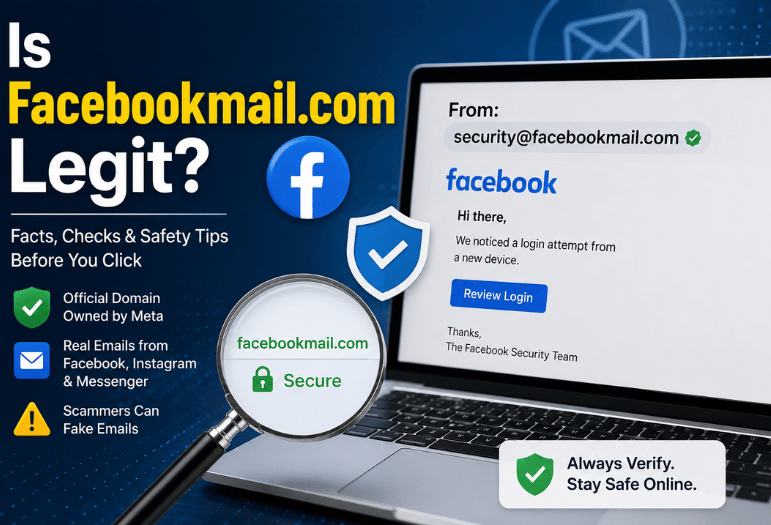
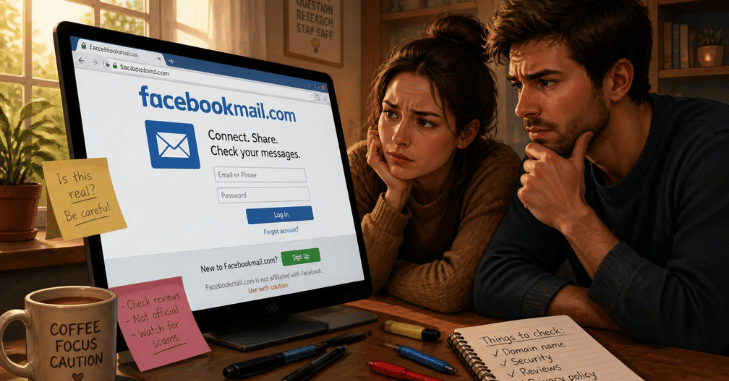
Yes. The domain is real, and Meta owns it. Facebook, Messenger, and Instagram all send genuine notifications from addresses on it, so the message sitting in your inbox may well be authentic. A real domain in the sender line still proves nothing by itself. For the full picture, read How to Make My Facebook Private.
Is Facebookmail.com Legit? Scammers forge sender addresses every day. So the question worth asking is not “is facebookmail.com legit”, it is whether this particular email is. You can settle that in about two minutes without touching a single link in it.
Quick Answer for the Email in Front of You
| Question | Short answer |
| Who owns the domain? | Meta Platforms. It has carried Facebook notification mail since the mid-2000s. |
| Is every email from it real? | No. The From line can be forged, so it settles nothing on its own. |
| Safest way to check | Open Facebook yourself and read the Recent emails list under Password and security. |
| Biggest red flag | Any request for your password, a login code, or payment details. |
| Already clicked? | Change the password, end every session, turn on two-factor, then scan the device. |
Facebookmail.com is a genuine Meta domain, and real Facebook, Messenger and Instagram notices arrive from it. That is not a guarantee. Anyone can print that address in a From line. Treat the sender as a weak signal, and confirm the message inside your own account before you click, download, or type anything.
Key Takeaways
- The domain is Meta’s, and it has been for roughly two decades.
- Sender addresses are trivial to fake, so the address alone is not evidence.
- Meta never asks for your password or a login code by email.
- Facebook keeps a log of the mail it sent you. That log is the honest test.
- If you handed over credentials, the first hour matters more than the diagnosis.
What Facebookmail.com Actually Is, and why Meta uses it?

Big platforms split their notification mail away from their main web address on purpose. Meta runs its outbound mail on a separate domain so that reputation problems, bounce handling, and unsubscribe traffic never touch the domain people log in to. If a mail stream gets abused or blocklisted, the login site keeps working.
Is Facebookmail.com Legit The domain has been doing that job for Facebook since the mid-2000s, and it now carries Instagram and Messenger alerts too. Meta also sends from fb.com, meta.com, and metamail.com depending on the product and the team.
The Sender Addresses Meta Really Uses
| Sender address | What it normally sends |
| [email protected] | Friend requests, tags, comments, group and Page activity |
| [email protected] | Login alerts, password changes, Facebook Protect notices |
| [email protected] | Account, system and confirmation messages |
| [email protected] | Ad account, billing and campaign notices |
| [email protected] | Product news and marketing sent from the em subdomain |
Treat that table as context, not as a test. Every string in the left column can be typed into a header by anybody with a mail server and ten minutes.
So Is Facebookmail.com Legit On Every Email you Receive?
Email was designed in an era of trust. The protocol lets the sending machine write whatever it likes in the From field, which is why a fraudulent message can carry a flawless Meta address. Two variations do most of the damage.
Display-name spoofing shows “Facebook Security” as the name while the true address behind it is a throwaway inbox. Phones are the worst offenders here, because most mail apps hide the address and show only the name.
Lookalike domains swap a character or bolt on a word: faceb00kmail.com, facebook-mail.com, facebookmail-support.net. At a glance on a small screen, they pass.
Modern mail providers push back with three authentication standards. SPF says which servers may send for a domain, DKIM signs the message cryptographically, and DMARC tells the receiver what to do when the first two fail. Meta publishes strict policies, so an outright forgery usually lands in spam.
Usually, it is not always. None of it helps when an attacker registers a lookalike domain and passes the checks for that domain instead. Independent security coverage on trusted tech review sites is a better place to double-check a claim than the email making it.
Volume explains why the bait keeps arriving. The FBI’s Internet Crime Complaint Center logged 191,561 phishing and spoofing complaints in 2025, more than any other crime type in its tally of 1,008,597 reports. Losses reported under that one category came to $215.8 million.
Read The Headers yourself in Gmail
Open the message, click the three dots, then Show original. Look at two lines. Both the mailed-by and signed-by entries should read facebookmail.com, and DKIM should say PASS. If signed-by is blank or names some domain you have never heard of, you have your answer.
5 Checks That Expose a Fake Facebook Email
- A countdown. Real Meta notices tell you what happened. Fakes tell you what you will lose in 24 hours: your Page, your ad account, your verification badge.
- A request for secrets. Meta will never ask for your password, a six-digit login code, or card details by email. Not once, not for verification, not for an appeal.
- A link that goes somewhere else. Hover on a computer, or press and hold on a phone, and read the real destination. It should sit on facebook.com. Shorteners and unfamiliar domains are disqualifying.
- Details that do not match you. Generic greetings, the wrong name, a Page you do not run, a login from a city you have never visited paired with a login you actually made.
- An attachment. Meta does not send invoices, appeal forms, or PDFs about your account. If one already opened on your machine, run it through free antivirus software before you do anything else.
Business pages get a nastier version of this, relentless through 2025 and 2026. Copyright strikes, trademark complaints, community standards violations and ad account suspensions are the four favorite pretexts, and they all funnel you to a fake appeal form.
Verify it Inside Facebook, Not Inside The Email
This is the part almost nobody does, and it settles the matter completely.
- Do not click anything in the message. Open a new tab and type facebook.com yourself.
- Log in the way you always do.
- Go to Settings and privacy, then Settings, then Accounts Center, then Password and security, then Recent emails. Older layouts put it under Settings, then Security and login, then “See recent emails from Facebook”.
- Compare. Every genuine message Meta sent you appears there, usually split into security mail and everything else. If your email is missing from that list, Meta did not send it.
- While the page is open, check “Where you’re logged in” and end any session you do not recognize.
Doing this on a phone works too. If the email was pushing you toward installing something, our Google Play Store settings guide covers where Android buries app permissions so you can audit what already has access.
You clicked, or you Typed your Password. Now what?
Speed beats certainty here. Work down this list even if you are only half sure.
- Change your Facebook password from a device you trust. Locked out already? Use the recovery flow at facebook.com/hacked.
- End every active session from Password and security, which kicks out anyone still signed in.
- Turn on two-factor authentication using an authenticator app rather than text messages.
- Change the password on the email account attached to Facebook. That inbox is the master key, and attackers go for it second.
- Remove connected apps and Page admins you do not recognize, then check your ad account for spend you did not authorize.
- Scan the machine. If a download ran, a full pass with a tested antivirus suite is worth the twenty minutes.
- Report it. Meta takes forwarded phishing at [email protected]. The FTC recommends forwarding the message to [email protected] and filing at ReportFraud.ftc.gov. Its consumer guidance on phishing sends anyone who lost personal data to IdentityTheft.gov for a recovery plan.
Reused that Facebook password anywhere else? Change it there too, starting with banking and shopping accounts.
Why These Emails Reach People Who Never Signed Up

Three ordinary explanations cover almost all of it. Somebody mistyped their own address when registering and yours was close enough. Your address leaked in an old breach and now sits on a list being sprayed with bait. Or an attacker is guessing common addresses in bulk and does not know or care whether you have an account.
No account, no action. Delete the message. If it claims an account exists under your address, go to facebook.com directly and start a password reset to find out, rather than trusting the email to tell you.
What to do in the next five minutes
Leave the email closed. Open Facebook in a fresh tab, read the Recent emails list, and see whether it matches. While you are on that screen, switch on two-factor authentication and review your active sessions. Those two habits defuse most of what lands in an inbox pretending to be Meta.
Conclusion
A facebookmail.com email is not automatically dangerous—but it is not automatically trustworthy either. While the domain is officially owned by Meta and used for legitimate Facebook, Messenger, and Instagram notifications, scammers frequently impersonate it with spoofed sender addresses and convincing phishing emails. The safest approach is to ignore the sender name and verify every unexpected message directly through your Facebook account’s Recent emails section before clicking any links or downloading attachments.
By taking a minute to check the email, enabling two-factor authentication, and keeping your account security up to date, you can avoid the vast majority of phishing attacks. When it comes to the question “Is Facebookmail.com legit?
Frequently Asked Questions
The domain is legitimate. That specific email is not. Meta does not collect passwords or login codes over email, so a message asking for either is phishing no matter how convincing the sender looks.
Yes, and it handles login alerts and Facebook Protect enrollment. It is also a favorite address for impersonators, so verify anything it appears to send against the Recent emails list.
Plenty of them do, which is why “it has a link” is not a useful test. Judge the destination, not the presence of a link.
That line means the sending server passed an SPF check for the domain. Pair it with the signed-by line, which reflects DKIM. Good sign, not a verdict, because a lookalike domain passes its own checks just as easily.
No. A reply confirms your address is live and reaches the attacker, not Meta. Forward it to [email protected] instead, then delete it.
You can, and you will lose your security alerts along with the spam. Filtering to a folder is the saner option.