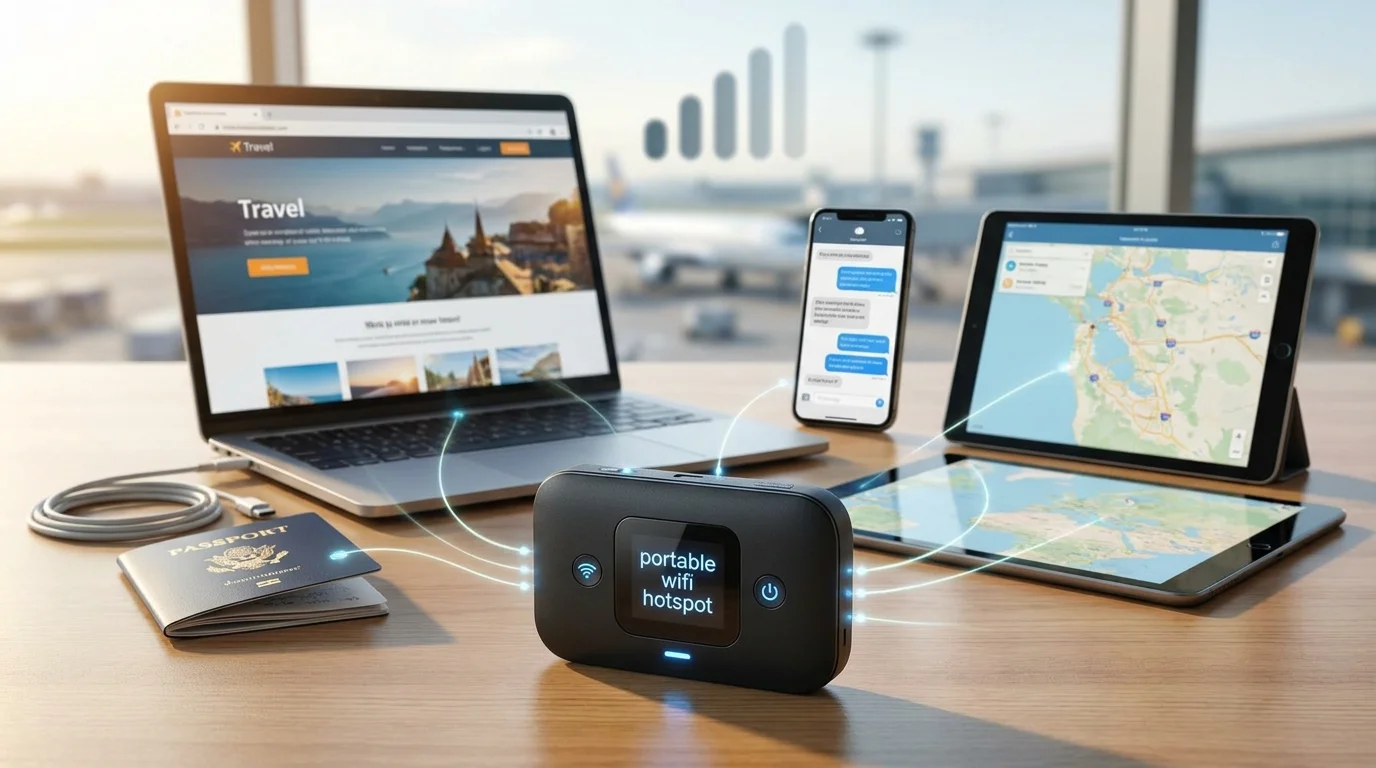
A portable WiFi hotspot gives your laptop, tablet, phone, and other Wi-Fi devices an internet connection when regular home or public Wi-Fi is unavailable. Instead of relying on a café, hotel, or airport network, a dedicated hotspot connects to a cellular network and creates a private Wi-Fi network around you. For travelers, remote workers, families, and anyone who needs backup internet, that can make staying connected much easier.
Quick answer: A portable WiFi hotspot is a small battery-powered device that connects to a 4G LTE or 5G cellular network and shares that connection over Wi-Fi. You normally need compatible hotspot hardware plus a carrier data plan. It is most useful for travel, remote work, temporary internet access, and backup connectivity.
| Key question | Short answer |
|---|---|
| Internet source | Usually 4G LTE or 5G cellular service |
| What connects to it | Laptops, tablets, phones, cameras, and other Wi-Fi devices |
| Data plan required | Usually yes for a dedicated cellular hotspot |
| Main advantage | Internet access without depending on public Wi-Fi |
| Main limitation | Performance depends on cellular coverage and data allowance |
| Best for | Travel, remote work, backup internet, and multiple devices |
| Alternative | Your smartphone’s built-in hotspot feature |
What Is a Portable WiFi Hotspot?
A portable WiFi hotspot is a compact device that turns a cellular data connection into a local Wi-Fi network. Your hotspot communicates with a mobile carrier much like a smartphone, while your laptop and other devices connect to the hotspot through Wi-Fi. Verizon describes dedicated mobile hotspot devices as equipment that creates a private wireless network for devices at home or on the go.
The concept is related to phone tethering, but the hardware is dedicated to connectivity rather than calls, apps, photography, and everything else your phone handles. A separate hotspot can therefore make more sense when you need internet access for several hours at a time or when several devices need to stay connected. For a broader explanation of hotspot terminology, see Techixia’s guide to what a hotspot is and how it works.
How Does a Portable WiFi Hotspot Work?
The basic process has two wireless connections. First, the hotspot connects to a compatible cellular network using its SIM, eSIM, or carrier configuration. Second, it creates a Wi-Fi network that nearby laptops, tablets, phones, and other devices can join.
The connection path is essentially cellular network → portable hotspot → Wi-Fi → your devices. Because the hotspot still depends on cellular service, a strong Wi-Fi signal between your laptop and hotspot cannot compensate for weak carrier coverage outside. AT&T similarly explains that standalone hotspots connect to cellular service and then share that internet connection with other devices through Wi-Fi or other tethering methods.
Using one is normally straightforward:
- Activate the hotspot with a compatible cellular plan.
- Turn the hotspot on and wait for it to connect to the carrier.
- Find its Wi-Fi network name and password.
- Open Wi-Fi settings on your laptop, tablet, or other device.
- Select the hotspot network and enter the password.
- Monitor signal strength, battery level, and data usage while connected.
Portable WiFi Hotspot vs. Phone Hotspot vs. Travel Router
These three devices can all help you get online away from your normal network, but they don’t work the same way. A phone hotspot uses your smartphone’s cellular connection, while a dedicated mobile hotspot has hardware designed primarily to share cellular data. A travel router, meanwhile, often takes an existing Wi-Fi, Ethernet, or tethered connection and creates a private local network.
| Option | Internet source | Best for | Main drawback |
|---|---|---|---|
| Dedicated portable hotspot | Cellular network | Frequent travel, work, several devices | Separate hardware and plan may cost extra |
| Phone hotspot | Smartphone cellular plan | Occasional laptop or tablet use | Uses phone battery and hotspot allowance |
| Travel router | Existing Wi-Fi, Ethernet, or tethered connection | Hotels, shared networks, multiple personal devices | Often needs another internet source |
A phone hotspot is usually the cheapest place to start because you already own the hardware. Google says most Android phones can share mobile data through Wi-Fi, Bluetooth, or USB, although carriers can limit or charge differently for tethering. Turning tethering off when you finish also helps reduce unnecessary battery use.
A dedicated hotspot becomes more attractive when connectivity is part of your daily work rather than an occasional emergency. T-Mobile specifically highlights larger batteries and antennas as advantages of dedicated hotspot hardware, while keeping your phone free and charged for normal use. That separation can be valuable on work trips, road trips, events, or temporary job sites.
When Does a Dedicated Hotspot Make Sense?
Frequent travelers are an obvious use case because hotel, airport, conference-center, and café networks are not always convenient or consistent. Carrying your own connection lets you connect familiar devices to the same network wherever compatible cellular service is available. It can also save time when you regularly move between temporary work locations.
Remote and hybrid workers may benefit for a different reason: redundancy. If home broadband goes down before a video meeting or an unreliable guest network cannot handle your work, a cellular hotspot can provide a temporary alternative. TechTarget notes that both personal and dedicated hotspots support workers who travel, work from temporary locations, or need connectivity during network outages.
Families and small groups may also prefer a dedicated device when several people need connectivity at once. Instead of making one person’s phone responsible for everyone else’s connection, the group can share separate hotspot hardware and its data allowance. The practical limit still depends on the model, plan, signal quality, and workload, so adding more devices doesn’t guarantee every device will maintain the same performance.
How Fast Is a Portable WiFi Hotspot?
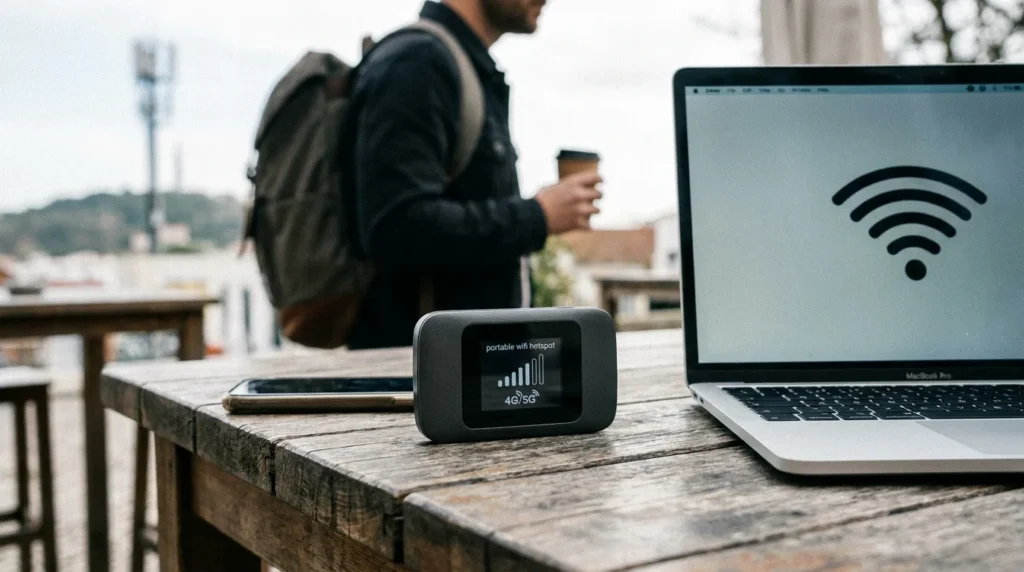
No single speed applies to every portable hotspot. Actual performance depends on whether the device and carrier are using 4G LTE or 5G, local coverage, network congestion, signal strength, hotspot hardware, Wi-Fi conditions, and the number of connected devices. A hotspot that performs well in downtown Chicago could behave very differently on a rural highway or inside a building with poor cellular reception.
The Wi-Fi specification printed on the device also does not determine your internet speed by itself. Your connection can only work with the cellular bandwidth reaching the hotspot, so buying newer Wi-Fi hardware cannot manufacture a fast 5G signal where coverage is weak. The FCC has similarly noted that fixed broadband is typically faster than mobile broadband overall, although widespread 5G deployment has narrowed that gap.
Before relying on a hotspot for work, test it where you actually expect to use it. Check the carrier’s coverage information, measure performance at different times, and test the applications that matter rather than looking only at the signal icon. Video conferencing, cloud synchronization, large file transfers, streaming, and software updates can all place more demand on a mobile connection than basic browsing.
How Much Does Portable WiFi Cost in the US?
The total cost has two parts: hotspot hardware and cellular service. Some devices are sold outright, while carriers may also offer installment financing or promotional pricing. The larger recurring expense is the data plan, and its value depends heavily on how much high-speed hotspot data you receive before restrictions or reduced speeds apply.
Current September 2026 US plan examples show how different the pricing models can be. These prices can change, so use them as a snapshot rather than a permanent rate card and check the carrier’s current terms before activating service.
| Carrier | Current example | Important detail |
|---|---|---|
| T-Mobile | 25GB for $25/month | Current Data Plan 2.0 pricing with AutoPay |
| T-Mobile | 100GB for $50/month | High-speed allowance, with reduced speeds afterward under current terms |
| Verizon | 15GB from $10/month | Lowest pricing requires an eligible existing smartphone plan |
| Verizon | 50GB from $20/month | Price depends on account configuration |
| Verizon | 100GB from $40/month | Dedicated hotspot plan tier |
| Verizon | 150GB from $60/month | Premium dedicated hotspot tier |
| AT&T | 50GB for $55/month | Current DataConnect option after eligible billing discounts |
The biggest pricing trap is comparing only the number printed beside the plan name. Verizon, for example, states that some of its lowest dedicated-hotspot prices assume an existing smartphone on an eligible unlimited plan, while standalone service costs more. T-Mobile and AT&T have their own eligibility, AutoPay, data, congestion, and device requirements, so the useful comparison is total monthly cost for the amount of high-speed data you actually need.
The FCC’s broadband-label rules can make that comparison easier. Providers must disclose key information about broadband plans, including pricing and service characteristics, in standardized consumer labels. When comparing hotspot service, check the broadband label and plan terms rather than relying only on promotional banners.
What to Look for Before Buying a Portable Hotspot
Buying the most expensive 5G model is not automatically the right decision. A better approach is to match the hotspot to where you go, the carrier coverage available there, how much data you use, and how many devices you need to connect. A few specifications deserve more attention than marketing claims.
- Carrier compatibility: Confirm that the exact model works on the carrier and plan you intend to use.
- 4G LTE and 5G support: 5G can provide better performance where suitable coverage exists, while LTE remains important outside strong 5G areas.
- Battery capacity: Longer battery life matters for flights, road trips, outdoor work, conferences, and long workdays.
- Wi-Fi capabilities: Newer Wi-Fi standards can improve the local connection between the hotspot and compatible devices.
- Connected-device limit: Check how many laptops, tablets, phones, and other devices the unit supports simultaneously.
- USB or Ethernet options: Wired connectivity can be useful for computers, routers, or fixed work setups.
- Display and controls: A useful screen can make signal, battery, network name, password, and data information easier to check.
- Domestic and international support: US coverage doesn’t guarantee the same hardware and plan will work affordably abroad.
- Data-plan terms: Look beyond the headline allowance and check what happens after you use up high-speed data.
Coverage should come before most hardware specifications. A premium hotspot on the wrong network for your destination may perform worse than cheaper hardware on a carrier with stronger local service. Check your usual destinations first, especially when you travel through rural parts of the United States, where carrier coverage can differ substantially.
Is a Portable Hotspot Safer Than Public Wi-Fi?
A private hotspot gives you more control over the wireless network because you choose the network credentials and decide which devices connect. That makes it attractive when the alternative is an unfamiliar public network, but it does not make every online activity automatically secure. You still need updated devices, secure websites, strong account passwords, and multi-factor authentication.
The FTC says widespread website encryption has made modern public Wi-Fi safer than in the past, especially when websites use HTTPS. It still recommends keeping devices updated, protecting accounts with strong passwords, and using two-factor authentication when available. Those precautions remain useful whether you are connected through hotel Wi-Fi, home broadband, or your own portable hotspot.
Protect the hotspot itself with a strong password and modern wireless encryption when supported. Don’t leave the default password unchanged just because the network is temporary, and turn the device off when you are finished if you don’t need it. If your main problem is security or coverage on a permanent household network, Techixia’s guide to improving WiFi signal at home covers router placement, wireless bands, firmware, security settings, and coverage upgrades.
Can a Portable Hotspot Replace Home Internet?
It can replace fixed internet for some light-use households, but it is usually better viewed as mobile or backup connectivity. Cellular performance can vary by location and congestion, while hotspot plans often impose data caps that run out quickly when several people stream, download games, back up files, or watch high-resolution video. Fixed broadband also typically offers more capacity for homes with many always-connected devices.
A portable hotspot makes more sense as your primary connection when your usage is modest, you move frequently, or conventional broadband is unavailable or impractical. It makes less sense when a household runs multiple televisions, gaming systems, computers, security cameras, cloud backups, and large downloads every day. Calculate your expected monthly usage and compare the full plan terms before canceling an existing home connection.
If your home internet service is fine but Wi-Fi coverage is the real problem, a cellular hotspot is usually the wrong fix. Start with placement and coverage troubleshooting, then consider an appropriate router or mesh system. Techixia’s best home WiFi router guide explains how home size, device count, wireless standards, and mesh coverage affect that decision.
How to Use a Portable Hotspot Without Burning Through Data
Laptop activity can consume much more data than casual smartphone use because computers may download system updates, sync cloud drives, back up photos, stream higher-resolution video, and refresh applications in the background. A hotspot can therefore use its high-speed allowance faster than expected even when you are not intentionally downloading large files. Managing the devices connected to it is just as important as choosing the plan.
Start by pausing unnecessary cloud backups and major operating-system downloads while you are on cellular data. Reduce streaming quality when maximum resolution isn’t necessary, disconnect devices you are not actively using, and check the hotspot’s data counter or carrier app regularly. These small changes are particularly useful on plans that reduce hotspot speeds after a defined high-speed allowance.
For work trips, update your laptop and download large files before leaving a reliable home or office connection. That leaves your mobile data available for tasks that genuinely need a live connection, such as email, navigation, cloud documents, and meetings. It also reduces the chance that an automatic multi-gigabyte update begins in the middle of an important call.
Common Portable Hotspot Problems and How to Fix Them
Slow performance does not always mean the hotspot itself is faulty. Cellular congestion, weak signal, an exhausted high-speed allowance, local Wi-Fi interference, distance from the device, and too many connected clients can all produce similar symptoms. Check the simple causes before replacing the hardware.
- If the hotspot shows weak cellular reception, move it near a window or to a more open location and test again.
- If cellular signal appears strong but one laptop is slow, reconnect Wi-Fi, restart that device, and compare performance with another client.
- If every connected device suddenly becomes slow late in the billing cycle, check whether you have reached your plan’s high-speed hotspot allowance.
Restarting the hotspot can also clear temporary connection problems, while firmware updates may resolve known bugs or compatibility issues. Check that the device is using the intended carrier network and that your account remains active. If the hotspot repeatedly loses cellular service in one geographic area, compare the carrier’s coverage there before assuming new hardware will solve the problem.
Frequently Asked Questions
Do you have to pay monthly for a portable WiFi hotspot?
Usually, yes, when you use a dedicated cellular hotspot in the United States. The device needs cellular data service, which commonly means a monthly or prepaid hotspot plan, although the exact arrangement depends on the carrier. Compare hardware and service costs separately before you buy.
Is portable WiFi the same as a hotspot?
The terms are often used interchangeably when people mean a small cellular device that provides Wi-Fi internet access. However, “portable Wi-Fi router” can also refer to a travel router that shares an existing Ethernet or Wi-Fi connection instead of connecting directly to a cellular network. Checking how the specific device gets its internet connection prevents confusion.
Is a portable hotspot better than using your phone?
A dedicated hotspot is generally more convenient for frequent use, multiple devices, or situations where you want to preserve your phone’s battery and hotspot allowance. A phone hotspot is usually more economical for occasional use because it requires no extra device. The better choice depends on how often you need mobile internet and what your existing phone plan already includes.
Can you use a portable hotspot anywhere in the US?
You can use it wherever its carrier provides compatible service, and the device can receive a usable signal. Coverage, indoor reception, congestion, network technology, and plan restrictions can all affect whether the connection works well in a particular place. Checking coverage in the cities, highways, rural areas, and buildings you actually visit is more useful than assuming nationwide service will perform the same everywhere.
Does a portable hotspot work without cell service?
A cellular hotspot normally needs carrier service because cellular data is the internet source it shares with your devices. If the hotspot cannot reach its mobile network, its local Wi-Fi network may still appear on your laptop, but that does not mean the laptop has internet access. A travel router is different because it can share hotel Wi-Fi, Ethernet, or another existing connection.
How many devices can connect to a portable hotspot?
The maximum varies by hotspot model and carrier configuration, so there is no universal number. Even when the hardware supports many clients, every active device shares the same cellular connection and data allowance. For that reason, practical performance can decline before you reach the manufacturer’s stated connection limit.
The Bottom Line
A portable WiFi hotspot is worth considering when you regularly need dependable internet away from your normal home or office connection. It gives you more control than relying entirely on public Wi-Fi and can be more practical than draining your phone battery every time a laptop needs internet. The best choice isn’t simply the newest 5G device, but the hotspot, carrier, coverage, and data plan that fit where and how you actually work.
For occasional emergencies, start with the hotspot feature already built into your smartphone and see whether it meets your needs. If you routinely connect several devices, travel for work, or need backup connectivity for long periods, dedicated hardware becomes easier to justify. Compare carrier coverage and high-speed data allowances first, then choose the hardware that supports those requirements.