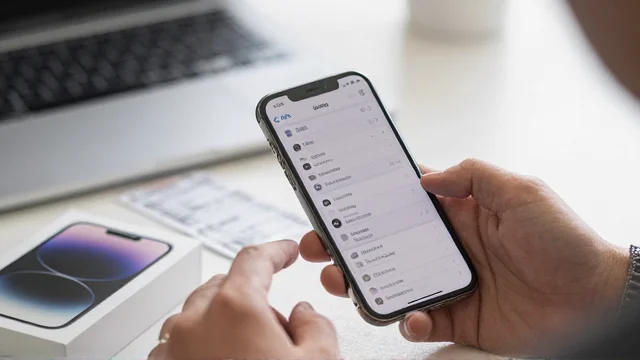
If you’re asking what phone do I have, the fastest answer is usually hiding in Settings. Apple and Android devices display their model details without requiring another app. You can also identify a damaged or powered-off device using several backup methods.
Quick answer: The fastest way to identify your device is through Settings. On iPhone, open Settings > General > About and check Model Name. On Android, open Settings > About phone, then find the model information. If the device cannot start, check its hardware, box, receipt, or carrier records.
| Method | Best for | Device must turn on? | What you can find |
|---|---|---|---|
| Settings | Most people | Yes | Model name and model number |
| Physical markings | Damaged devices | No | Model number or identifiers |
| Original packaging | Devices that will not start | No | Model, serial number, IMEI |
| Carrier records | Lost details or old purchases | No | Device and account information |
| *#06# | Cellular identifiers | Usually | IMEI or related identifiers |
Key Takeaways
- Start with Settings because it usually gives the clearest answer.
- An iPhone shows its model information under Settings > General > About.
- Most Android devices place similar details under Settings > About phone.
- A model name identifies the product family, while other numbers serve different purposes.
- The original box, carrier records, and hardware markings can help when the screen is unusable.
- An IMEI identifies cellular hardware but should not replace the model name for accessory shopping.
What Phone Do I Have? Start With These 7 Checks
Use these methods in order until you find the information you need. The first three solve most identification problems without extra tools.
- Open the device Settings menu. Look for an About or About device section.
- Find the model name and model number. Record both when they are available.
- Check the manufacturer’s model details. Apple and Android devices label these fields differently.
- Inspect physical markings. Older or supported devices may show identifiers on the body, tray, or connector.
- Check the original box or receipt. Retail packaging often includes several useful identifiers.
- Review your carrier account. Your wireless provider may retain information about devices on your line.
- Use the IMEI when necessary. Dial *#06# where supported, then use trusted manufacturer or carrier support.
Settings should remain your first choice because physical appearance can be misleading. Several generations can share almost identical dimensions, colors, and camera layouts. Cases can also hide the details that distinguish one generation from another.
How to Find Your Exact iPhone Model
Open Settings, tap General, and choose About. Look for the Model Name field to see the familiar product name. Apple also displays a part number and hardware model information on this screen.
Apple explains that tapping the displayed part number reveals the hardware model number. These numbers normally begin with the letter “A,” such as an A-number used for a specific regional version. That detail becomes useful when checking repairs, specifications, or regional hardware differences.
Do not assume the editable device name tells you the hardware generation. A device could be renamed to almost anything by its owner. The Model Name and hardware model number provide more dependable identification.
What if the iPhone will not turn on?
Apple provides physical identification options for supported models. Some older devices show the model number on the back, while others place it around the SIM tray opening. Models without a tray may have identifying information inside the USB-C or Lightning connector.
This detail matters in the United States because many recent models do not have a physical SIM tray. Use bright lighting if you need to inspect a tiny engraving. The original packaging is usually easier if you still have it.
How to Find an Android Model
Android menu names can differ slightly between manufacturers and software versions. Google directs users to open Settings > About phone and then select Model & hardware when available. That area can show manufacturer and hardware information needed for support.
Samsung uses a similar route on Galaxy devices. Open Settings > About phone to see the model information and other identifiers. Samsung notes that screens can vary by carrier, software version, and device.
Pixel, Motorola, OnePlus, and other Android brands may arrange these fields differently. Search Settings for “model” or “about” if you cannot find the menu. Avoid installing an identification app until you have checked the built-in information.
Model Name vs. Model Number vs. IMEI vs. Serial Number
These identifiers are not interchangeable, although they often appear together. Knowing which one you need prevents mistakes during repairs, trade-ins, or accessory purchases. It also helps you avoid sharing a unique identifier unnecessarily.
| Identifier | What it identifies | Example use |
|---|---|---|
| Model name | Product sold to consumers | Choosing a case |
| Model number | Specific hardware version | Checking repair compatibility |
| Serial number | Your individual device | Manufacturer service or warranty |
| IMEI | Cellular hardware identity | Carrier activation or network support |
The model name is usually enough when buying a case or checking basic specifications. A repair provider may need the more precise hardware model number. Carriers often ask for the IMEI when handling activation or cellular compatibility.
Samsung describes the IMEI and serial number as identifiers associated with individual devices. It also supports dialing *#06# on compatible carrier configurations to display identifying information. Keep unique serial and IMEI details private unless a trusted service genuinely needs them.
How to Identify a Device That Will Not Turn On
Start with the original retail box if you still have it. Check labels near the barcode for a model code, serial number, or IMEI. Compare that information with the manufacturer’s official support pages before ordering parts.
Your purchase receipt or wireless account can provide another route. Samsung specifically lists packaging, carrier websites, and sales receipts as alternative places to find identifying information. Those options are useful when the display is broken or the battery is completely dead.
If startup trouble is the reason you need the model, avoid resetting the device prematurely. A reset can remove personal data without solving a hardware problem. Techixia’s recovery mode guide explains safer repair options for devices that fail during startup.
Can an IMEI Tell You the Exact Model?
An IMEI can help a carrier or manufacturer identify cellular hardware. It is especially useful during activation, support, insurance, or network checks. AT&T also documents *#06# as one method for displaying an IMEI on supported devices.
Still, an IMEI should not be your first tool for casual identification. Avoid entering it into random lookup websites because it uniquely identifies cellular hardware. Start with Settings, official support, or your carrier instead.
Never post an IMEI or serial number publicly while asking for technical help. A screenshot of your About screen can expose identifiers you did not intend to share. Crop or cover those fields before uploading an image.
Why Knowing the Exact Model Matters
Accessories often depend on exact dimensions, connector types, and camera layouts. A case designed for a similar-looking generation may still block buttons or fail to fit. Techixia’s USB OTG guide also shows why connector and device support can matter for wired accessories.
Repair parts require even greater precision because screens and batteries can differ between related versions. Software support can also vary by generation and manufacturer. Recording the full model details before seeking service can prevent ordering the wrong component.
Knowing the model also helps when deciding whether replacement makes more sense than repair. If your current device is aging, compare it with Techixia’s budget smartphone guide before spending heavily on repairs. That comparison can put repair costs in context.
What if the Device Name Looks Wrong?
The visible device name is not always the hardware model. Owners can rename devices for Bluetooth, hotspot sharing, backups, and other services. Treat a custom name as a label rather than proof of the generation.
Use the dedicated model field instead. Apple places it under General > About, while Android manufacturers usually use an About device menu. A hardware model number gives you another way to verify the result.
Renaming also explains why a device might show a person’s name or a generic label. That does not mean the operating system has lost the hardware information. The manufacturer details remain available elsewhere in Settings.
Should You Use a Website That Detects Your Device?
Browser-based identification tools can provide clues, but they should not replace Settings. Browsers do not always expose enough hardware data to identify every generation with certainty. Similar devices may also share display characteristics or browser information.
Use these services only when you understand what information the site collects. Do not provide an IMEI, serial number, account password, or carrier PIN to an unknown detector. Built-in menus and official manufacturer support are safer starting points.
If unusual apps or account changes made you inspect your device, identification may only be the first step. Techixia’s guide to checking whether a device is hacked explains stronger warning signs. It can help separate security problems from ordinary battery or software issues.
Frequently Asked Questions
What phone do I have if Settings only shows a model number?
Write down the model number exactly as shown. Search for it on the manufacturer’s official support site to match it with a retail model name. Avoid relying on marketplace listings because sellers can label regional variants incorrectly.
Can I find the model from the IMEI?
A manufacturer or carrier can often associate an IMEI with device information. The IMEI exists mainly as a cellular identifier rather than a shopper-friendly model name. Use official carrier or manufacturer support rather than an unfamiliar lookup service.
How can I identify a device with a broken screen?
Check the box, purchase receipt, carrier account, and any physical model markings. Apple and Samsung also document hardware locations for identifiers on supported products. These methods do not require a working display.
Is the serial number the same as the model number?
No, they answer different questions. A model number describes a hardware version, while a serial number identifies an individual unit. You normally need the model information when buying compatible accessories or parts.
Does the model number tell me the storage capacity?
Not always in an obvious way. Check the device storage section in Settings when capacity matters for resale or support. Keep storage capacity separate from the product name unless the manufacturer confirms it through that identifier.
Save the Details Before You Need Them
Record your model name and hardware model number somewhere accessible. These details can save time during repairs, support calls, trade-ins, and accessory purchases. You usually need only a minute to find them while the device is working.
If you are identifying the device because something is wrong, diagnose the problem before replacing parts. Techixia’s recovery and security guides can help narrow down common causes. If replacement makes more sense, compare current options before choosing your next device.