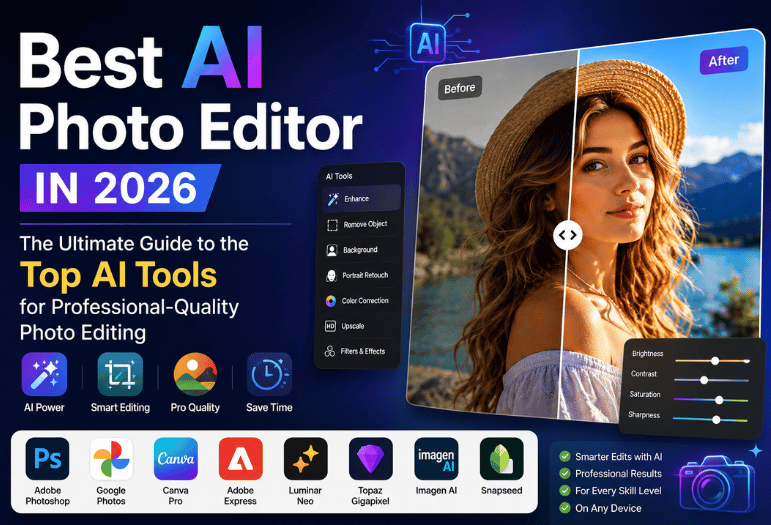
Most roundups hand you ten apps and leave you to work out which one does the thing you need. This one sorts by the job instead. The best AI photo editor for wiping a stranger out of a vacation shot is not the one that rescues a blurry photo from 2009. Every price below was checked on July 28, 2026.
Short verdict: Adobe Photoshop at $22.99 a month is still the pick if you need generative fill and expand. Google Photos handles everyday cleanup for nothing. Canva Pro at $14.99 a month gives the most value for social and product shots. Topaz Gigapixel is what you want for rescuing old, low-resolution pictures off a hard drive.
Best AI Photo Editor Picks, Sorted By The Job
| one-time tool | Best for | Platform | US price (July 28, 2026) | Standout feature |
| Google Photos | One-tap cleanup | Android, iOS, web | Free | Magic Editor removes and reframes subjects. |
| Apple Photos Clean Up | iPhone owners | iOS, iPadOS, macOS | Free with Apple Intelligence | Runs on the device, so nothing leaves the phone. |
| Canva Pro | Social and product images | Web, iOS, Android | $14.99/mo or $119.99/yr | Magic Eraser plus brand templates |
| Adobe Express | Fast background removal | Web, iOS, Android | Free; $10.99/mo. Premium | 250 generative credits on Premium |
| Adobe Photoshop | Generative fill and expand | Windows, macOS, iPad, web | $22.99/mo single app | Firefly fills on any selection you draw. |
| Luminar Neo | Portrait retouching | Windows, macOS | $119 one time | Skin, eye, and sky work with no subscription. |
| Topaz Gigapixel | Upscaling old photos | Windows, macOS | $29/mo or $149/yr | Turns small files into printable enlargements |
| ImageAI | Batch editing a whole shoot | Windows, macOS via Lightroom | 1,000 free edits, then $179/mo billed annually | Copy your own editing style across thousands of frames. |
Key Takeaways
- Pick by task, not by brand. Six of these eight do one thing better than the rest.
- Free tiers differ wildly: some cap saves per month, some cap resolution, and some watermark.
- Adobe cut new Photoshop single-app subscribers to 25 generative credits a month in June 2025.
- Hands, small text, and flyaway hair are still where these tools break.
- Read the terms before you upload client work. Not every vendor promises to keep your photos out of training.
The Best AI Photo Editor Is a Different Job From Generating One
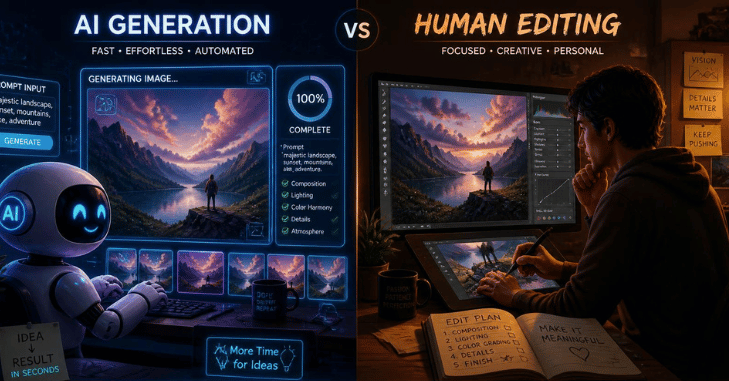
These two get muddled constantly, and the tools barely overlap. Generation starts from a text prompt and invents pixels that never existed. Editing starts from a photograph you took, and the whole point is that the person, the light, and the moment stay real.
Best AI Photo Editor: If what you want is an image conjured from a description, you’re shopping in the other aisle, and our guide to uncensored AI image generators covers that market instead. Everything below assumes you already have the file.
One-Tap Cleanup On The Phone
Most edits people actually make are small. A bin in the corner. A photobomber. Or a shot taken at dusk that came out muddy. Google Photos does this well and charges nothing. Magic Editor lets you tap an object, drag the subject somewhere else in the frame, and let the model rebuild what was behind them. Google’s April 2024 announcement opened the tool to every Android and iOS user. Anyone without a Pixel or a Google One Premium plan got capped at 10 Magic Editor saves a month.
Apple’s version, Clean Up, is quieter and stricter. It runs on a device through Apple Intelligence, which means an iPhone 15 Pro, an iPhone 16 or later, an M1 iPad, or an Apple Silicon Mac. Nothing gets uploaded, which matters if the photo is of a document or a child. For the full picture, read Best Photo Editing Apps.
One caution for Android users: several third-party editors ask for access to your entire photo library on install. The hidden Google Play Store settings worth knowing include how to grant access to selected photos only.
Removing Objects and Backgrounds
Background removal is the feature that sells subscriptions, and it’s also the one where quality gaps show up fastest. Canva Pro cuts subjects cleanly and drops them straight into a template, which is why it wins for anyone posting to a storefront or a feed. At $14.99 a month, or $119.99 paid yearly, it costs less than Photoshop and takes an afternoon rather than a year to learn.
Adobe Express does the same cut for free in a browser, with no download. Premium at $10.99 a month adds 250 generative credits and the wider template library. For a small shop photographing stock against a white wall, Express handles the whole workflow without anyone opening Photoshop.
Generative Fill and Expand
This is the one thing Photoshop still does better than anything else. Draw a selection, describe what belongs there, and Firefly builds it. Expand a tall portrait sideways into a wide banner, and it invents plausible edges.
The catch is the credit math, and almost nobody mentions it:
- Photoshop, a single app, costs $22.99 a month, billed monthly on an annual plan.
- Subscribers who joined on or after June 17, 2025, get 25 generative credits a month.
- People who subscribed before that date kept 500.
- The $19.99 Photography plan, with Lightroom and 1 TB of storage, still carries 1,000.
Read that list again if you were about to buy the single app. That cheaper bundle gives you forty times the generative capacity.
Faces and Small Files
Portrait Retouching
Luminar Neo costs $119 once and runs standalone or as a Photoshop plugin. You get a 7-day trial and a 30-day refund window. Its skin and eye tools stop short of the waxy-look phone beauty filters it produces, and no monthly bill follows.
Upscaling Old or Low-Resolution Shots
Scanned prints, screenshots, and photos pulled off a 2011 phone all hit the same wall: not enough pixels to print. Topaz Gigapixel rebuilds detail rather than just interpolating it, and at $29 a month or $149 a year, it’s cheaper than the full Topaz Photo app at $199 a year. Topaz dropped perpetual licenses, so this is now a rental.
Editing a Whole Shoot At Once
Wedding and event photographers have a different problem: 2,000 frames that all need the same look. Imagen AI trains on your own past edits, then applies that style through Lightroom across the full catalog. You get 1,000 free edits without a card, and the Limitless plan runs $179 a month billed annually, which only makes sense at volume.
What the Free Tiers Really Give You
“Free” means five different things across this list, so here’s the honest version.
| Tool | What free actually allows | Watermark on export? |
| Google Photos | Full editing: 10 Magic Editor saves a month without a Pixel or Google One Premium. | No |
| Apple Photos | Everything, if your device supports Apple Intelligence. | No |
| Adobe Express | Background removal, basic edits, 5GB storage, limited generative credits | No |
| Canva | Editor and templates; Magic Eraser and background removal are Pro features. | No, but premium assets are locked. |
| Pixlr | Browser editor with ads and a small AI credit allowance | No, on the editor; AI output is credit-limited. |
| ImageAI | 1,000 edits, no card required | No |
That pattern is worth naming. Big names now gate AI features behind credits rather than stamping a logo across your picture, which is friendlier but harder to compare. It’s the same trap that shows up in free video editing software, where an export limit replaces the watermark.
Where AI Editing Still Falls Apart
Demo reels never show the failures. Four of them show up across every tool on this list:
- Hands. Generative fill still produces six-fingered, fused knuckles and thumbs on the wrong side.
- Text inside the image. Signage, book spines, and license plates come back as convincing gibberish.
- Fine hair against a busy background. Cut-outs eat flyaway strands or leave a halo of the old backdrop.
- Skin. One-tap retouching over-smooths, erasing pores and texture until the face reads as plastic.
Zoom to 100% before you export. Every one of these is obvious at full size and invisible in a thumbnail. Before you commit to an annual plan on the strength of a marketing video, cross-check it against trusted tech review sites that test rather than repeat.
Your uploads, Your Rights, and Whether Anyone Can Tell

Two questions almost no page-one roundup asks. First: does the vendor claim a license to train on the photos you upload? Adobe’s Terms of Use, effective October 3, 2025, say the company “will not use your local or cloud content to train generative AI models” outside Adobe Stock submissions. You still grant an operating license so the software can process and sync your files. Canva’s AI product terms are looser, allowing data sharing with third-party providers who may use it to improve their own services.
Second: can a viewer tell the picture was edited? Content Credentials, built on the C2PA standard, attach a signed record of every edit to the file. The Content Authenticity Initiative describes them as a nutrition label for digital content.
That record is only as durable as the platform it passes through. NIST’s November 2024 report on synthetic content, AI 100-4, found that many internet platforms strip at least some metadata from uploaded files to protect privacy. NIST also notes that most current watermarking schemes have been consistently found vulnerable to removal. So disclose in the caption when an edit changes what the photo shows. Don’t rely on the metadata to do it for you.
Pros and cons of the most people will pick
Adobe Photoshop
- Pro: generative fill and expand that nothing else matches, plus a clear no-training promise.
- Con: $22.99 a month and only 25 generative credits for new single-app subscribers.
Canva Pro
- Pro: fast, cheap at $14.99 a month, and the output is already sized for wherever it’s going.
- Con: vague terms on how your data gets shared and limited control over fine-tuning.
Google Photos
- Pro: free, already installed, and good enough for the majority of everyday fixes.
- Con: 10 Magic Editor saves a month on most accounts, and there is no professional export control.
Verdict: Which AI Photo Editor to Buy
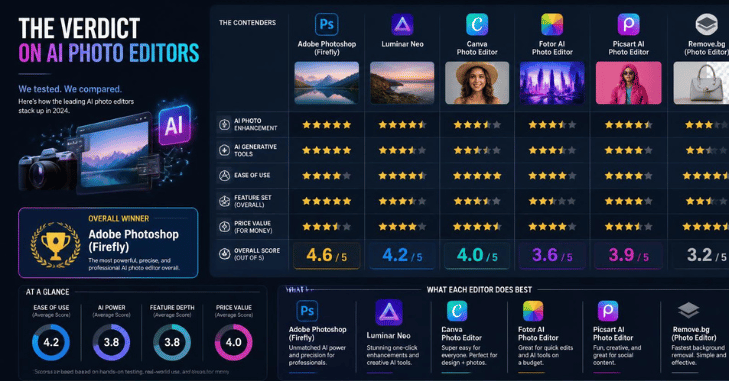
Buy the $19.99 Adobe Photography plan rather than the single app if you want serious generative editing. You get Lightroom, 1 TB of storage, and 1,000 credits for less money than Photoshop alone.
Editing for a shop or a social feed? Canva Pro is the better spend. Tidying holiday pictures? Install nothing new and use what’s already on your phone.
There’s no single best AI photo editor for everyone, so start on the free tier of whichever one fits your job. Run ten real photos through it, then decide whether the subscription earns its place.
Conclusion
The best AI photo editor is the one that matches the type of editing you do most often. Whether you need quick one-tap enhancements, professional generative editing, background removal, portrait retouching, or high-quality photo upscaling,
There is no single tool that outperforms every competitor in every category. Instead of choosing based on popularity alone, compare features, pricing, privacy policies, and free-tier limits to find the editor that fits your workflow. Before committing to a paid subscription, test the free version with your own photos and pay close attention to image quality, editing accuracy, and export options.
FAQ
For range and control, Photoshop is on the $19.99 Photography plan. For everyday phone edits at no cost, Google Photos. There isn’t one answer, because the tools have specialized around different tasks.
Yes. Google Photos, Apple Photos, and Adobe Express all export without a watermark. They limit you on AI credits or monthly saves instead.
Between nothing and $179. Most people land between $10.99 and $22.99, which covers Adobe Express, Canva Pro, and Photoshop.
Partly. Topaz Gigapixel adds convincing detail at larger sizes, but it’s reconstructing what was probably there, not recovering what was recorded. Faces of people you know are where invented detail gets noticed.
Adobe says no for local and cloud content unless you submit it to Adobe Stock. Other vendors are less specific, so check the terms before uploading anything you don’t own.
No. Canva, Adobe Express, Google Photos, and Apple Photos all work on a tap-and-describe model. Photoshop and Luminar Neo reward practice.