The mobile photo editing market changed more between 2025 and 2026 than it did in the five years before that. Google rebuilt Snapseed from the ground up and gave it full RAW support. Apple bought the company behind Photomator and then largely left the app alone. Adobe raised Lightroom’s price. VSCO restructured its entire subscription ladder and added a $500-a-year professional tier. Google Photos quietly turned into a conversational AI editor.
Any “best photo editing apps” list written before mid-2026 is now giving you at least three pieces of outdated advice. This guide reflects what these apps actually cost and do as of September 2026, including which ones are genuinely free with no watermark — still the most common question people ask, and still the one most lists answer badly.
Short answer: install Snapseed first. It is completely free, has no ads, no watermark and no account requirement, and after the 2026 rebuild it handles RAW files from most major camera brands. If you shoot a lot and want your edits synced across phone and desktop, pay for Lightroom. If you are on an iPhone and hate subscriptions, buy Darkroom outright. Everything else on this list is a specialist tool for a specific job. Elsewhere on the site: Why Is My Phone So Slow.
Quick Comparison: What These Apps Cost in September 2026
| App | Best for | Price (US) | RAW | Platforms | Watermark on free export |
|---|---|---|---|---|---|
| Snapseed | Everyone, first install | Free, no IAP | Yes | iOS, Android | None |
| Adobe Lightroom | Serious photographers, cross-device sync | Free tier; 1TB plan $14.99/mo | Yes | iOS, Android, desktop, web | None |
| Google Photos | Everyday AI cleanup | Free, quota-limited AI | Limited | iOS, Android, web | None |
| Apple Photos | iPhone owners who want zero setup | Free with iOS | Yes (ProRAW) | iOS, iPadOS, macOS | None |
| Darkroom | iPhone users who refuse subscriptions | Free to edit; $39.99/yr or $99.99 lifetime to export | Yes | iOS, iPadOS, macOS | None (optional, user-added) |
| VSCO | Film-look colour and presets | Free tier; Plus $29.99/yr; Pro $59.99/yr | Pro tier only | iOS, Android, desktop, web | None |
| Canva | Social graphics and text over photos | Free; Pro $180/yr | No | iOS, Android, web, desktop | Only on premium assets |
| Picsart | Fast creative effects and cutouts | Free with ads; paid tiers from ~$10.50/mo | No | iOS, Android, web, macOS | Varies — test before you rely on it |
| Photomator | Apple-ecosystem RAW editing | $29.99/yr or $119.99 lifetime | Yes, 750+ formats | iOS, iPadOS, macOS | None |
| Adobe Project Indigo | Experimental computational photography | Free | Yes | iPhone only | None |
What Changed in 2026 (And Why Old Recommendations Are Wrong)
Four shifts matter enough that they should change your choice:
- Snapseed is no longer neglected. After years of stagnation, Google shipped Snapseed 3.0 on iOS in June 2025, a complete Material 3 rebuild on Android in May 2026, and broad RAW support in July 2026. The “Snapseed is great but abandoned” line that appears in most older guides is simply no longer true.
- Lightroom got more expensive in March 2026. The 1TB Lightroom plan went from $11.99 to $14.99 a month on annual billing, and from $17.99 to $22.49 month-to-month. The Photography Plan with Photoshop sits at $19.99 a month. If you are choosing today, the maths favours Lightroom less than it did a year ago.
- Photomator is now an Apple product — and it has stalled. Apple’s acquisition of the Pixelmator team closed in February 2025, and the App Store now lists Apple as the developer. Photomator was excluded from Apple Creator Studio, Apple’s January 2026 creative bundle, and has received little beyond bug fixes since. It still charges annually. That is a real risk to weigh before buying a subscription.
- Free AI editing became normal. Google Photos now does conversational, Gemini-powered editing by text or voice on both Android and iOS, and Apple Photos in iOS 27 adds generative Extend and Reframe. Neither charges extra — Google gates volume rather than access, and Apple gates on hardware. Paying for a third-party app purely to remove an object from a photo no longer makes sense.
How We Picked
Every app here was assessed on the same five criteria: what the free tier can actually do, whether exports are clean, whether it handles RAW, whether it works on both major mobile platforms, and whether the pricing is honest about what you get. Pricing was verified against each vendor’s own pricing page rather than third-party summaries, because app-store in-app-purchase listings are frequently out of date. Where a vendor’s own pages disagreed with each other — and in 2026 several do — we flagged it rather than picking the flattering number.
1. Snapseed — Best Free Photo Editor, and It Is Not Close
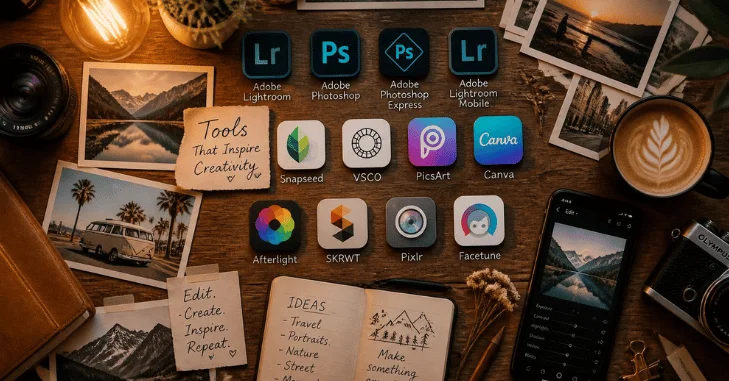
Price: free. No subscription, no in-app purchases, no ads, no watermark, no account required — Google states this plainly on both store listings, which is rarer than it should be.
Snapseed sat almost untouched from 2021 until Google decided to rebuild it. Version 3.0 landed on iOS in June 2025 with a new interface and a set of vintage film filters. Version 4.0 arrived on Android in May 2026 as a full Material 3 redesign, adding a home grid, a Looks/Tools/Export tab structure, one-touch masking, batch editing, and a built-in Snapseed Camera with real-time film emulations and a manual Pro mode covering ISO, shutter speed and focus. Version 4.1 in July 2026 added RAW support for DNG, ARW, RAF, NEF, CR3, ORF and PEF.
That last update is the important one. A free app with no ads that opens a Canon CR3 or a Sony ARW and applies non-destructive selective edits with control points is not something the market has offered before.
What to know before you install: the redesign has been divisive. Both store listings carry a visible cluster of one-star reviews about navigation changes from long-time users who preferred the old layout. If you have used Snapseed for years, expect a week of relearning. If you are new, the current version is the best it has ever been. It holds a 4.9 rating on the App Store and 4.4 on Google Play across more than 1.7 million reviews, with over 100 million Android downloads.
Verdict: install it regardless of what else you use. There is no cost and no catch.
2. Adobe Lightroom — Best If You Shoot Seriously
Price: free tier available. Lightroom (1TB) is $14.99/month billed annually or $149.99/year prepaid, up from $11.99 after the March 2026 increase. Month-to-month is $22.49. The Photography Plan — Lightroom, Lightroom Classic and Photoshop with 1TB — is $19.99/month and includes 1,000 monthly generative credits. A mobile-only Lightroom Premium in-app purchase also exists and was exempted from the price rise.
Lightroom’s advantage is not any individual tool; it is that your library and your edits follow you. Start a RAW edit on your phone on the train, finish it on your laptop, and the adjustments, masks and history are all there. Nothing else on this list does that as reliably.
The free/paid line has moved recently and Adobe’s own documentation has not kept up. Adobe’s older help pages list healing, masking, geometry tools and RAW editing from external media as premium, while the current App Store description advertises Lens Blur, Generative Remove and adaptive presets in the free tier. Treat the free version as genuinely useful and considerably more capable than it was two years ago — but assume anything involving cloud sync or storage is paid.
One thing to watch: Adobe’s own compare-plans page still shows the old $11.99 figure in some regions, contradicting Adobe’s price-change FAQ. Check the price at the point of purchase, not on a marketing page.
Verdict: worth it if you shoot RAW regularly and edit across devices. Overkill if you mainly touch up phone snaps — Snapseed does that for free.
3. Google Photos — Best Free AI Cleanup
Price: free. Magic Eraser, Photo Unblur and Portrait Light have been free to everyone since 2024. Magic Editor gives all users 10 free saves per month; unlimited use requires a Pixel device or a paid Google plan.
The 2026 version is a different product from the one most guides describe. Gemini-powered conversational editing lets you type or say what you want — “remove the cars in the background,” “restore this old photo” — and the app does it. It debuted on Pixel 10 in the US and has since rolled out to Android and iOS. “Help me edit” arrived on iOS in late 2025, alongside Nano Banana restyling and AI Templates.
The generative tools are quota-gated rather than paywalled: you get a daily allowance, and a Google AI plan raises it. Those plans got cheaper in 2026 — Google AI Plus dropped to $4.99/month with 400GB in June, down from $7.99 with 200GB, with AI Pro at $19.99/month. Some generative features carry age restrictions (18+ for text-prompt generation) and are region-limited, and they require a personal Google account rather than a Workspace or school one.
Verdict: the best free tool for “remove that person from my holiday photo.” Not an editor for building a look — pair it with Snapseed or Lightroom.
4. Apple Photos — The One Most iPhone Owners Should Try First
Price: free with iOS. No subscription for the editing tools.
Apple Photos rarely appears in these lists and probably should. Clean Up removes distractions with a tap and requires no fee — only Apple Intelligence hardware, meaning iPhone 16 models, iPhone 15 Pro and Pro Max, an iPad with A17 Pro or M-series silicon, or an M1-or-later Mac.
iOS 27 in autumn 2026 makes it substantially more capable: Extend generatively fills beyond the edges of a frame when you pinch out, Reframe changes the apparent camera angle using captured spatial data, Clean Up gains Fast, High Quality and Auto modes, and Image Playground can edit existing photos from a natural-language prompt. The AI features need an iPhone 15 Pro or newer; the organisational improvements work back to the iPhone 11.
Verdict: if you own a recent iPhone, do the edit here first. You may not need a third app at all. If you’re shopping for a phone to shoot on, our Best Budget Smartphones guide covers which cheaper handsets have cameras worth editing.
5. Darkroom — Best for iPhone Users Who Hate Subscriptions
Price: free Starter plan forever. Darkroom+ is $9.99/month, $39.99/year, or $99.99 once for lifetime access. One purchase covers iPhone, iPad, Mac and Vision Pro through the same App Store account, and Family Sharing works.
Darkroom’s pricing model is unusually fair: you can use every premium tool indefinitely for free and only pay when you want to export. That means you can evaluate the entire app on your own photos before spending anything — no time-limited trial, no card required up front.
It handles RAW including ProRAW, edits fast, and integrates tightly with the iOS photo library rather than making you import. The $99.99 lifetime option pays for itself against Lightroom in about seven months.
Verdict: the best value in serious iPhone editing, provided you never need Android.
6. VSCO — Best for Film-Inspired Colour, With Caveats
Price: Starter is free with 15 presets. Plus is $7.99/month or $29.99/year. Pro is $12.99/month or $59.99/year and adds desktop editing, unlimited AI Lab, unlimited gallery storage and a portfolio site with a custom domain. VSCO One, launched June 2026, is $499.99/year and bundles business tooling — CRM, invoicing, contracts, leads — for up to six seats.
VSCO’s presets remain the best in the category if you want a consistent film-emulation look rather than a punchy one. The Pro tier’s VSCO Capture also shoots RAW and ProRAW with live preset previews, which is genuinely useful.
The caveat is the paywall. Google Play reviews carry sustained complaints about how aggressively VSCO gates features and about trials that require a card up front. RAW editing sits behind the Pro tier, not Plus. Go in knowing the free tier is a sampler, not a working tool.
Verdict: buy Plus annually at $29.99 if you love the presets. Skip Pro unless you want the portfolio site, and ignore VSCO One entirely unless you run a photography business.
7. Canva — Best for Social Media, Not for Photography
Price: free tier includes 1,000+ design types, over 4.7 million assets, one brand kit, 5GB storage and a limited monthly AI allowance. Pro is $180/year for an individual; Business is $250/year per person.
Canva is a layout tool that happens to edit photos, and judging it as a photo editor misses the point. What it does better than anything else here is put text, shapes and branding over an image at the right dimensions for every platform, then resize the whole thing in one click.
On the watermark question: Canva watermarks premium elements for free users, not designs. If everything in your layout comes from the free library, the export is clean. Swap the one paid stock photo for a free one and the watermark disappears. Note that App Store in-app-purchase pricing for Canva Pro has shown as low as $119.99/year against the $180 web price — likely regional or legacy SKUs, so compare before subscribing.
Verdict: essential if you post to social media, irrelevant if you are editing photographs. It does not handle RAW.
8. Picsart — Fast Creative Effects, Murky Pricing
Price: free tier with ads. Picsart’s own pricing page currently shows Pro at $10.50/month and Ultra at $37.50/month, both marked as promotional discounts, with monthly and annual displaying the same figure — which makes the real annual cost hard to establish. App Store in-app-purchase listings show different numbers again.
The app itself is capable and fast: background removal, object erasing, more than 60 million stickers, collage tools, and a large template library. With over a billion Android downloads it is one of the most-used creative apps in the world, though its 4.1 Play rating reflects mixed feelings about ads and upsells.
Be careful here: Picsart does not clearly state its free-export watermark policy on any of its own pages, and free AI tools carry roughly 50-uses-per-day caps. If a clean export matters to you, test it on a throwaway image before you build a workflow around it.
Verdict: good for quick creative edits and cutouts. Not the app to trust for anything you need predictable output from.
9. Photomator — Powerful, but Ask Yourself Why It Is Standing Still
Price: $7.99/month, $29.99/year, or $119.99 lifetime, with a 7-day trial. iOS, iPadOS, macOS and visionOS. No Android version.
As an editor it is excellent — 750+ RAW formats including ProRAW and compressed Fujifilm files, strong automatic adjustments, a clean Apple-native interface, and an Editors’ Choice badge with a 4.5 rating.
The concern is trajectory. Apple completed its acquisition of the Pixelmator team in February 2025 and now appears as the developer on the App Store. When Apple launched Creator Studio in January 2026 — a $12.99/month bundle containing Pixelmator Pro, Final Cut Pro and Logic Pro — Photomator was not included, and it has reportedly received nothing beyond bug fixes for more than a year while continuing to charge annually. Apple has said nothing public about its future.
Verdict: if you want it, buy the lifetime licence rather than a subscription. Paying yearly for an app that may not be developed further is the wrong side of that bet.
10. Adobe Project Indigo — The Free Experiment Worth Installing
Price: free. iPhone only.
Project Indigo is Adobe’s experimental camera and editing app, built around desktop-quality noise reduction and upscaling and a deliberately natural rendering style rather than the over-processed look most phone cameras produce. It includes AI reflection removal, and a July 2026 AI Playground update added distraction removal, depth-of-field simulation, relighting, style transfer, fog removal and art-to-photo conversion.
The most interesting feature is one no other app on this list has: it will critique your photograph and suggest either an edit or a reshoot. Curiously, it runs on Google’s Nano Banana model rather than Adobe’s own Firefly. Rollout is limited and Adobe has said a paid version may follow.
Verdict: not a daily driver, but the most interesting free thing in mobile photography right now.
Which Apps Are Genuinely Free With No Watermark?
This is the question people actually search for, so here it is directly, based on what each vendor states themselves:
- Snapseed — completely clean. Google’s own listings say no subscriptions, purchases, ads or watermarks.
- Google Photos — free, no watermark. Generative features are quota-limited, not paywalled.
- Apple Photos — free with the OS, no watermark, but the AI tools need an iPhone 15 Pro or newer.
- Canva — clean if your design uses only free elements.
Not clean, despite appearing on “free app” lists: Darkroom is free to edit but paid to export, VSCO‘s free tier is a sampler with a hard paywall behind it, Picsart shows ads and does not document its watermark policy, and Lightroom‘s free tier is real but gates anything involving cloud sync.
A Word on AI Edits and Content Credentials
If you edit photos with AI and post them anywhere that matters — journalism, marketplace listings, anything involving a claim about reality — provenance metadata is becoming relevant.
Google’s Pixel 10 was the first phone to sign photos with C2PA Content Credentials at the moment of capture, reaching the highest assurance tier in the C2PA conformance programme using hardware-backed attestation. Google Photos preserves those credentials through edits, adds them to AI-edited images, and shows them in the About panel; Google also applies IPTC metadata to AI-edited images and SynthID watermarking to certain generative output.
Apple has not published an equivalent provenance position for Photos, so do not assume parity. You will also see claims online that AI labelling becomes legally mandatory in 2026 — we could not verify that against any authoritative source, and the underlying driver appears to be EU transparency rules rather than a US requirement. Treat confident claims about a labelling deadline with scepticism.
Pick Your App in 30 Seconds
- You want one free app and no decisions: Snapseed.
- You shoot RAW and edit on more than one device: Lightroom.
- You own a recent iPhone and want to spend nothing: Apple Photos, then Snapseed.
- You are an iPhone user who refuses subscriptions: Darkroom lifetime.
- You want to erase a stranger from a holiday photo: Google Photos.
- You want a consistent film look: VSCO Plus.
- You are making Instagram or YouTube graphics: Canva.
- You want AI-generated imagery rather than photo edits: see our roundup of the best AI photo editor tools.
Free vs Paid: When Is a Subscription Actually Worth It?
A subscription earns its place when it buys you one of three things: sync, storage, or a specific tool you use weekly. It does not earn its place because the free version showed you a locked icon.
Concretely: Lightroom at $14.99/month costs about $180 a year, which is worth it if you shoot regularly and value cloud sync. Darkroom’s $99.99 lifetime licence costs less than seven months of that and never renews — but locks you to Apple hardware. VSCO Plus at $29.99/year is the cheapest paid tier here and the easiest to justify if you like the presets. Picsart and Canva Pro are hard to justify for photography specifically; both are content-creation tools.
And there is a real “free is enough” case in 2026 that did not exist in 2023: Snapseed for tone and colour, Google Photos or Apple Photos for AI cleanup, Canva’s free tier for anything with text on it. That stack costs nothing, has no watermarks, and covers what the large majority of people actually need. Browse more of our coverage in the Technology section, and if audio is your next upgrade, see our Multi-Channel Home Theater guide.
The Verdict
Snapseed is the best photo editing app for most people in 2026, and the fact that it costs nothing is almost beside the point — the 4.x rebuild made it genuinely better, not just cheaper. Start there.
Add Lightroom if you shoot RAW and edit across devices and can live with the new $14.99 price. Add Darkroom instead if you are all-Apple and want to pay once. Use whichever of Google Photos or Apple Photos ships with your phone for AI cleanup, because both do it free and both do it well. Treat Canva as a design tool, VSCO as a colour tool, and Picsart as a scratchpad.
The one recommendation to be cautious about is Photomator. It is a fine editor with an uncertain future, and a yearly subscription to an app its owner has publicly sidelined is a bet you do not need to take when a lifetime option exists.
Frequently Asked Questions
Snapseed. Google’s own store listings confirm it has no subscriptions, in-app purchases, ads or watermarks, and since the 2026 updates it also handles RAW files including DNG, ARW, RAF, NEF, CR3, ORF and PEF. Google Photos and Apple Photos are also free with clean exports, though their AI features are quota-limited or hardware-gated respectively.
Snapseed for free everyday editing, Adobe Lightroom if you shoot RAW and want your edits synced across phone and desktop, and Google Photos or Apple Photos for AI cleanup such as removing objects and people. That combination covers what most people need and only Lightroom costs money.
Adobe raised prices in March 2026. The Lightroom 1TB plan is $14.99 a month on annual billing, up from $11.99, or $149.99 a year prepaid; month-to-month is $22.49. The Photography Plan with Lightroom Classic and Photoshop is $19.99 a month. A free Lightroom tier still exists and has become more capable, though cloud sync and storage remain paid.
Yes. After several dormant years Google shipped Snapseed 3.0 on iOS in June 2025, rebuilt the Android app as version 4.0 in May 2026 with a new interface, camera and batch editing, and added broad RAW support in version 4.1 in July 2026. The app is actively maintained, though the redesign has drawn mixed reviews from long-time users.
Start with Apple Photos, which is free and, on an iPhone 15 Pro or newer, includes Clean Up and — from iOS 27 — generative Extend and Reframe. For serious editing without a subscription, Darkroom offers a lifetime licence at $99.99 covering iPhone, iPad, Mac and Vision Pro. Snapseed is the best free third-party option.
Snapseed, which received a full Material 3 rebuild on Android in 2026 and is free with no ads or watermarks. Google Photos covers AI cleanup, and Adobe Lightroom is the choice if you shoot RAW and want cross-device sync. Note that Darkroom and Photomator are Apple-only and have no Android versions.
Adobe Lightroom remains the professional standard because of its cross-device sync and masking tools. Photomator handles more than 750 RAW formats and is excellent, but Apple has not meaningfully updated it since acquiring the developer, so buy the lifetime licence rather than subscribing. Darkroom is a strong Apple-only alternative, and Snapseed now handles RAW for free.
Generally no. Google Photos offers Magic Eraser, Photo Unblur and conversational Gemini-powered editing free, with generative tools limited by daily quota rather than locked behind a paywall; a Google AI plan from $4.99 a month raises those limits. Apple Photos includes Clean Up and, in iOS 27, generative Extend at no cost on supported hardware.