Ryzen sells on its chips, then the buying decision stalls on a wall of chipset names. Picking the best AMD motherboard in July 2026 means choosing between B650, B650E, X670E, B850, X870, and X870E, and most of that alphabet changes nothing for a gaming PC. The differences that do matter are narrower than the marketing suggests.
We priced every board below on Newegg on July 4, 2026, and cross-checked each chipset claim against AMD’s own socket AM5 specification table. Prices move, so treat them as a snapshot rather than a promise.
Short answer: for most gaming builds, the MSI MAG B850 Tomahawk MAX WiFi II at $229.99 is the sweet spot. It gives you PCIe 5.0 graphics, two Gen5 M.2 slots, and 80A power stages. Spend $139.99 on a B650 board if money is tight. Step up to X870E only if you need USB4.
| Board | Chipset | Form factor | Best for | Price, July 29, 2026 |
| ASRock B550M-HDV | B550 (AM4) | Micro-ATX | Reusing a DDR4 kit | $69.99 |
| Gigabyte B650 Eagle AX | B650 | ATX | Budget AM5 builds | $139.99 |
| ASRock B850I Lightning WiFi | B850 | Mini-ITX | Small form factor | $179.99 |
| MSI MAG B850 Tomahawk MAX WiFi II | B850 | ATX | Mid-range gaming | $229.99 |
| ASRock X870E Taichi | X870E | ATX | High-end value | $299.99 |
| ASUS ROG Crosshair X870E Hero | X870E | ATX | Overclocking | $569.99 |
Key takeaways before you spend
- Every AM5 board takes every AM5 chip. A $140 B650 runs a Ryzen 7 9800X3D at the same clocks as a $570 board does.
- PCIe 5.0 to the M.2 slot is standard across B650, B850, X670E and X870. PCIe 5.0 to the graphics slot is not.
- USB4 is required only on X870 and X870E. Everywhere else it is a per-board extra.
- VRM quality stops mattering once you clear roughly 12 real power stages rated at 60A or more.
- AM4 is a salvage platform now, worth buying only if you already own DDR4 memory or a Ryzen 5000 chip.
AM5 chipsets, decoded without the marketing
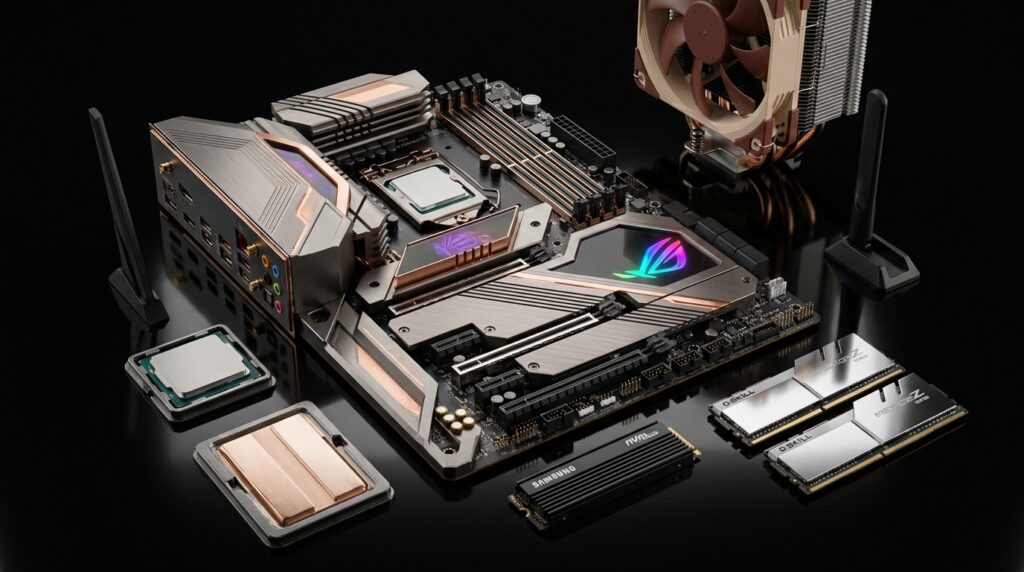
AMD separates its AM5 chipsets on a short list of points. How many PCIe lanes reach the graphics slot, how many rear USB ports the chipset can feed, how many SATA ports it exposes, and whether USB4 is mandatory. Everything else is down to the individual board.
The E suffix is the one that carries real meaning. B650E and X670E guarantee PCIe 5.0 to the graphics slot, while plain B650 and X670 drop it to Gen4. X870 and X870E bring Gen5 graphics back as a requirement and add mandatory USB4. Storage is the flip side: B650, B850, X670 and X870 all guarantee a PCIe 5.0 x4 M.2 slot even when the graphics slot is Gen4.
| Chipset | Graphics slot | Fast M.2 | USB4 | CPU overclocking | SATA ports |
| X870E | PCIe 5.0 x16 or 2×8 | PCIe 5.0 x4 | Required | Yes | 8 |
| X870 | PCIe 5.0 x16 | PCIe 5.0 x4 | Required | Yes | 4 |
| X670E | PCIe 5.0 x16 or 2×8 | PCIe 5.0 x4 | Optional | Yes | 8 |
| X670 | PCIe 4.0 x16 | PCIe 5.0 x4 | Optional | Yes | 8 |
| B850 | PCIe 4.0 baseline, 5.0 on many boards | PCIe 5.0 x4 | Optional | Yes | 4 |
| B650E | PCIe 5.0 x16 | PCIe 5.0 x4 | Optional | Yes | 4 |
| B650 | PCIe 4.0 x16 | PCIe 5.0 x4 | Optional | Yes | 4 |
| B840 | PCIe 4.0 x16 | PCIe 4.0 x4 | Optional | No | 4 |
| A620 | PCIe 4.0 x16 | PCIe 4.0 x4 | Optional | No | 4 |
Notice the SATA column. X870E and X670E carry two chipset dies instead of one, which is where the extra eight SATA ports come from. That matters if you keep a stack of 3.5-inch disks. Our guide to how SATA storage speeds compare explains why those ports still have a place.
The Best AMD Motherboard for Each Kind of Build
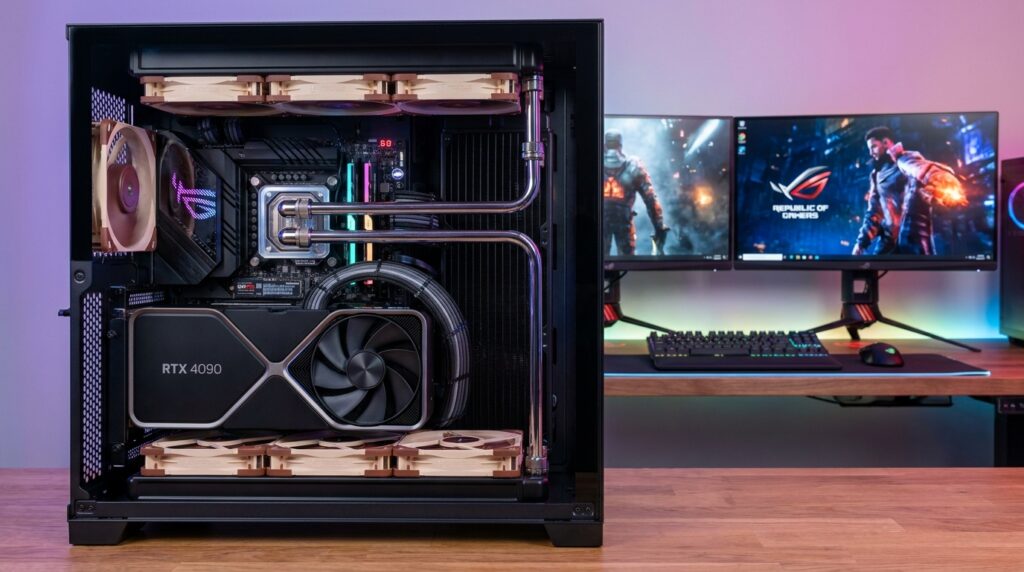
Budget AM5: Gigabyte B650 Eagle AX, $139.99
Three M.2 slots, four SATA ports, Wi-Fi 6E and DDR5 support for well under $150.
The graphics slot runs at PCIe 4.0. A modern GPU loses almost nothing to that.
Pros: lowest sensible entry into AM5, three M.2 slots, four SATA ports, five-year warranty.
Cons: Gen4 graphics slot, thinner VRM than the B850 boards, Wi-Fi 6E rather than Wi-Fi 7.
Mid-range gaming: MSI MAG B850 Tomahawk MAX WiFi II, $229.99
This is the board we would put in most gaming PCs. MSI specifies a 14+2+1 phase design with 80A smart power stages. You also get four M.2 slots, two of them Gen5 x4, plus a PCIe 5.0 x16 graphics slot. DDR5 can exceed 8400 MT/s when overclocked, and the rear panel includes Wi-Fi 7 and a 5 Gbps wired port.
Wi-Fi 7 on the board only pays off if the other end can match it. Check what your home WiFi router setup supports before you treat it as a selling point.
Pros: Gen5 graphics and Gen5 storage, strong power delivery, four M.2 slots, dedicated BCLK chip.
Cons: no USB4, only four SATA ports, more board than a Ryzen 5 build needs.
High-end value: ASRock X870E Taichi, $299.99
Dropped from $349.99, the Taichi is the cheapest honest route to the full X870E feature set. You get dual USB4 ports, 12 rear USB ports, 8 SATA connections, and a dual-chipset-lane budget. Rivals with the same silicon sit $50 to $150 higher for heatsink styling.
It is the value play in the top tier.
Pros: dual USB4, huge rear I/O, eight SATA ports, heavy heatsinks.
Cons: overkill for a single-GPU gaming rig, large board, needs a roomy case.
Overclocking and no compromises: ASUS ROG Crosshair X870E Hero, $569.99
Buy this one for the memory tuning, not the frames. Its appeal is the power stage count and the depth of the BIOS menus. If you have never opened a memory timing menu, this board will not repay its price.
Pros: deep memory tuning, excellent VRM headroom, dual USB4, strong onboard diagnostics.
Cons: four times the price of a B650 for no gaming gain, features most builders never open.
Mini-ITX: ASRock B850I Lightning WiFi, $179.99
Small boards usually charge a premium and then cut the VRM. This one does neither. At $179.99, it undercuts the ASUS ROG Strix B650E-I at $292.95 by a wide margin while keeping Gen5 storage.
Measure your cooler clearance first.
Pros: genuinely affordable for ITX, Gen5 M.2 slot, tidy rear I/O, real power stages.
Cons: two DIMM slots, tight cooler clearance, fewer fan headers.
AM4 on a shoestring: ASRock B550M-HDV, $69.99
An AM4 board makes sense in one situation: you already own DDR4 memory or a Ryzen 5000 chip. The B550M-HDV is plain and cheap, and it does the job. Skip the $218.99 MSI MAG B550 Tomahawk MAX WiFi, which now costs more than a better B850 board.
Pros: $69.99, reuses DDR4, still supports PCIe 4.0 storage.
Cons: dead-end socket, weak VRM, no DDR5, no upgrade path past Ryzen 5000.
What actually matters on the spec sheet
VRM. Power delivery is the one place a cheap board can genuinely hold a chip back. A Ryzen 9 9950X pulls serious current under an all-core load. Twelve power stages rated at 60A or higher is enough headroom for any AM5 chip, and the Tomahawk’s 80A stages sit comfortably past that line. Beyond that point, you are paying for heatsink mass and marketing.
M.2 slots. Two is the practical floor. Three is comfortable. Four is only useful if you run a large local library or edit video from separate scratch drives. Read the manual before you fill them, because on many boards the lower M.2 slots share lanes with SATA ports or the second PCIe slot.
PCIe generation. Gen5 to the graphics slot is close to irrelevant today. No consumer GPU saturates a Gen4 x16 link. Gen5 to the M.2 slot is more useful, and it is standard on B650 and above.
USB4 and rear ports. USB4 runs at 40 Gbps and is important for external SSD enclosures, docks, and some capture hardware. Count the rear ports too, since a build with a headset, webcam, printer and productivity mouse worth the desk space can eat eight ports before you notice.
Memory. Every AM5 board takes DDR5 only. Two DIMM slots usually clock higher than four. If you want 6000 MT/s with tight timings on a Ryzen X3D chip, a two-slot board is the easier path.
Firmware is a buying criterion, not a footnote
AM5 has a long runway. AMD has publicly committed to supporting the socket through 2027 and beyond, which means the board you buy today will likely accept a CPU released years from now. That upgrade depends entirely on a BIOS update arriving and flashing cleanly.
This is why USB BIOS flashback deserves a line on your shortlist. It lets you update the firmware without a CPU installed, which is the difference between a ten-minute job and a dead build.
Recovery matters for security reasons too. NIST set out the case in Special Publication 800-193, published on May 4, 2018. That document defines three properties that platform firmware needs: protection against unauthorized change, detection of when a change occurs, and recovery to a known-good state. Dual-BIOS boards and flashback buttons are the consumer version of that third property.
A failed flash also looks exactly like a dead board. If a build goes dark after a BIOS update, work through the steps for a PC that won’t turn on before you assume the hardware is gone.
Is AM4 still worth buying in 2026?
Only as salvage. A $69.99 B550 board plus DDR4 you already own is real money saved, and a Ryzen 5 5600 still plays modern games well. Buying the whole platform fresh is harder to defend. You would spend close to AM5 money on a socket with no future chips, no DDR5, and no Gen5 storage.
The tell is the pricing above. A B550 Tomahawk sells for $218.99 while a far more capable B850 Tomahawk sells for $229.99. One of those has an upgrade path. The other does not.
The verdict
For most people, the MSI MAG B850 Tomahawk MAX WiFi II at $229.99 is the best AMD motherboard on sale right now. It clears the VRM bar with room to spare, carries Gen5 graphics and Gen5 storage, and stops short of the X870E tax.
Tight budget? Take the Gigabyte B650 Eagle AX at $139.99 and put the savings into the GPU. Building small? The ASRock B850I Lightning WiFi at $179.99 is the value pick. Need USB4 and the full lane count? The ASRock X870E Taichi at $299.99 costs $270 less than the ROG Crosshair X870E Hero.
One last step.
Before you order, write down three numbers: how many M.2 drives you plan to install, how many rear USB ports you really need, and your real memory speed target. Those three answers pick the chipset for you faster than any spec sheet will.
Frequently asked questions
The MSI MAG B850 Tomahawk MAX WiFi II at $229.99. It pairs strong power delivery with PCIe 5.0 graphics, four M.2 slots, Wi-Fi 7, and a 5 Gbps wired port. It also costs far less than the X870E boards without sacrificing anything a gaming build requires.
B850 guarantees CPU overclocking support and generally ships with better VRMs and Wi-Fi 7. Both provide a PCIe 5.0 x4 M.2 slot. The practical gap is board quality rather than chipset capability, and B650 remains the better buy under $150.
B850 is enough unless you need USB4. X870 mandates USB4 and PCIe 5.0 graphics, while B850 leaves both to the board maker. For a single GPU and two or three drives, the extra spend buys nothing you will feel.
Less than forum threads suggest. Gaming loads rarely push an AM5 chip to sustained peak current. VRM quality matters for all-core work such as rendering.
Roughly 10 to 15 percent of the build. That lands most gaming PCs between $140 and $230. Spending past $300 buys connectivity and tuning features, not performance.
AM5 is committed through 2027 and beyond, so a board bought today should accept at least one more CPU generation after a BIOS update. Check the vendor’s support page for your exact model before you plan an upgrade around it.