If you’re wondering how to block your number before calling someone in the US, the fastest method is to dial *67 before the phone number. That hides your caller ID for one supported call. You can also hide caller ID through iPhone, Android, or carrier settings when you want the change to apply to more than one call.
Quick answer: For a single private call in the United States, open the dial pad, enter *67, then enter the full 10-digit phone number and call. The recipient will usually see Private, Anonymous, Restricted, or a similar label. For repeated calls, use your phone’s caller ID setting or ask your carrier about account-level blocking.
| What you want to do | Best method | How long it lasts |
|---|---|---|
| Hide your number for one call | Dial *67 before the number | One call |
| Hide it on an iPhone | Turn off Show My Caller ID | Until changed |
| Hide it on Android | Change the Caller ID setting | Until changed |
| Hide it through your carrier | Enable caller ID blocking | Until disabled |
| Show your number for one call when normally hidden | Dial *82 before the number | One call |
What You’ll Need
You don’t need a special privacy app to hide caller ID on a standard US cellular call.
You need:
- A phone with active voice service
- The full number you want to call
- Access to your Phone or Settings app
- Carrier support for caller ID blocking
Menu names can differ by phone maker, software version, SIM, and carrier. If a setting is missing, the one-call *67 method is often the simplest fallback.
How to Block Your Number: 4 Methods That Work in the US
1. Dial *67 Before the Number for One Private Call
This is the quickest choice when you only want privacy for a single call.
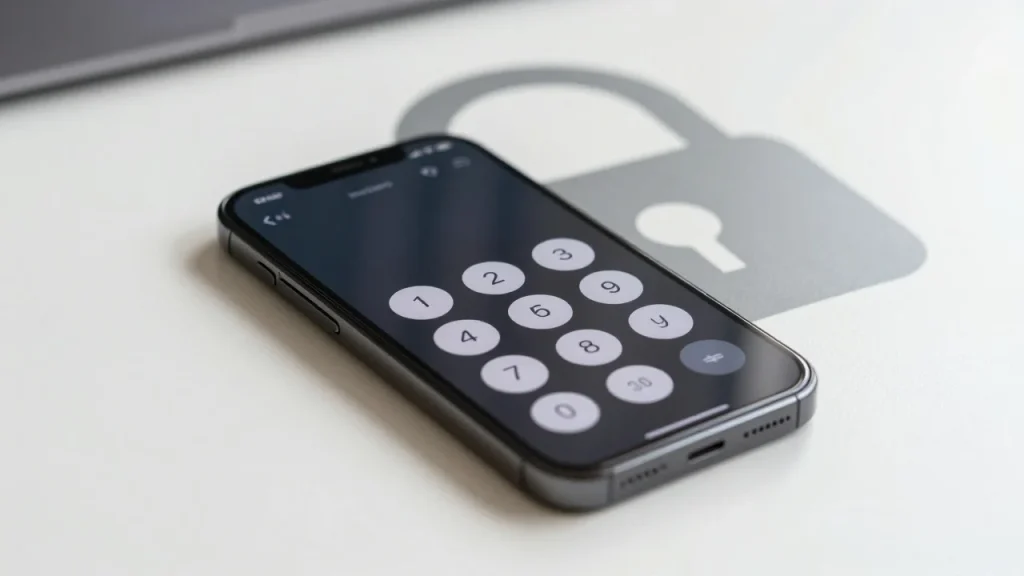
- Open the Phone app and go to the keypad.
- Enter *67.
- Type the complete 10-digit phone number.
- Tap the Call button.
- End the call normally.
For example, instead of dialing 212-555-0123, you would enter:
*67 212-555-0123
AT&T currently documents *67 for blocking caller ID on one call. Verizon also states that the recipient may see Private, Anonymous, or another indicator instead of your mobile number. The setting normally ends when the call ends. Your next regular call should show your caller information again.
Want more detail about the code itself? Techixia has a separate guide explaining whether *67 still works in 2026, including its exceptions and privacy limits.
2. Hide Caller ID on an iPhone
An iPhone can hide your caller information on outgoing cellular calls when your carrier supports the feature.
Apple’s current instructions are:
- Open Settings.
- Tap Apps.
- Tap Phone.
- Select Show My Caller ID.
- Turn Show My Caller ID off.
Apple notes that the option can be unavailable or controlled by the network provider. If it is dimmed or missing, contact your carrier or use *67 for an individual call. To display your number again, return to the same menu and switch the setting on. This option applies to regular outgoing phone calls. It should not be treated as a privacy control for every messaging or internet-calling service on the device.
3. Hide Your Number on Android
Android is less consistent because Samsung, Google, Motorola, other manufacturers, and mobile carriers can use different menus.
A common route is:
- Open the Phone app.
- Open its menu and choose Settings.
- Look for Calling accounts, Calls, or Supplementary services.
- Select your SIM if your phone asks.
- Open Caller ID or Show my caller ID.
- Choose Hide number.
If you can’t find that option, don’t assume something is wrong with your phone. The carrier may control the feature, or your Android version may place it elsewhere.
For occasional calls, use *67 instead.
If you use Google Voice rather than your carrier’s normal dialer, Google provides a separate Anonymous caller ID option under its call settings. Google also confirms that *67 is the blocking prefix for individual calls from US Google Voice numbers.
Android users who want to review other useful phone settings can also see Techixia’s hidden Google Play Store settings guide.
4. Ask Your Carrier to Block Caller ID
Carrier-level blocking makes sense if you want your caller information hidden on most outgoing calls.
Availability and controls differ between providers. Verizon, for example, supports caller ID blocking through its account tools. AT&T says customers whose phones can’t control outgoing caller ID can contact support about the feature.
If your line hides caller ID by default, *82 can temporarily show your number for one supported call. Verizon and AT&T both document that function. That can help when calling an office or person who rejects anonymous calls.
What Does the Other Person See?
When caller ID blocking works, the person receiving the call generally won’t see your normal number.
Their screen may show:
- Private
- Anonymous
- Restricted
- Unknown
- No Caller ID
The exact wording depends on the receiving phone and network. Hiding caller ID does not make a call untraceable. Your carrier still routes the call and retains information needed to operate its network. The feature changes what an ordinary recipient sees on caller ID.
This distinction matters when people confuse caller ID privacy with anonymity.
When Blocking Your Number Doesn’t Work
Caller ID blocking has exceptions.
911 Calls
Do not expect your caller information to remain hidden from emergency services.
Verizon and AT&T both identify emergency calls as an exception to ordinary caller ID blocking.
Toll-Free Numbers
Calls to toll-free services may also be handled differently. Verizon states that its caller ID blocking does not apply to certain 800 calls.
If keeping your personal number separate is essential, consider using a legitimate second line instead of relying only on caller ID blocking.
Calling Apps
A dialer code controls supported telephone calls. It does not automatically hide the identity attached to FaceTime, WhatsApp, Messenger, or another internet-based calling account.
Check the privacy settings of the service you’re using.
Anonymous Call Rejection
The other problem is simple: a private call may never ring.
Phones and carrier services can silence or filter unfamiliar callers. Techixia’s Potential Spam Caller ID guide and Scam Likely guide explain how modern filtering systems treat suspicious and unknown calls.
That means hiding your number can protect privacy while also making someone less likely to answer.
How to Check That Your Number Is Hidden
- Don’t rely on guesswork if the call matters.
- Use a second phone you own, or ask someone you trust to help.
- First, call the second phone normally and confirm that your number appears. End the call.
- Next, repeat the call using *67 or your chosen caller ID setting.
- If the second phone shows Private, Anonymous, Restricted, or similar wording, the blocking feature is working on that route.
- If your number still appears, check your carrier’s current instructions. Carrier support can matter more than the phone model.
Is Blocking Caller ID the Same as Blocking Someone?
No.
Caller ID blocking hides your information when you call another person. Blocking a contact stops or filters that person’s calls and messages to you.
The two features solve different problems.
Techixia’s guide on how to tell if someone blocked your number explains what contact blocking can look like on iPhone and Android.
Caller ID privacy also shouldn’t be used to keep contacting someone who has chosen to block you. A hidden number isn’t a guaranteed way around their call controls, and unknown calls may be filtered automatically.
The Best Method Depends on How Often You Need It
For one ordinary US call, *67 is the quickest option. It takes seconds and doesn’t change your normal settings afterward.
If privacy is your default preference, use the iPhone, Android, or carrier-level caller ID control instead. Test the setting with another phone before depending on it.
Remember the limits. Emergency calls, toll-free numbers, calling apps, and anonymous-call filters can behave differently. Use caller ID blocking as a practical privacy feature, not as a promise that a call is anonymous.
Frequently Asked Questions
For one US call, enter *67 before the full phone number and place the call. For repeated calls, turn off outgoing caller ID in your phone settings or use your carrier’s caller ID blocking feature.
Yes, it remains supported for many ordinary US voice calls. AT&T and Verizon currently document it for per-call caller ID blocking. It doesn’t apply in every situation.
Caller ID blocking is generally provided as a standard calling feature rather than a paid privacy app. Check your specific carrier and plan if you’re unsure.
You can often hide caller ID until you change the setting again. On supported iPhones, turn off Show My Caller ID. Android settings vary by device and provider. Your carrier may also offer line-level blocking.
Caller ID blocking is not an anonymity system. It hides your number from the ordinary caller ID display, but your telephone provider still processes the call.