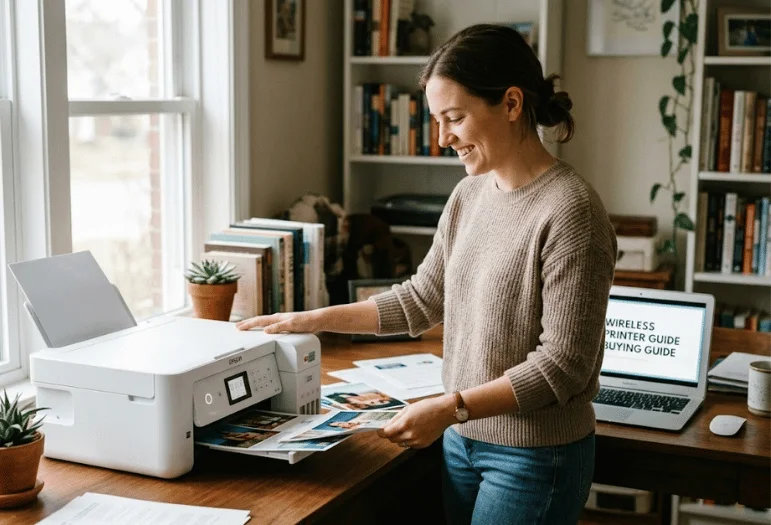
A wireless printer should make printing easier, not give you another device to troubleshoot every week. The right choice depends more on what you print, how often you print, and which devices you use than on the Wi-Fi logo printed on the box. For most US households and home offices, mobile-print support, automatic two-sided printing, sensible supply costs, and reliable networking matter more than flashy extras.
Most current models can print from computers, phones, and tablets without a USB cable. Apple devices can use AirPrint with compatible printers on the same network, while Android users can look for Mopria support. A good buying decision still starts with inkjet, ink-tank, or laser technology because that choice has the biggest effect on speed, maintenance, color quality, and long-term cost.
Quick answer: A good Wi-Fi printer should match your print volume first, then your connection needs. For most US homes, choose a color inkjet or tank model with AirPrint, Mopria, automatic duplexing, and dependable Wi-Fi. For frequent text-heavy work, a monochrome or color laser model usually offers faster output and less maintenance.
| What to check | Why it matters | Good starting point |
|---|---|---|
| Printer type | Affects quality, maintenance, and running cost | Inkjet for mixed color; laser for text; tank for frequent color |
| Mobile support | Makes phone and tablet printing easier | AirPrint and Mopria |
| Wi-Fi | Determines network compatibility | Dual-band 2.4/5 GHz when available |
| Duplex printing | Saves paper and manual work | Automatic two-sided printing |
| Scanner | Useful for forms and documents | Flatbed; add an ADF for multi-page jobs |
| Supplies | Can cost more than the printer over time | Compare cartridge, toner, or bottle yield |
| Paper capacity | Determines refill frequency | 100 sheets for light use; 250+ for heavier work |
Key Takeaways
Best balanced home-office choice: Epson EcoTank ET-4950 for users who print color regularly and want refillable ink.
Best for a busy small office: Brother MFC-L8930CDW for faster color laser printing, scanning, and shared networking.
Best for black-and-white documents: Brother HL-L2460DW for fast duplex laser printing without paying for color.
Best lower-cost all-in-one: Brother MFC-J1360DW for everyday color printing, scanning, copying, and an automatic document feeder.
Best simple home option: HP Envy 6555/6555e for moderate household printing, photos, schoolwork, and mobile use.
Best tank model for lighter home use: Epson EcoTank ET-2980 when low refill frequency matters more than office-class features.
Our 6 Picks at a Glance
Prices below are US manufacturer prices or regular listed prices checked in September 2026. Promotions can change quickly, so treat price as a comparison point rather than a guaranteed checkout price.
| Model | Best for | Type | Speed highlight | US price checked |
|---|---|---|---|---|
| Epson EcoTank ET-4950 | Regular home-office color | Tank inkjet all-in-one | 18 ppm black | $499.99 |
| Brother MFC-L8930CDW | Busy small offices | Color laser all-in-one | Up to 33 ppm | $699.99 |
| Brother HL-L2460DW | Text and monochrome jobs | Mono laser | Up to 36 ppm | $179.99 |
| Brother MFC-J1360DW | Budget home office | Cartridge inkjet all-in-one | Up to 16 ppm | $109.99 list price |
| HP Envy 6555/6555e | Family and school use | Cartridge inkjet all-in-one | 10 ppm black | Check current HP price |
| Epson EcoTank ET-2980 | Lower-cost tank printing | Tank inkjet all-in-one | 15 ppm black | $329.99 regular price |
How to Choose a Wireless Printer Without Paying for Features You Won’t Use
Start with your monthly printing pattern instead of starting with brands. If most of your pages are contracts, shipping labels, reports, or school handouts in black and white, a monochrome laser machine can be faster and easier to maintain. Techixia’s laser printer guide covers that category in more detail if document printing is your main job.
Choose an inkjet when you need affordable color, photos, graphics, or mixed household printing. A refillable tank model costs more up front but can reduce how often you buy supplies when you print regularly. Standard cartridge models usually cost less, which can make more sense for light or occasional use.
Your third question should be whether you need only printing or a full multifunction device. Scanning and copying are useful for school forms, receipts, IDs, contracts, and home-office paperwork, while an automatic document feeder saves time on multi-page scans. If the machine will become part of a permanent workspace, Techixia’s home-office setup guide can help you plan its location, power, networking, and desk space.
1. Epson EcoTank ET-4950: Best Balanced Home-Office Pick
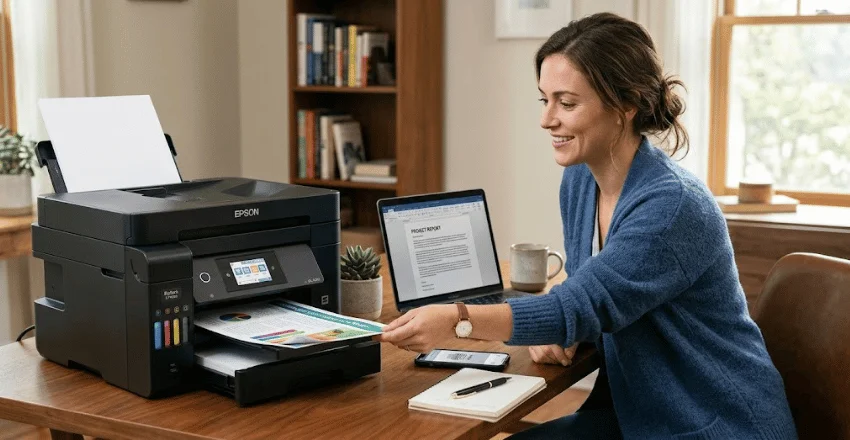
The EcoTank ET-4950 is a strong match for a household or home office that prints color often enough to benefit from refillable tanks. Epson lists an 18 ppm black ISO speed, a 250-sheet tray, automatic two-sided printing, scanning, copying, faxing, and AirPrint compatibility. At $499.99, it costs more than a basic cartridge inkjet, so the strongest case for buying it is regular use rather than occasional printing.
Pros: Refillable tanks, 250-sheet capacity, duplex printing, full multifunction design.
Cons: Higher purchase price, unnecessary for users who print only a few pages each month.
2. Brother MFC-L8930CDW: Best for a Busy Small Office
Brother’s MFC-L8930CDW is built for teams that need faster color documents and more capable scanning. Brother rates printing and copying at up to 33 pages per minute and provides dual-band wireless networking plus Gigabit Ethernet. Its $699.99 price and larger body make the most sense when several people share the machine or print substantial document batches.
Pros: Fast color laser output, wired and wireless networking, strong scanning features, high-yield toner choices.
Cons: Expensive for casual use, large for a small household desk.
3. Brother HL-L2460DW: Best for Black-and-White Printing
The HL-L2460DW focuses on fast monochrome document printing. Brother rates it at up to 36 pages per minute and includes automatic duplexing, a 250-sheet tray, Ethernet, USB, and dual-band wireless networking. At $179.99 on Brother’s US site, it is a practical choice if you don’t need a scanner or color output.
Pros: Fast printing, compact laser design, duplexing, 250-sheet tray, no ink-head clogging concerns.
Cons: No color, scanner, copier, or photo-focused features.
4. Brother MFC-J1360DW: Best Affordable All-in-One
The MFC-J1360DW gives lighter home-office users more functions without moving into premium pricing. It combines color printing, copying, scanning, automatic duplexing, and a 20-page automatic document feeder, while Brother rates print speed at up to 16 ppm. The manufacturer lists it at $109.99 before any temporary discounts, which puts it well below the tank and business-laser models in this guide.
Pros: Affordable multifunction design, ADF, duplex printing, mobile connectivity.
Cons: Cartridge supplies suit lighter volumes better than frequent high-volume printing.
5. HP Envy 6555/6555e: Best for Everyday Family Printing
HP positions the Envy 6555 series for home printing, scanning, copying, mobile faxing, and mixed color work. Its specifications include dual-band Wi-Fi, AirPrint, Mopria, automatic two-sided printing, a 100-sheet input tray, and a 35-sheet document feeder. HP recommends about 100 to 400 pages per month, which makes this model a better fit for everyday household work than demanding office volume.
Pros: Easy mobile support, automatic duplexing, document feeder, useful photo and schoolwork features.
Cons: 10 ppm black speed is modest, and cartridge costs are worth checking before purchase.
6. Epson EcoTank ET-2980: Best for Lower-Cost Home Tank Printing
The ET-2980 is a simpler tank alternative for people who want refillable ink without the ET-4950’s heavier office feature set. Epson lists a 100-sheet tray, automatic duplex printing, scanning, copying, AirPrint support, and a 15 ppm black ISO print speed. Its regular US price is $329.99, although Epson was advertising a lower promotional price when we checked.
Pros: Refillable ink, duplex printing, compact home-focused design, mobile support.
Cons: Smaller paper capacity than the ET-4950 and no automatic document feeder.
Which Printer Type Makes the Most Sense?
A simple three-question rule can narrow the field faster than comparing dozens of specifications. Print mostly black text and go days or weeks between jobs? Choose laser. Print color often and want fewer supply replacements? Choose a tank model. Print lightly and want the lowest purchase price? A cartridge inkjet may be enough.
Don’t assume the cheapest machine is the cheapest printer to own. Replacement supplies, page yield, duplex support, and wasted ink or toner can matter more over several years than a $50 difference at checkout. Brother, Epson, HP, Canon, and other manufacturers publish supply yields, so check replacement pricing before committing to a model.
Wi-Fi, AirPrint, Mopria, and Wi-Fi Direct Explained
Normal Wi-Fi printing usually puts the printer and your computer or phone on the same local network. Apple says compatible AirPrint devices can print from iPhone, iPad, or Mac without installing extra drivers, while Mopria provides similar standardized support across compatible Android devices. That is why device compatibility deserves a place on your buying checklist rather than being an afterthought.
Wi-Fi Direct works differently because a supported printer can connect directly to your device wirelessly. That can be useful when a normal router connection is unavailable, although your phone may temporarily leave its internet-connected Wi-Fi network during the process. If weak coverage causes printing problems, use Techixia’s guide to improving Wi-Fi signal before assuming the printer itself is defective.
Dual-band support is also useful in homes with crowded networks or modern mesh systems. A model that supports both 2.4 GHz and 5 GHz gives you more connection flexibility, although exact behavior depends on the printer and router. Techixia’s home Wi-Fi router guide explains the networking side if your printer is only one of several devices struggling with coverage.
Features Worth Paying Extra For
Automatic duplexing is one of the easiest upgrades to justify because it saves paper and removes the need to flip pages manually. If you are unsure how the setting works across Windows, Mac, Word, or Google Docs, Techixia’s double-sided printing guide explains the common options. A larger paper tray is also worth paying for if you print frequently, because constant refilling gets tiresome faster than most buyers expect.
An automatic document feeder matters when you regularly scan contracts, school forms, tax paperwork, or multi-page documents. Ethernet is useful for a fixed office printer because it gives you a wired networking fallback, even if Wi-Fi remains the main connection. A touchscreen is convenient, but it should rank below print quality, supply cost, paper handling, and device compatibility.
Our Verdict
For most US home-office users who print color regularly, the Epson EcoTank ET-4950 provides the strongest mix of refillable ink, paper capacity, duplexing, scanning, and mobile connectivity. Buyers who mainly produce black-and-white documents should save money with the Brother HL-L2460DW, while a busy team should step up to the Brother MFC-L8930CDW. Those choices match different workloads rather than pretending one printer is ideal for everyone.
Before buying, estimate how many pages you print in a normal month and check the price of replacement supplies. Confirm that your preferred model supports the phones and computers you already own, then check its physical dimensions with trays open. That short process usually prevents more regret than comparing minor differences in advertised resolution.
Frequently Asked Questions
Does a wireless printer need internet access?
A wireless printer does not always need internet access for local printing. A printer and computer can communicate through the same local Wi-Fi network, and some models support Wi-Fi Direct for a device-to-printer connection. You may still need internet access for cloud features, remote services, software downloads, account functions, or certain manufacturer apps.
Can I print directly from an iPhone?
Yes, if the printer supports AirPrint and both devices meet the network requirements. Apple says your iPhone or iPad and the AirPrint-enabled printer should normally be connected to the same Wi-Fi network. You can then choose Print from a supported app and select the printer without installing a traditional computer driver.
Can Android phones print without a manufacturer app?
Many Android devices can print through Mopria-compatible services when the printer supports them. Mopria also supports Wi-Fi Direct on compatible equipment, which can help when you cannot use the normal local network. Manufacturer apps can still add scanning, maintenance, cloud, or advanced configuration features.
Is laser or inkjet better for home use?
Inkjet is usually the more flexible choice for households that print a mix of color documents and photos. Laser makes more sense for people who mostly print text, want faster document output, or leave the machine unused for longer periods. Refillable tank inkjets sit between those choices by combining color capability with larger ink supplies and a higher initial price.
Why does my printer keep showing as offline?
An offline message often means the computer can no longer reach the printer at the network address it expects. Restarting the printer and router, confirming both devices are on the intended network, and checking signal strength are useful first steps. Persistent problems can also involve mesh-network configuration, saved printer entries, software, or router settings, so diagnose the network before replacing hardware.